Chapter 2. 3Dfindit administration via dashboard

Table of Contents

2.1. Health Monitor
2.1.1. Required authorizations
2.1.2. Activate Health Monitor
2.1.3. General information
2.1.4. Available tasks
2.1.4.1. Basic keys
2.1.4.2. IndexCheck
2.1.4.3. FulltextCheck
2.1.4.4. CertCheck
2.1.4.5. ModuleCheck
2.1.4.6. DiskCheck
2.1.4.7. PipelineCheck
2.1.4.8. customScript
2.2. Duplicate analysis
2.2.1. Prerequisites
2.2.2. Overview of the entire process
2.2.3. Create new report
2.2.4. Report selection
2.2.5. User interface details
2.2.5.1. Structure tree
2.2.5.1.1. What does the tree represent?
2.2.5.1.2. Navigation in the structure tree
2.2.5.1.3. Coloring in the structure tree
2.2.5.1.4. Connection of tree and results (cluster) and statistical overview
2.2.5.2. Results
2.2.5.2.1. Edit cluster
2.2.5.2.2. Geometric similarity
2.2.5.2.3. Reference part
2.2.5.2.4. Color coding of variables
2.2.5.2.5. Duplicates" area
2.2.5.2.6. Workflow when deleting a main part
2.2.5.2.7. Part annotated in another cluster
2.2.5.3. Overview
2.2.5.4. Filter
2.2.6. Parts comparison
2.2.7. Export
2.2.8. Error messages

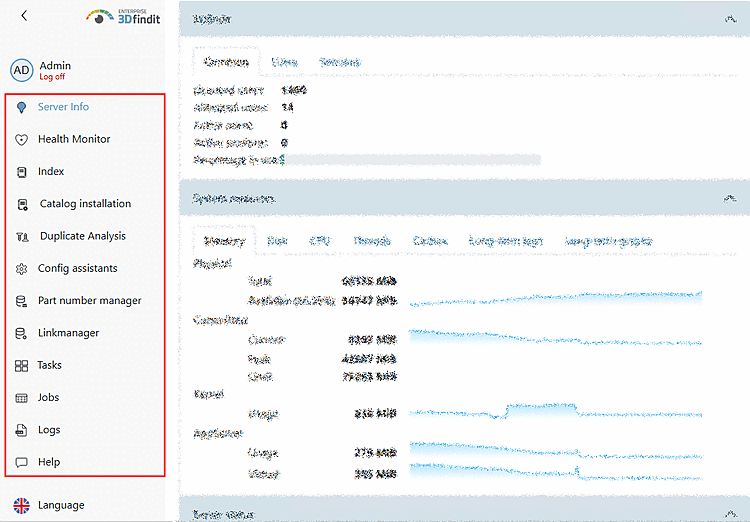
After logging in as an administrator, all menu areas of the dashboard are displayed: