2.7.3. Operation 2.7.3.3. Monitor and
manage clustering jobs |  |
| Prev | Next |
In the Clustering Overview, you can track submitted jobs for clustering, name generation, or export, and you can pause, retry, or remove them if their status requires action.
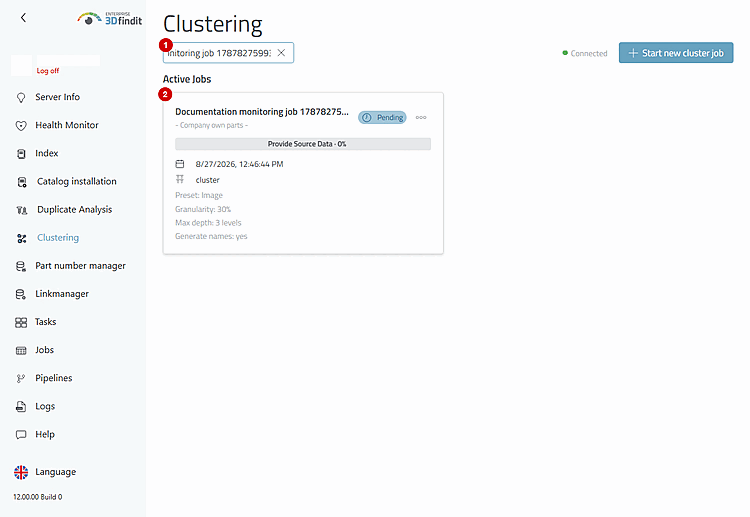
The Clustering Overview is the authoritative list of submitted jobs. Use "Filter" [1] to narrow the view to a specific job name, catalog, or identifier. The corresponding active card [2] shows the status, current phase, progress, source catalog, job type, submitted options, and creation time. Leave the filter selected while tracking a long-running job; clear it when you want to view the entire queue again.
The filter keeps track of the active job, while "Phase" and "Progress" show the current pipeline activity .
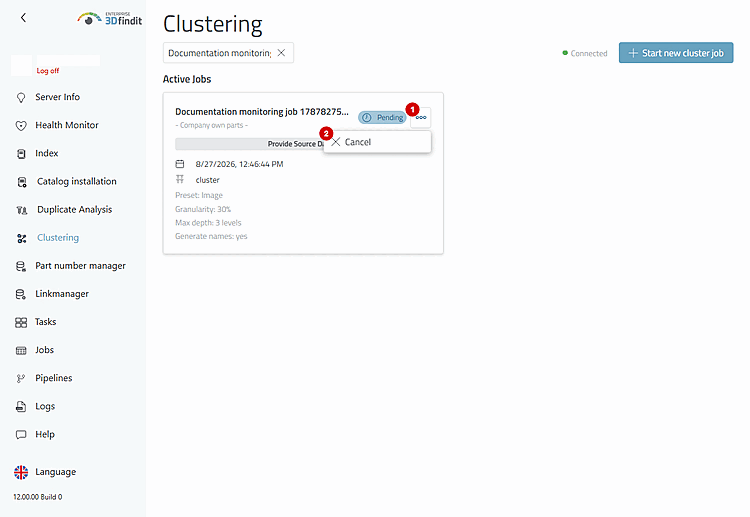
Use "More" [1] and "Cancel" [2] if you do not want a pending or running job to continue. If you cancel a job, the entry—including the submitted data—remains under “Failed and Canceled Jobs,” so that the next decision regarding restoration remains traceable. The job entry is not removed.
The menu for the active job displays "Cancel" only while the job is waiting or running and the account has administrative privileges.
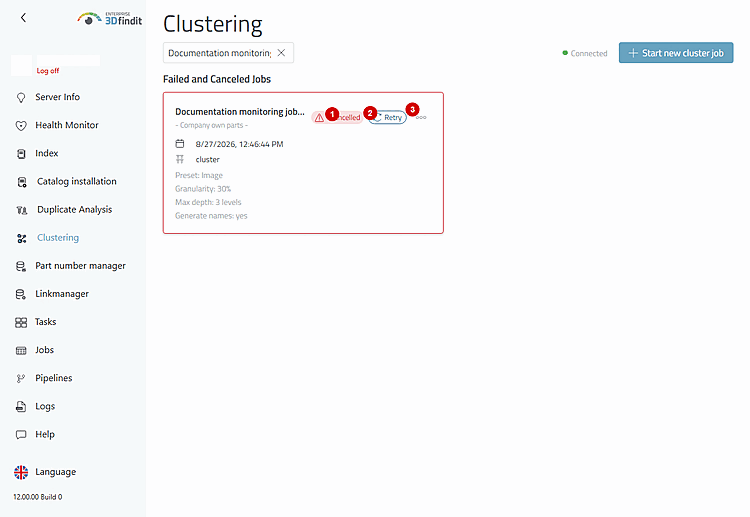
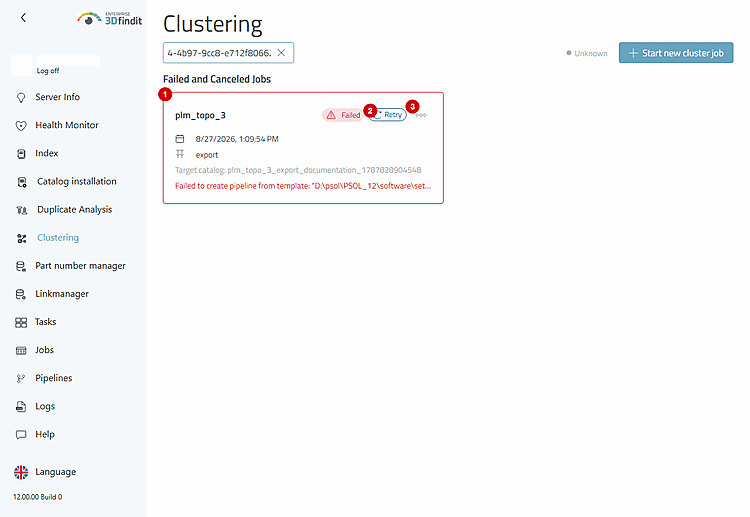
Failed and aborted jobs continue to display the status [1], “Retry” [2], and the “More” menu [3]. “Retry” behaves differently depending on the job type: A clustering job opens the form for a new job with the previous values; an export job reopens the export for the associated saved clustering with the corresponding saved target values; a name generation job immediately starts a replacement process for the linked saved clustering. Check the saved context before repeating any work. “Remove” deletes only an inactive history entry and is useful once this history is no longer needed for recovery or operation.
An aborted job is retained along with its submitted settings. This allows the administrator to decide whether to repeat the original job or simply clean up an outdated entry.
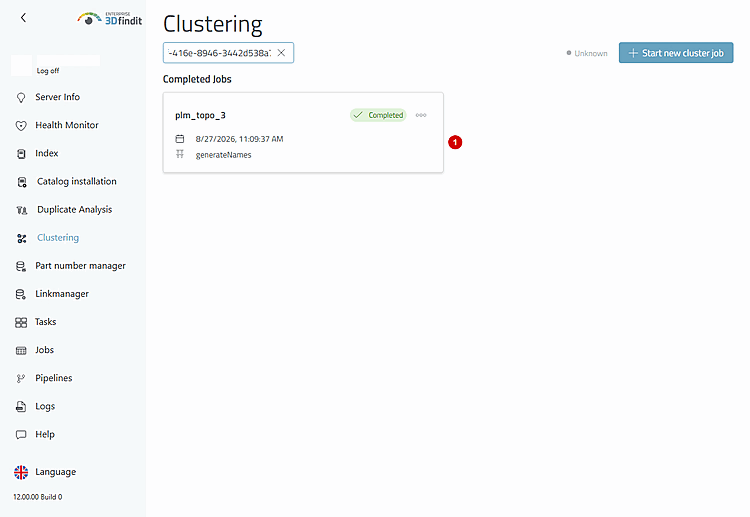
Cards of the "export" and "generateNames" types have the same lifecycle actions for active and inactive jobs as clustering jobs. Active cards can be canceled; failed and canceled cards can be re-run or removed. Export cards retain the destination catalog and localized display names. A generateNames card displays “Generate directory names” if the option for this operation was enabled .
Name generation is a separate job type. It does not change the settings displayed in the original clustering job.
In the case of failed or aborted exports, the destination catalog and localized display names indicate whether it makes sense to retry a specific export or whether an outdated request should simply be removed. If a job entry is removed, the associated saved clustering is retained.
The export card retains the information about the destination catalog. This allows you to determine whether the intended export should be repeated or whether only the inactive history entry should be cleared.
Job Monitoring – Overview Sections, Statuses, and Lifecycle Actions
The overview always displays the current status of active and inactive jobs. Administrators can pause inappropriate active jobs, retry suitable failed or aborted jobs using the previous settings, and remove inactive history entries without deleting the corresponding clustering result.
As long as a job is active, the job cards are updated every 2 seconds; when no jobs are active, they are updated every 15 seconds. Wait for the next update before considering a status change to be final.
For export and name-generation jobs, “Retry” requires a suitable saved clustering. If this source result has been removed, the overview reports that the target for the retry cannot be found.
Do not use "Remove" for a failed or aborted job as long as you still need its submitted options or its error message to decide whether to restore it.