2.7.3. Operation 2.7.3.11. Generate Cluster Names |  |
| Prev | Next |
You can create or update names for an existing clustering without starting a new clustering pipeline. The process runs as a separate name-generation job on the server and remains visible in the clustering overview for tracking purposes.
The logged-in account requires the "clustering-view" permission to access the overview and the "clustering-manage" permission to start and manage name-generation jobs.
The scheduled stored clustering must be available under “Clusterings” .
The backend for naming must be ready before you submit the process.
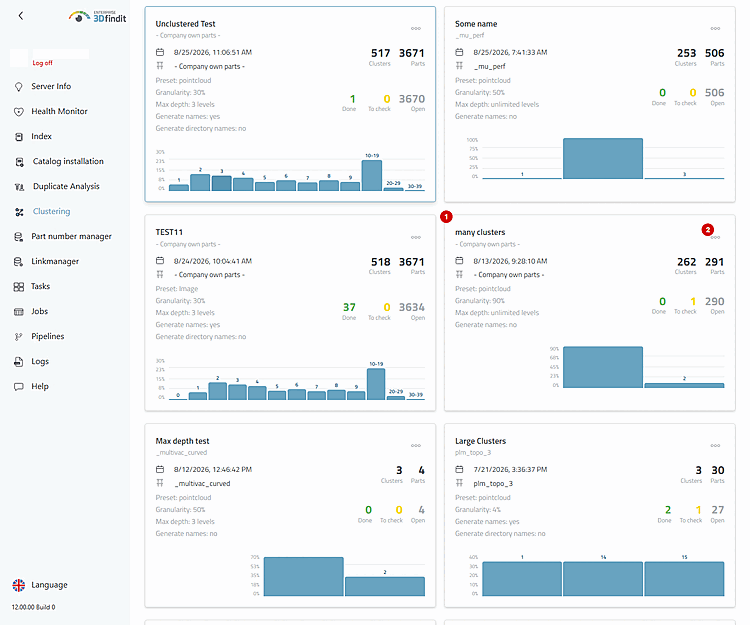
Open the context menu for the specified saved clustering and select "Generate names" [1]. For accounts without "clustering-manage," this action is intentionally missing.
The saved clustering is the basis for a dedicated naming job; its map shows which result the generated names are assigned to.
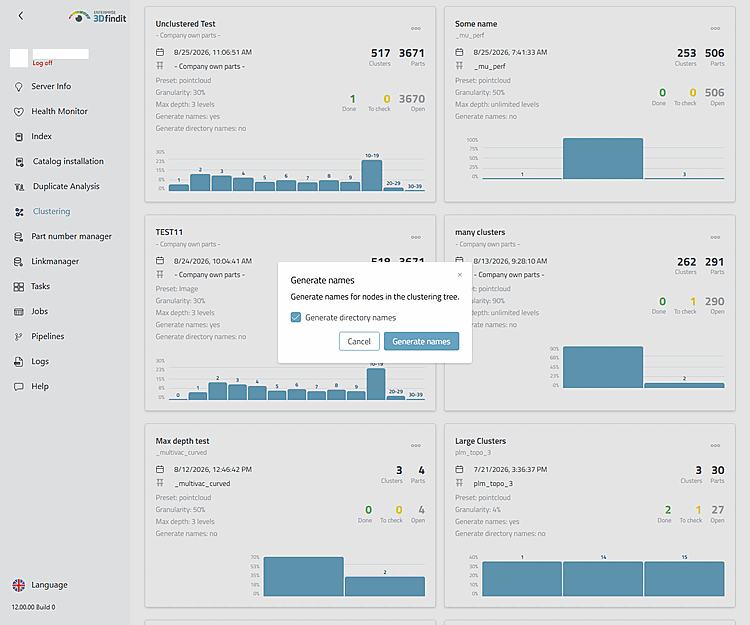
In the dialog you specify what the names are to be generated for. “Generate directory names” [1] is selected by default when the dialog opens. Select “Generate names” [3] to start the process, or “Cancel” [2] to discard it without creating a job.
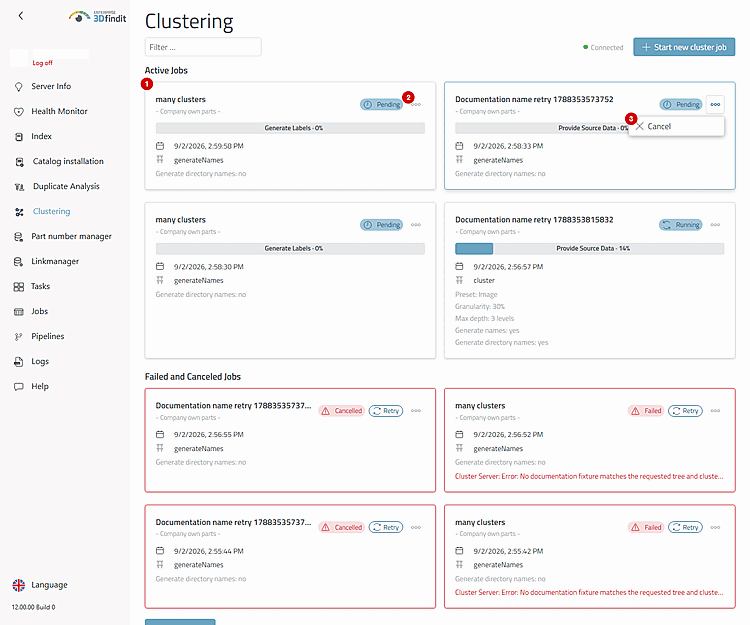
After submitting, the overview jumps to "Active Jobs." The job card identifies the process as "generateNames" and displays the current status, progress, and the selected setting for directory names.
Name Generation – Scope in the Dialog Box and Job Lifecycle Actions
The overview lists a separate generateNames job for the saved clustering. Once it is complete, the cluster tree can use the generated names. An aborted or failed job remains available for recovery actions and is not considered a completed naming process.
This process differs from “Generate cluster names” in the form for a new clustering: That option incorporates name generation into the first clustering pipeline, whereas this process operates on an existing result.
If the server rejects the submission, the overview displays the reported error and remains available for a corrected retry.
If "Retry" reports that the source clustering cannot be found, the saved source was removed after the job was created. Instead, start name generation from an available clustering .