Chapter 1.
3Dfindit administration via PARTadmin
1.7.
Configuration files
|  |
| Prev | Next |
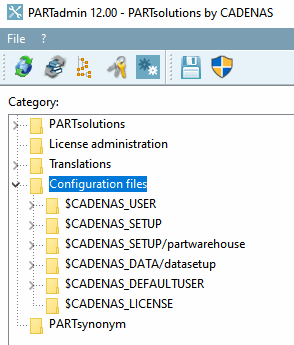
You can find basic information for all configuration files (file extension ".cfg") under PARTadmin -> Configuration files category -> Brief information [Short description] dialog area. For some configuration files, further information is displayed in the Documentation dialog area to explain more complex relationships, which is summarized in this chapter. Configuration files for controlling the ERP integration are usually referenced at Chapter 5, Strategic Parts Management . Configuration files for the CAD interfaces are referenced at Section 3.3, “CAD specific information”.
This chapter is organized as follows:
Editing of configuration files in PARTadmin
Here you can find information on the user interface and on how to perform settings.
Editing configuration files on file level
In exceptional cases editing of configuration files has to be performed on file level.
Here you can find detailed information on the specific tags.
Now all configuration files are following subdivided by their storage path, which is represented by an environment variable.
Keys in catalog directory and its subdirectories
Here you can find keys from files in the catalog directory or its subdirectories.
Configuration files to control the user interface follow at the end of this chapter.