1.7.4.15.
partsol.cfg 1.7.4.15.3.
Block [EOLService] - Show/hide lines to be avoided
|  |
| Prev | Next |
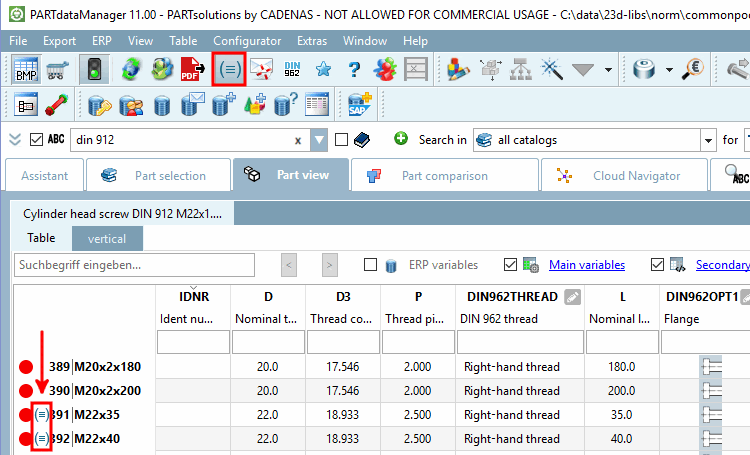
In the DIN, EN and ISO data sheets (as well as other national standards), certain sizes are often declared as to be avoided. If the option has been administratively activated, "parts to be avoided" are marked in the PARTdataManager in the parts view [Part view].
Use the Show/hide rows to avoid [Show/hide lines to be avoided] button to show or hide these parts.
Settings on this are carried out in the block [EOLService]:
LinkdbVariants: Show/hide LinkDB variants in the table
true:
LinkDB variants are not basically hidden and the visibility can be
controlled via  .[40]
.[40]
ShowLines: Show/hide the "to avoid" lines in the table
true:
Lines marked with "to avoid"[41] are not basically hidden and the visibility can be
controlled via .
ShowButton: Activation/deactivation of the button
| ||||
[40] If ERP integration is available, LinkDB variants can be created using  can be created. See Section 5.8, “ERP toolbar and menu (PARTdataManager)
”.
can be created. See Section 5.8, “ERP toolbar and menu (PARTdataManager)
”.
[41] Labeling is carried out by the manufacturer. See marking of Section 7.8.15, “Mark parts to be avoided ” in eCATALOG 3Dfindit.
![[Note]](images/note.png)