1.7.2.2.1. Settings 1.7.2.2.1.2. Settings on
project level |  |
| Prev | Next |
Have they been used for a specific project (standard or
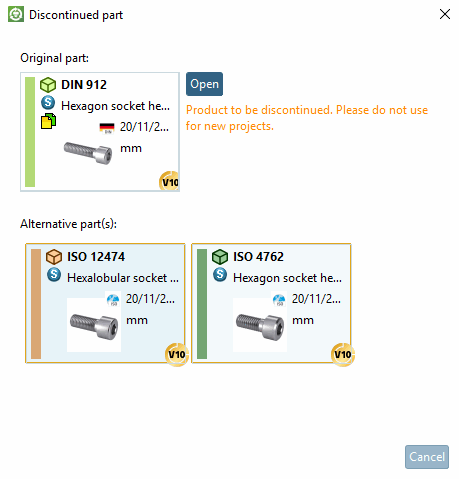
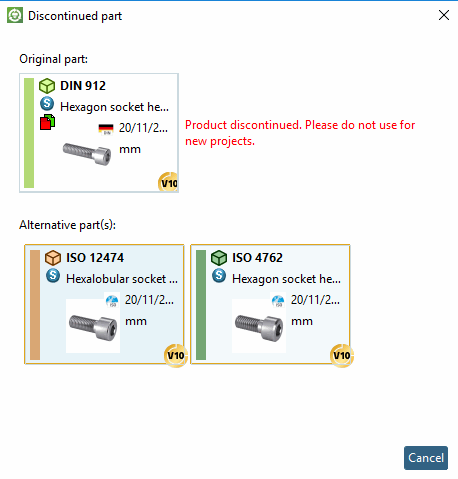
Purchase Part) settings, the Detached Part [Discontinued part] window appears when called up in 3Dfindit / PARTdataManager, in which one or more
several parts are listed, which instead of the original selection
(if this option is available in the
configuration file replace_std.cfg has been activated).
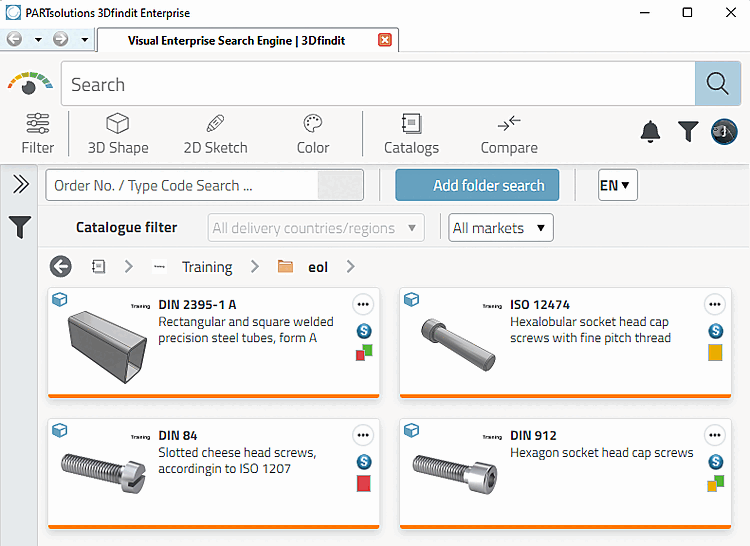
The following illustration shows the product selection in 3Dfindit.
(The following table shows the icons from 3Dfindit. The appearance compared to PARTdataManager is only slightly different).
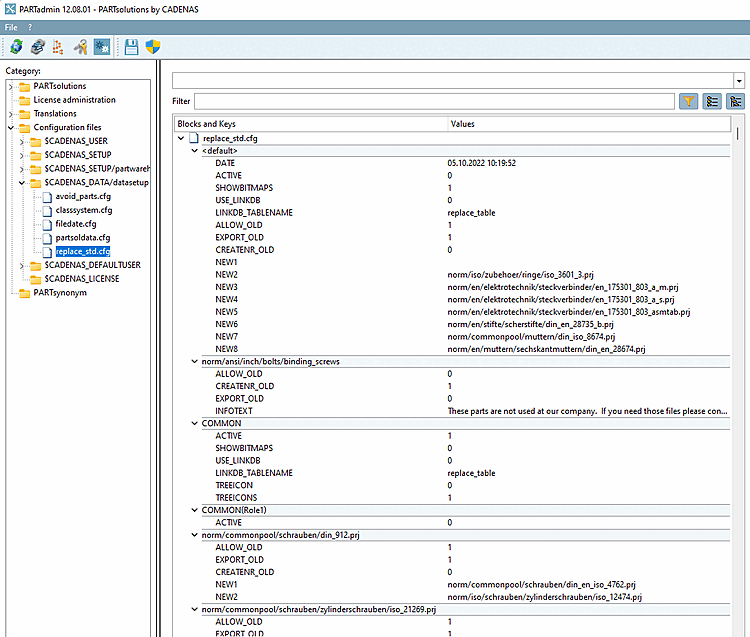
You can access the configuration file in
PARTadmin under Category Configuration Files [Configuration files] → $CADENAS_DATA/datasetup → replace_std.cfg.
In the following blocks, you specify the expired standard and supplier parts.
Block name is the complete relative path from the catalog down to the project file.
[norm/din_en_iso/schrauben/zylinderschrauben/din_912.prj]
ALLOW_OLD = (value range 0 or 1)
If set to 1, the button is visible in 3Dfindit / PARTdataManager.
If set to 0, the button is not visible in 3Dfindit / PARTdataManager.
CREATENR_OLD = (value range 0 or 1)
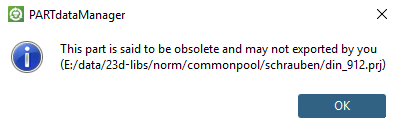
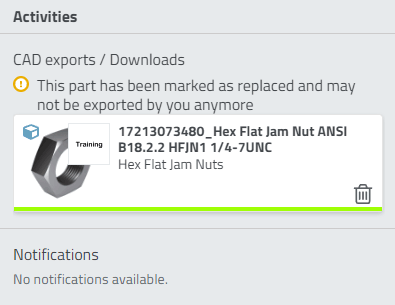
If set to 0, an error message is displayed when you click on the Add data record to link database [Add dataset to link database]
 an error message is displayed.
PARTdataManager: No data record may be created for this expired standard [Adding a dataset is not allowed for this expired norm.].
NEW1 = norm/din_en_iso/screws/cylindrical screws/din_en_iso_4762.prj
NEW2 = norm/din_en_iso/screws/cylindrical screws/din_en_iso_1234.prj
Relative path to the new project (starting with catalog name).
![3Dfindit: "Detached part [Discontinued part]" dialog box](resources/img/img_f76bf81c855144e7878a6a15bcbafbc2.png)
![PARTdataManager: Dialog window "Detached part [Discontinued part]"](resources/img/img_05bcbf31ff674acc88d4d26e2156f9b2.png)


![[Note]](images/note.png)

![PARTdataManager: No data record may be created for this expired standard [Adding a dataset is not allowed for this expired norm.].](resources/img/img_0453499b514d459188eb7bcee6247992.png)
