5.12.
Classify
5.12.11. Classify
Electrical Parts
|  |
| Prev | Next |
![[Note]](images/note.png) | Note |
|---|---|
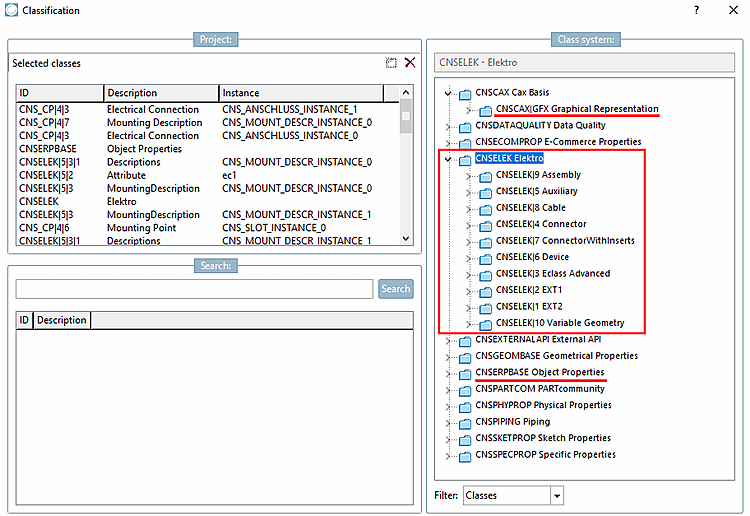
This chapter focuses on the application of the CNS classification. The fact that target systems may also require a classification according to ECLASS to identify the component type, for example, remains unaffected by this. Within the CNS classification, in addition to the labeling with specific electrical classes (CNSELEK [component level] or CNS_CP|4 [connection points]), the labeling with classes for determining the graphical representation (CNSCAX|GFX) or material characteristic properties (CNSERPBASE [see Section 5.12.3.6, “Classification (CNS) ”]) is also important, to name just a few.
| |
In the field of electrical engineering not only the outer shape of a component is decisive: In fact, engineers need further information, especially connection information, when looking for an appropriate part. In order for electrical components to be properly exported in respective ECAD target systems, they have to be classified accordingly.
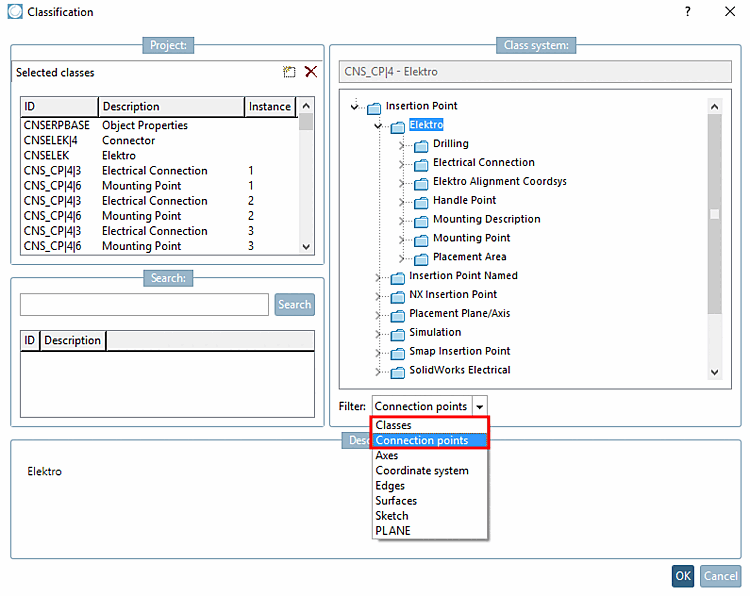
Some classes refer to the component as a whole, others to specific areas such as electrical connections or plug connections. When classifying, this is reflected in the choice of filter such as classes [Classes] or connection points [Connection points].
Part classifications such as article number, descriptions and IEC code 81346_2, for example (see Section 5.12.11.4, “Classification according to IEC Code 81346_2 ”)
| ||||
[a] Classes meant for connection level (and not for the whole part) can be recognized by the prefix "CNS_CP". | ||||
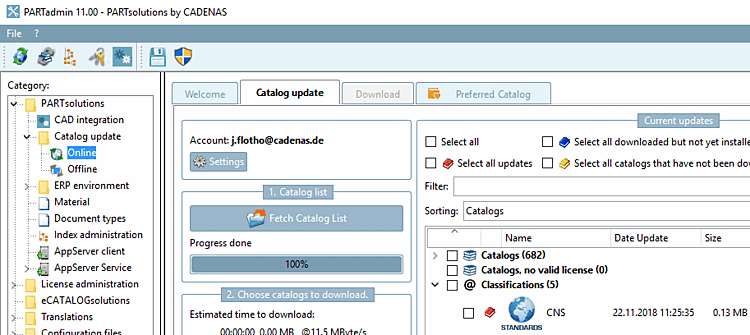
The prerequisite for classification is a current CNS classification.
If necessary, update the CNS classification via PARTadmin -> Catalog update -> Online.