5.12.11.28.5.
Create class system for filters (plugin)
5.12.11.28.5.2. Requirements /
settings / notes |  |
| Prev | Next |
5.12.11.28.5.
Create class system for filters (plugin)
5.12.11.28.5.2. Requirements /
settings / notes | |
| Prev | Next |
An Excel template file called statistics.xlsx must be created by the customer for display in the form of pivot tables and charts.
The template file statistics.xlsx must be located in the path under $CADENAS_SETUP\user\default_user\validator_reports_template
must be located.
The first time the Create class system for filter [Create class system for filters] command is executed, the template file is then copied to the user directory under $CADENAS_USER/validator_reports_template
is copied.
The configuration file createFilterClassSystem.cfgcan be found at $CADENAS\libs\x86\64\plugins\createFilterClassSystem.cfg.
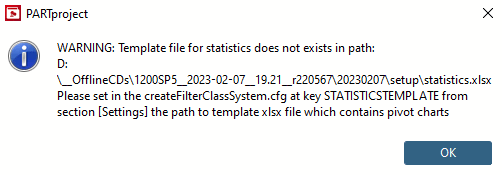
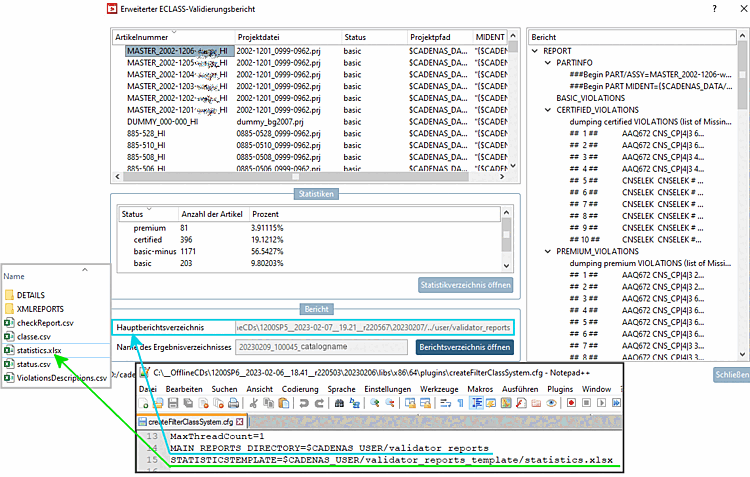
The path to the xlsx template file is set in the STATISTICTEMPLATE key in the [Settings] section.
[Settings]
#:VALS_S
#:HELP;Maximum number of threads
MaxThreadCount=1
MAIN_REPORTS_DIRECTORY=$CADENAS_USER/validator_reports
STATISTICSTEMPLATE=$CADENAS_USER/validator_reports_template/statistics.xlsx
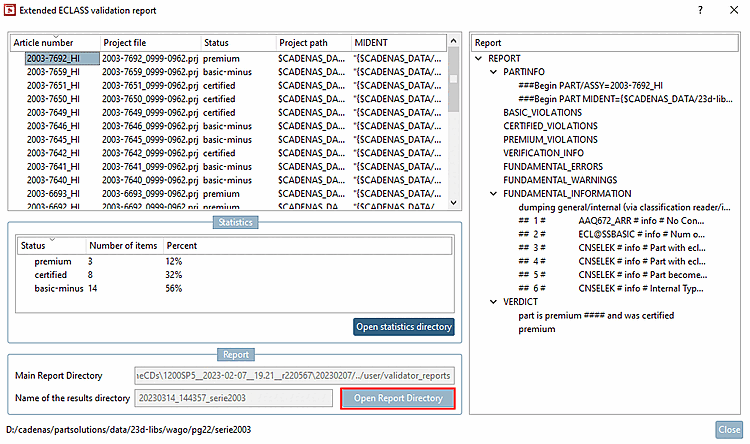
In the Extended ECLASS validation report dialog box, the path from MAIN_REPORTS_DIRECTORY is displayed under Main report directory [Main Report Directory].
The path specification under STATISTICSTEMPLATE defines the storage location of the Excel template file statistics.xlsx.
The directory names "validator_reports_template" in Setup and User directory have to match.
In addition, the default path for statistics.xlsx should be retained, as otherwise updating the pivot table and chart using "Alt "+"F5" will not work.
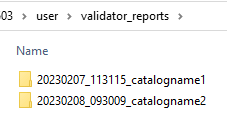
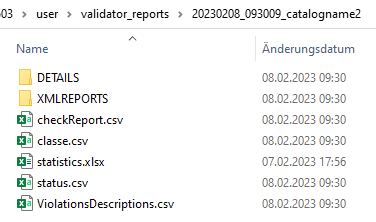
All reports are stored in the path set under MAIN_REPORTS_DIRECTORY each time the Create class system for filters function is executed.
As soon as you open the desired report directory, you will see the Excel file statistics.xlsx. After clicking on , this is already selected.
You can open the current report directory directly from the Extended ECLASS validation report dialog.
![[Note]](images/note.png)