5.12.3. General information on classifications
5.12.3.6. Classification
(CNS)
|  |
| Prev | Next |
The CADENAS classification (CNS) is not directly visible in 3Dfindit or PARTdataManager, but a large number of functions are controlled via the assigned class characteristics.
The classification (CNS) is not only designed for parts, but also for part components such as connection points [Connection points].
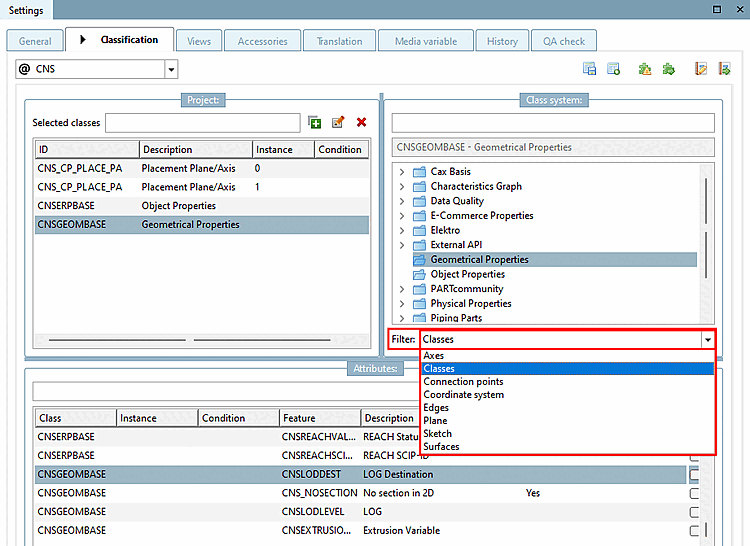
Before assigning, select the desired option in the list field under Filter.
In addition to the Classes option, the Append points [Connection points] option is used particularly often.
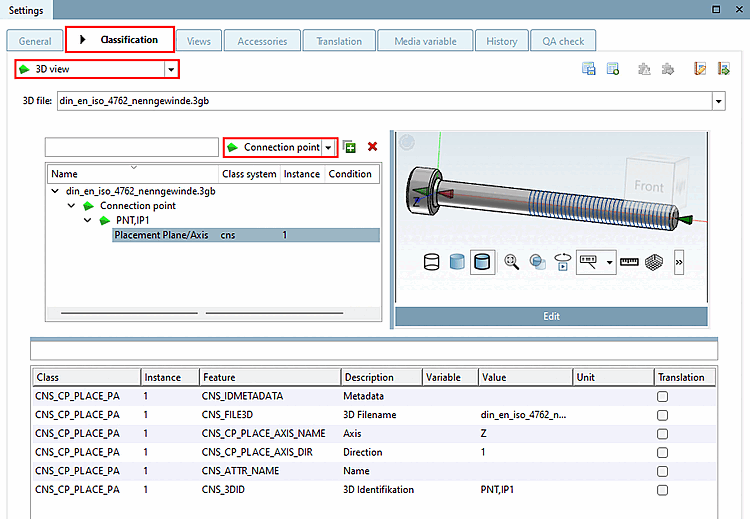
You can classify connection points (geometric objects) in PARTproject also classify them in the preview [Preview]. The advantage of this is that you have a direct reference to the component. See also Section 5.12.5, “Classify connection points ”.
If you select the Classes option in the filter [Filter], the following selection appears:
CNSCAX, Cax Basis: Award for symbols and layouts, e.g. in the electrical and BIM sectors.
CNSELEK, Elektro: For specific use, see Section 5.12.11, “Classify Electrical Parts ”.
CNSGEOMBASE, Geometric properties: General properties for all areas
The features in detail -> see below
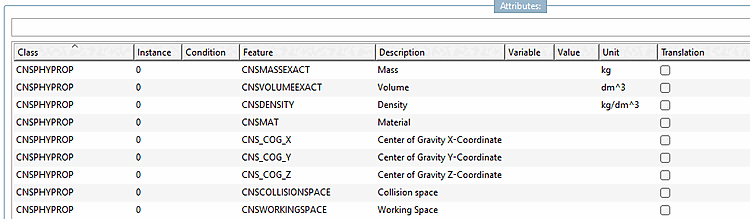
CNSPHYPROP, Physical properties: General properties for all areas
The features in detail -> see below
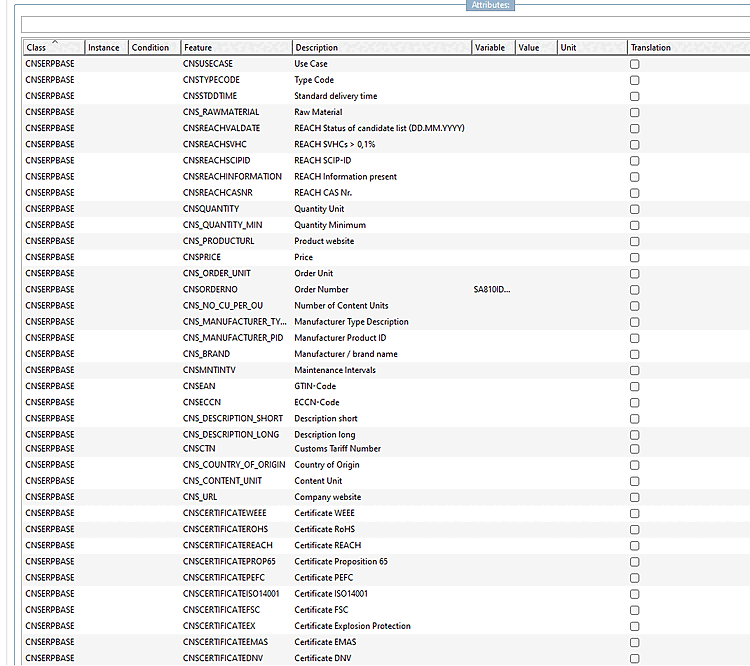
CNSERPBASE, characteristic properties: General properties for all areas, e.g. order number, type code, description texts for tendering software, etc.
The features in detail -> see below
Class CNSERPBASE (Object Properties)
| Feature | Description |
| CNSTYPECODE | Type key -> Display also under menu item Variables |
| CNSORDERNO | Order number -> also displayed under menu item Variables |
| CNS_DESCRIPTION_SHORT | Description short |
| CNS_BRAND | Manufacturer / Brand name |
| CNS_URL | Company Website |
| CNSUSECASE | Use case |
| CNS_DESCRIPTION_LONG | Description long |
| CNSEAN | EAN-Code |
| CNSCCN | ECCN-Code |
| CNSQUANTITY | Quantity Unit |
| CNSPRICE | Price |
| CNS_RAWMETERIAL | Raw Material |
| CNSSTDDTIME | Standard delivery time |
| CNSMNTINTV | Maintenance Intervals |
| CNSCERTIFICATEDNV | Certificate DNV |
| CNSCERTIFICATEEMAS | Certificate EMAS |
| CNSCERTIFICATEEX | Certificate Explosion Protection |
| CNSCERTIFICATEFSC | Certificate FSC |
| CNSCERTIFICATEISO14001 | Certificate ISO14001 |
| CNSCERTIFICATEPEFC | Certificate PEFC |
| CNSCERTIFICATEPROP65 | Certificate Proposition 65 |
| CNSCERTIFICATEREACH | Certificate REACH |
| CNSCERTIFICATEROHS | Certificate RoHS |
| CNSCERTIFICATEWEEE | Certificate WEEE |
| CNSCTN | Customs Tariff Number |
| CNS_MANUFACTURER_PID | Manufacturer Product ID (Auxiliary classification for reverse search) |
Class CNSGEOMBASE (Geometrical Properties)
| Feature | Description |
| CNS_NOSECTION | No section in 2D |
| CNSEXTRUSIONVAR | Extrusion Variable |
| CNSLODDEST | LOD Destination |
| CNSLODLEVEL | LOD Level |
Class CNSPHYPROP (Physical Properties)
If you select the Add points [Connection points] option in the filter [Filter], the following selection appears:
CNS_CP|4, Elektro -> see Section 5.12.11, “Classify Electrical Parts ”
You can find out how the assignment of classes and features actually works under Assignment of classes and features at project level.
![[Note]](images/note.png)

![Classes after selection of "Add points [Connection points] "](resources/img/img_69e7973b39d84d0694edd5da70b76e24.png)