5.7.
Set up ERP environment
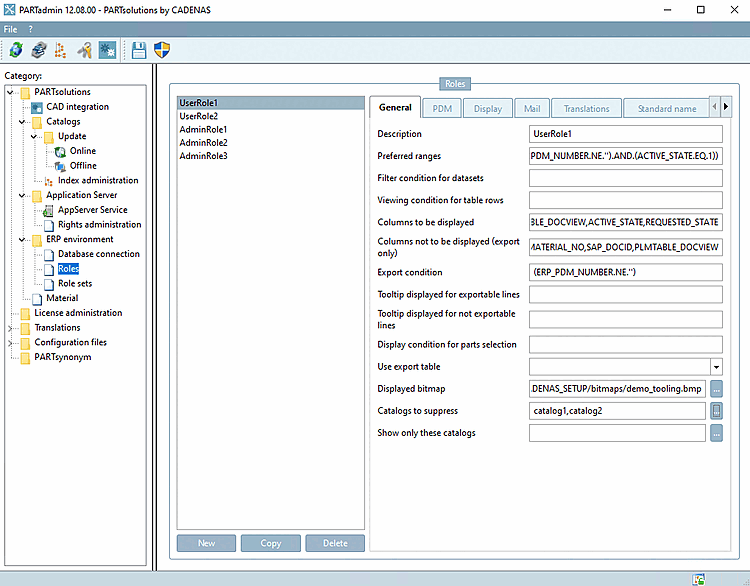
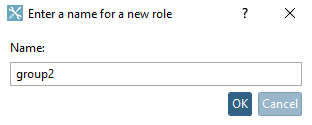
5.7.5. Create and configure roles
|  |
| Prev | Next |
PARTadmin → Category → PARTsolutions → ERP environment → Roles
Syntax notes can be found under Section 7.1.1, “Fortran Syntax ” or Section 7.1.2, “SQL Syntax ”.
In some input fields Fortran syntax has to be used, in some SQL syntax. The respective note is found above each point. Within the application a tooltip is displayed when moving the mouse over the input field.
When using variables both existing in ERPTABLE and LINKTABLE you have to state the table in addition in some cases.
ERPTABLE.ERP_PDM_NUMBER
LINKTABLE.ACTIVE_STATE
To simplify the use of table names they can always be stated when using SQL syntax, then you don't have to think about it at which field it is needed.
With Fortran syntax, always enter the variable name as it is displayed in ENTERPRISE 3Dfindit. This is usually the same as the field name in the database. The table name must not be specified here.
In PARTlinkManager under "Extra [Extras]" menu → "Configure ERP environment [Configure ERP environment]" → "PARTlinkManager settings [PARTlinkManager preferences]" tab you can see the table for the individual variables.
For complex expressions use brackets. Unneeded brackets are ignored. In case of doubt, too many brackets are better than too few brackets.
Remember to update the LinkDB search index when making relevant changes to role settings.
PARTadmin → Index management [Index administration] → Context menu command "Create LinkDB search index [Create LinkDB search index]"
![[Tip]](images/tip.png)
![In PARTlinkManager under "Extra [Extras]" menu → "Configure ERP environment [Configure ERP environment]" → "PARTlinkManager settings [PARTlinkManager preferences]" tab you can see the table for the individual variables.](resources/img/img_5d1973c2aa8445eb9f69566679a003e9.png)
![PARTadmin → Index management [Index administration] → Context menu command "Create LinkDB search index [Create LinkDB search index]"](resources/img/img_ef04b22334094c72bd6d8c80af69055b.png)