5.7.5.1.
Roles: General " tab page
5.7.5.1.3.
Display condition for part selection - Colored catalog index - plinkgroups.cfg -> Block [Role_name] -> Key "CONDITIONTREE"
|  |
| Prev | Next |
5.7.5.1.
Roles: General " tab page
5.7.5.1.3.
Display condition for part selection - Colored catalog index - plinkgroups.cfg -> Block [Role_name] -> Key "CONDITIONTREE"
| |
| Prev | Next |
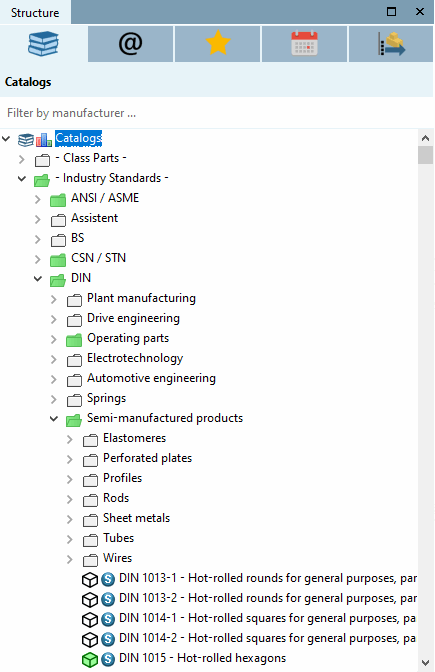
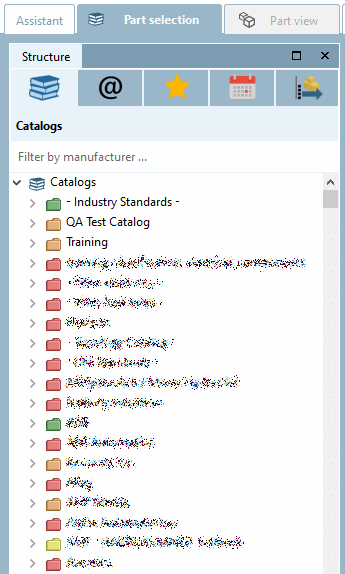
The directories and products/projects in the directory structure (catalog index) are colored green or white/semi-transparent according to the condition under Display condition for part selection [Display condition for parts selection].[72] Green means that at least one line in a product/project corresponds to the condition under CONDITIONTREE or display condition for part selection [Display condition for parts selection]. Green is "inherited" upwards in a direct line. White/semi-transparent means that no line of any project meets the condition.
At
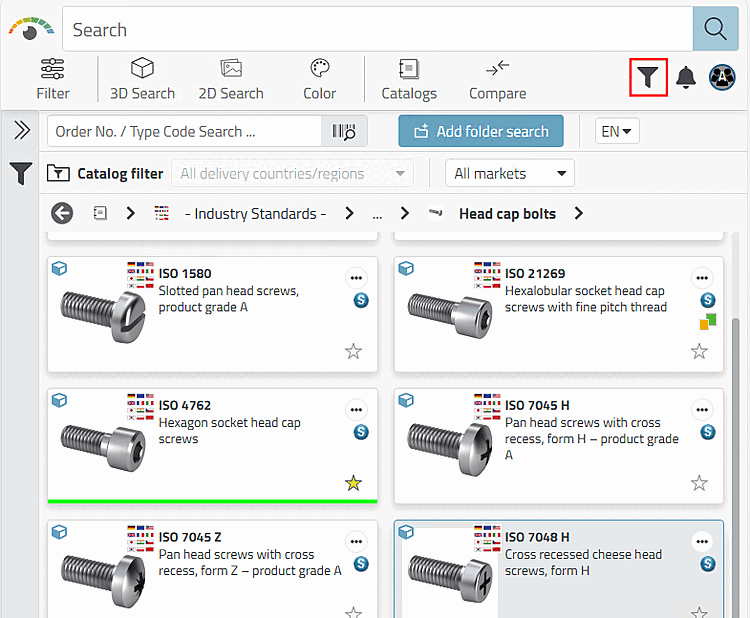
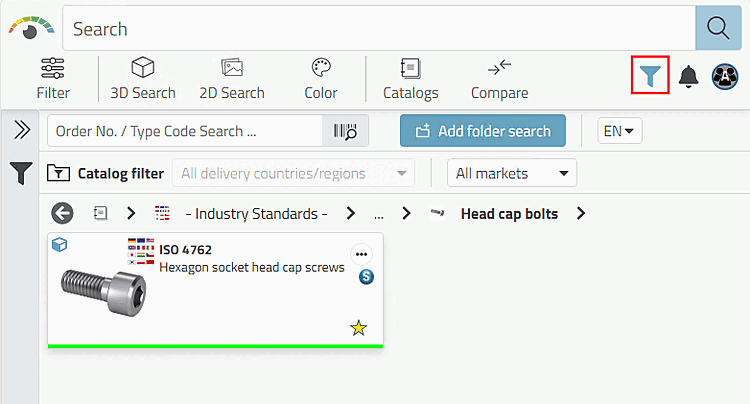
Activation of the preferred row function via the button Preferred rows On/Off [Preferred rows on/off]
 /
/  all white/semi-transparent
Products/projects and directories hidden.
all white/semi-transparent
Products/projects and directories hidden.
Example: Setting in
$CADENAS_SETUP/plinkgroups.cfg configuration file
[Rollenname]
CONDITIONTREE=(LINKTABLE.ERP_PDM_NUMBER<>'') AND (ACTIVE_STATE=1)
Meaning: The ERP number is not equal empty, in other words available AND the column ACTIVE_STATE has the value 1 (= released).
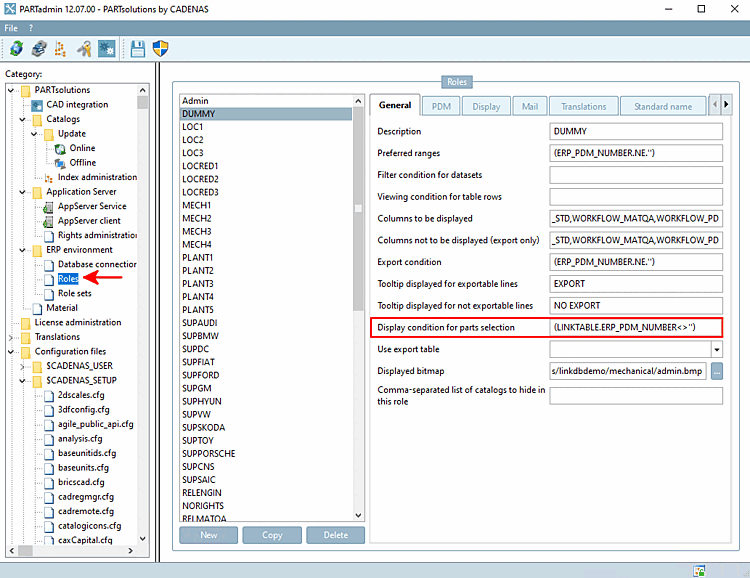
Setting under PARTadmin -> Category Roles -> Tab page General -> Display condition for part selection [Display condition for parts selection]
![[Note]](images/note.png) | Note |
|---|---|
The display condition for part selection [Display condition for parts selection] only applies if there are also parts with numbers in the respective directories! | |
If you activate the Preferred rows on/off filter, only those directories and projects are displayed that contain parts that meet the condition, i.e. the green ones.
| Note |
|---|---|
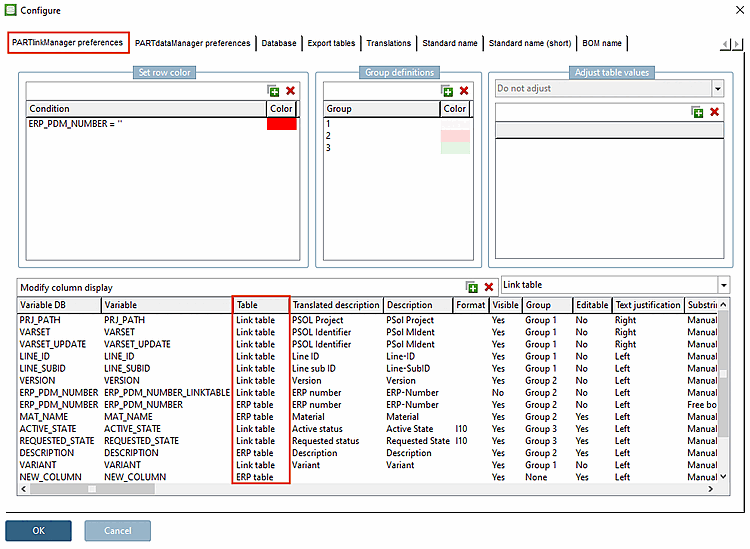
For the declaration of the column also state the table in addition (ERPTABLE or LINKTABLE). You will find the corresponding table in the Configure dialog box.
LINKTABLE.ACTIVE_STATE
| |
1
With '1' the whole tree is displayed in green color without restrictions.
ERPTABLE.PREIS<=0.8
Only directories are displayed, which contain parts with prices lower or equal than 0.8.
LINKTABLE.ERP_PDM_NUMBER<>''
Only directories are displayed, which contain parts with ERP numbers.
(LINKTABLE.ERP_PDM_NUMBER<>'') AND (ERPTABLE.PRICE3>0.0)
Only those directories are displayed which contain parts to which an ERP number has been assigned and which contain a price.
((LINKTABLE.ACTIVE_STATE=1) AND (ERPTABLE.STANDORT1<>''))
Only those directories are displayed which contain parts whose current status is set to "released" and which also have an entry in the "Location1" column.
Interaction with other settings
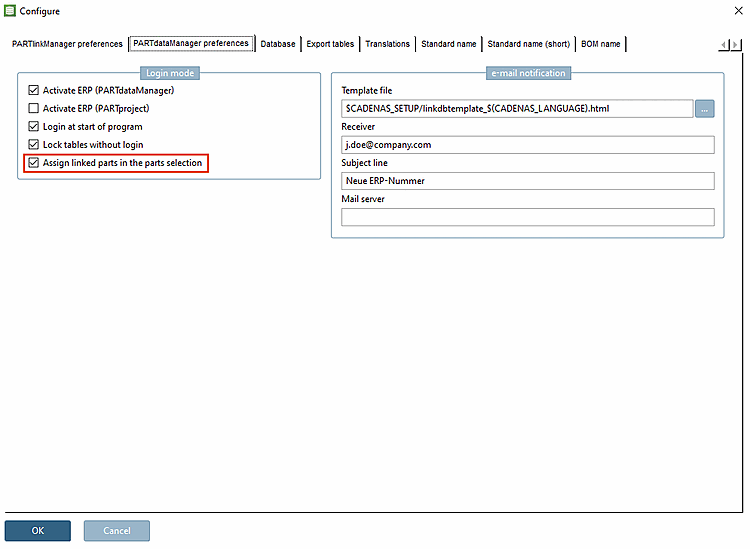
Is the option under PARTlinkManager -> Extras menu [Extras] -> Configure ERP environment -> Mark linked parts in the [Assign linked parts in the parts selection] part selection is deactivated, the catalog index is displayed in one color.
If the option is activated, there is a green/semi-transparent display in the catalog index according to the definition on the General tab page under Display condition for part selection [Display condition for parts selection]. The setting in the COLORCONDITIONTREE key or under Status colors for catalog index overwrites and possibly leads to a multi-colored index tree (see Section 5.7.5.3.2, “ Status colors for catalog index - plinkgroups.cfg -> Block [role name] -> Key "COLORCONDITIONTREE<number>" ”.
If the option is deactivated, no colors are displayed.
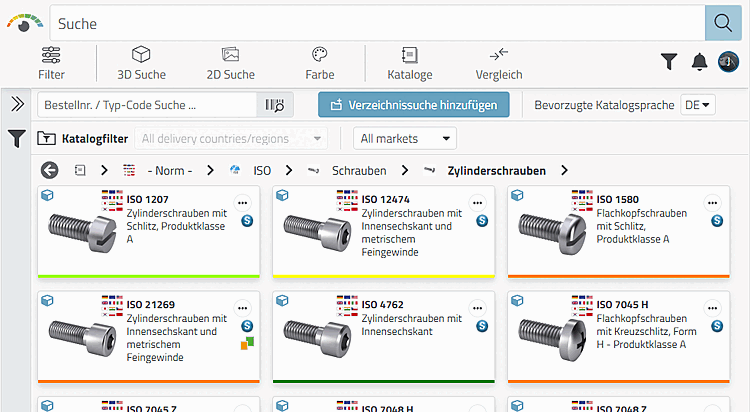
"Mark linked parts in the part selection [Assign linked parts in the parts selection]" deactivated: Result in 3Dfindit
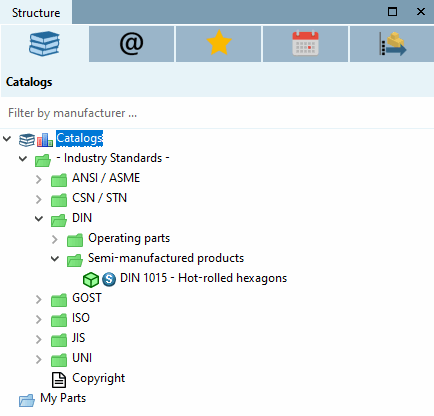
"Mark linked parts in the part selection [Assign linked parts in the parts selection]" deactivated: Result in PARTdataManager
If settings are set under the Display -> Status colors for catalog index tab page, the green/semi-transparent coloring is disabled. The catalog index can then have any number of colors. See under Section 5.7.5.3, “ Rollers: Tabbed page "Display" ”.
The above-mentioned setting Mark linked parts in the part selection [Assign linked parts in the parts selection] is then also disabled, as it only refers to the standard red-green setting.
The following matrix shows the relations:
The following figure shows the directory/product level in 3Dfindit when using the settings under Tabbed page Display -> Status colors for catalog index. See Section 5.7.5.3, “ Rollers: Tabbed page "Display" ”.
The following figure shows the catalog index in PARTdataManager when using the settings under Tabbed page Display -> Status colors for catalog index. See Section 5.7.5.3, “ Rollers: Tabbed page "Display" ”.
![[Tip]](images/tip.png) | Tip |
|---|---|
As a rule, it makes sense to set the condition for the preferred series [Preferred ranges] and the display condition for part selection [Display condition for parts selection] in the same direction. See Section 5.7.5.1.2, “ Preferred series - plinkgroups.cfg -> Block [Role_name] -> Key "PREFRANGE" ”. Example: Preferred series [Preferred ranges] and display condition for part selection [Display condition for parts selection] are both based on the existence of an ERP number.
| |
[72] Settings under COLORCONDITIONTREE or status colors for catalog index [Status colors for catalog index] overwrite and possibly lead to a multi-colored index tree or directories/products (see Section 5.7.5.3.2, “ Status colors for catalog index - plinkgroups.cfg -> Block [role name] -> Key "COLORCONDITIONTREE<number>" ” ).
If the option under PARTlinkManager -> Extras menu [Extras] -> Configure ERP environment -> Mark linked parts in the part selection [Assign linked parts in the parts selection] is deactivated, the catalog index is displayed in one color.
!["Mark linked parts in the part selection [Assign linked parts in the parts selection]" deactivated: Result in 3Dfindit](resources/img/img_41c61d5cdcfd45f59d9febe28ab58a78.png)
!["Mark linked parts in the part selection [Assign linked parts in the parts selection]" deactivated: Result in PARTdataManager](resources/img/img_980b106e47794fe9883e711ef03c7ac6.png)

![Example: Preferred series [Preferred ranges] and display condition for part selection [Display condition for parts selection] are both based on the existence of an ERP number.](resources/img/img_73186c7693aa48d3b55cf1ce207188fb.png)