2.1.6.1.
Search and parts selection at a glance 2.1.6.1.5. Register page search results
|  |
| Prev | Next |
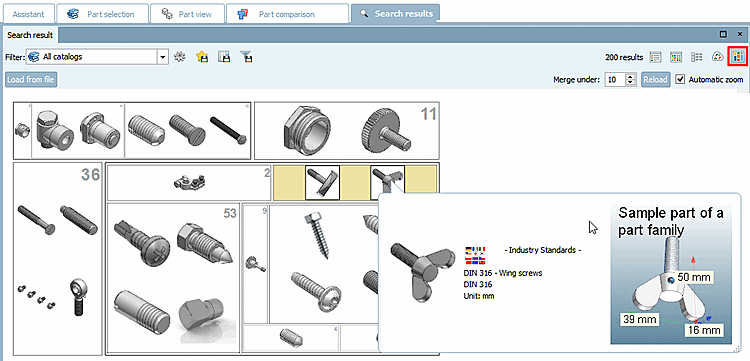
The search results are displayed below on the Search results tab page in various modes:
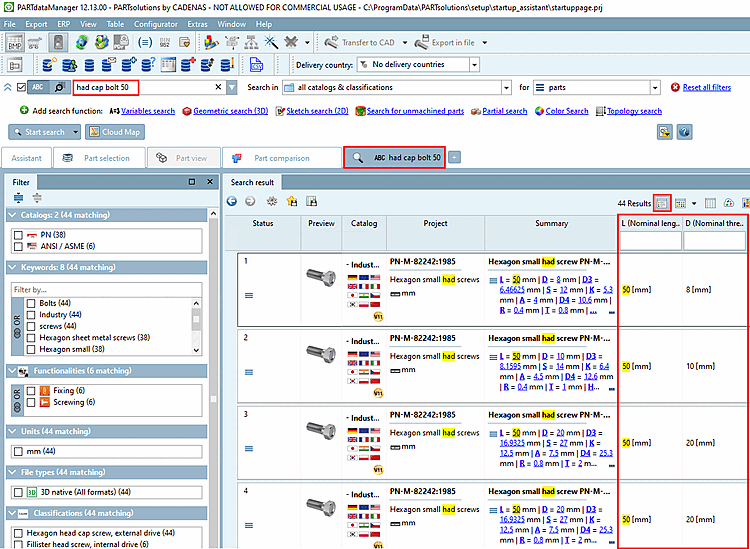
The Details mode [Details] contains the table variables [Table variables]. And not just for common variables, but in general, which may lead to wide tables (depending on the search settings).
Above each column you can find an input field for filtering. Even if not all hits are displayed on the search results tabbed page the filter affects all hits anyhow and adjusts the display of the table variables dynamically. You can filter some variables one after another, already set values will remain.
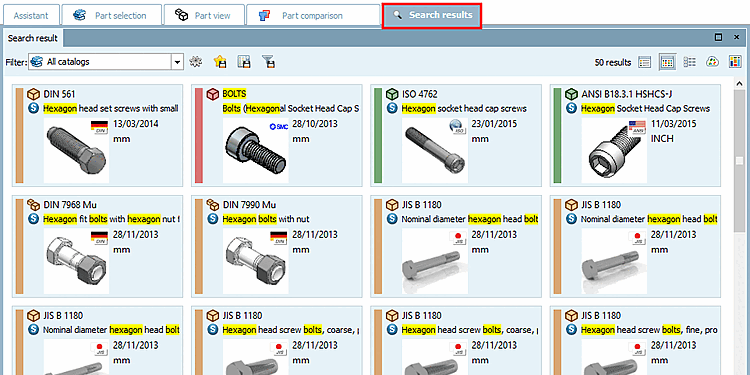
In symbol mode [Symbols], large preview images and the most important information such as the standard number and name are displayed.
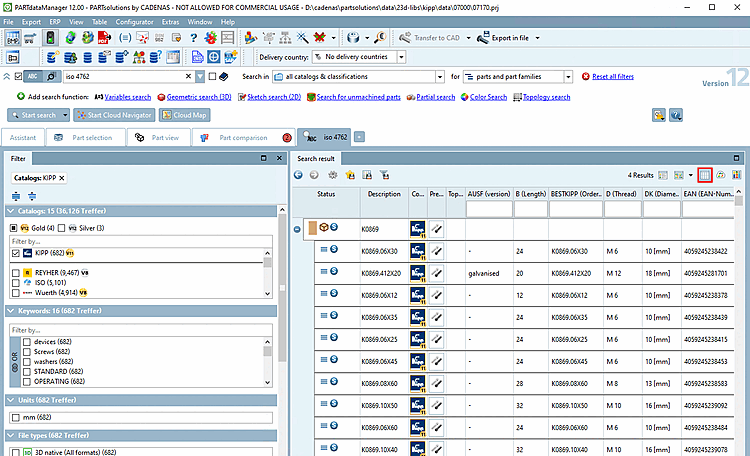
Table mode also contains the table variables [Table variables] and largely corresponds to Details mode  However, smaller preview images are displayed here and the Summary column is omitted so that you have more columns in view.
In
Depending on the setting of individual parts [parts]
 or part families and
Individual parts [parts and part families]
or part families and
Individual parts [parts and part families]
 . (compare above)
access to the individual parts is different. Whether the
parent project (individual part or assembly) or a
You can recognize specific characteristics by the corresponding icon:
. (compare above)
access to the individual parts is different. Whether the
parent project (individual part or assembly) or a
You can recognize specific characteristics by the corresponding icon:
A large number of commands are available in the context menu of a parts family or an individual part. Buttons are also displayed in Details mode [Details].
By means of  Open, for example, you can switch to the parts view [Part view]. Detailed information on the parts view can be found at Section 2.1.7, “
Part view
”.
Open, for example, you can switch to the parts view [Part view]. Detailed information on the parts view can be found at Section 2.1.7, “
Part view
”.
By means of  for example, you can open the component comparison [Part comparison] or load a component into the component comparison. Detailed information on the component comparison [Part comparison] can be found at Section 2.1.6.10, “
Part comparison
”.
for example, you can open the component comparison [Part comparison] or load a component into the component comparison. Detailed information on the component comparison [Part comparison] can be found at Section 2.1.6.10, “
Part comparison
”.
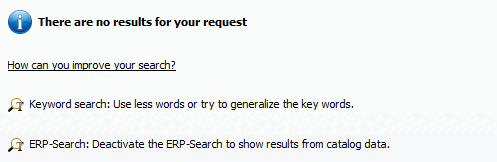
There are no results for your request:
Check which terms are mentioned in the parts information [Part information] and use these as an alternative.
See Section 2.1.6.7.6, “ Suggested corrections for typos - " Did you mean" ”.
See Section 2.1.6.7.7, “ Refine / extend search - "Related terms" ”.
Refine search (AND) [More precise (AND)] / Expand search [Broaden search]
If you get insufficient search results please regard the notes under Section 2.1.6.7.7, “ Refine / extend search - "Related terms" ”.
If there are more than 50 results[36] the button will appear at the bottom of the As a rule, the desired results are among the first hits. If you still want to see more results, successively click on ... or
Save search results: in favorites / in file
The search delivered parts which you often use?
Then select all or individual search results (selection via CTRL key) and save them as your favorites.
Perhaps you want to pass along the search results and/or process in an external program?
Then save the search results (with the desired information from the table) in a text file.
You will find the function calls in the form of two icons at the top left above the search results.
 Save search results in your favorites [Save search results in favorites]: See Section 2.1.6.7.5, “
Save search results: in favorites / in file”.
Save search results in your favorites [Save search results in favorites]: See Section 2.1.6.7.5, “
Save search results: in favorites / in file”.
 Save search results in a file: See Section 2.1.6.7.5, “
Save search results: in favorites / in file”.
Save search results in a file: See Section 2.1.6.7.5, “
Save search results: in favorites / in file”.
Have a look on detailed catalog and project data. See Section 2.1.6.8.1, “Docking window "Details " ”.
Take a look at the part information [Part information]. You can find the command in the context menu of each part.
[36] If you want to change the default setting, click on the "Search settings [Search settings] " button and select the "General [General] " tab.