2.1.6.7.
Search results
2.1.6.7.7.
Refine / extend search - "Related terms"
|  |
| Prev | Next |
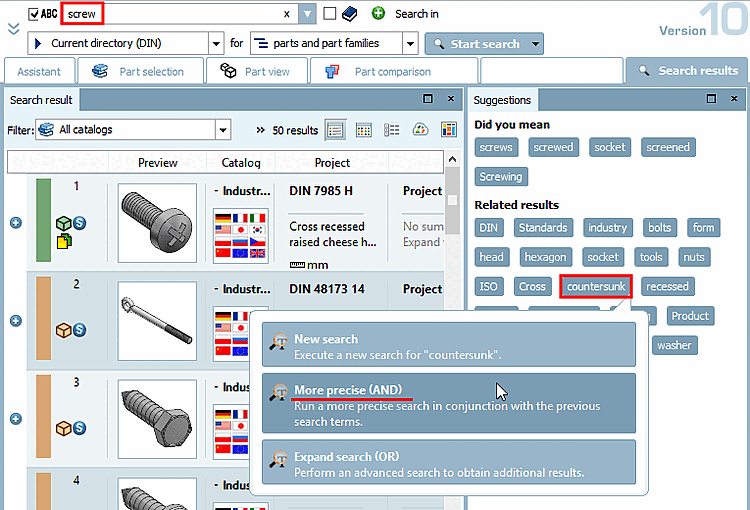
In the Suggestions docking window under Related terms [Related results], related termsare displayed after performing a textual search, which you can use to further modify the search afterwards.
To do this, click on one of the related terms displayed.
-> A dialog box opens with the following selection options:
Perform a more precise search in combination with the old search term. [Run a more precise search in conjunction with the previous search terms.]
This corresponds to an AND combination of both terms. The original search term and this one must both apply.
Expand search [Broaden search]:
Perform an advanced search to obtain additional results.
This corresponds to an OR link between the two terms. At least one of the two must apply.
![[Note]](images/note.png) | Note |
|---|---|
In the Extras menu under Settings..., List selection search [Search], Tabbed page Text search, you can set whether and how many related terms [Related results] should be displayed. See under Section 1.3.3.2, “ Text Search ” in ENTERPRISE 3Dfindit (Professional) - Administration. | |