1.6. CAD
encompassing reference of all menu commands
1.6.6.
Seamless - Detailed description
|  |
| Prev | Next |
1.6. CAD
encompassing reference of all menu commands
1.6.6.
Seamless - Detailed description
| |
| Prev | Next |
![[Note]](images/note.png) | Note |
|---|---|
The following description and illustrations may vary slightly depending on the status and product. | |
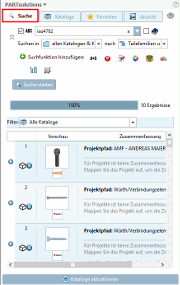
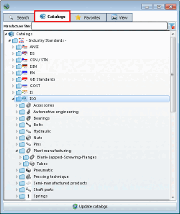
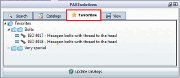
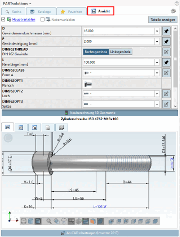
The dialog area is divided into 4 tab pages:
Find the desired part using full text search [Full-text search], variable search [Variables search], geometric search (3D) [Geometric search (3D)], sketch search (2D) [Sketch search (2D)], color search [Color Search] or topology search [Topology search].
Find the desired part via the directory structures of the manufacturer catalogs, own parts catalogs or classifications.
Transfer the desired part directly from your favorites to CAD.
Check or determine the specific characteristic via the variable values [Variable values] in the individual list fields.
Check the part in the 3D view and create 2D derivations if necessary. View technical data [Technical details] and references [Links] to related components.
On the View Tabbed page, you will find the Transfer to CAD [Export to CAD] command at the bottom.