1.6.6.
Seamless - Detailed description
1.6.6.2.
Catalogs " tab page |  |
| Prev | Next |
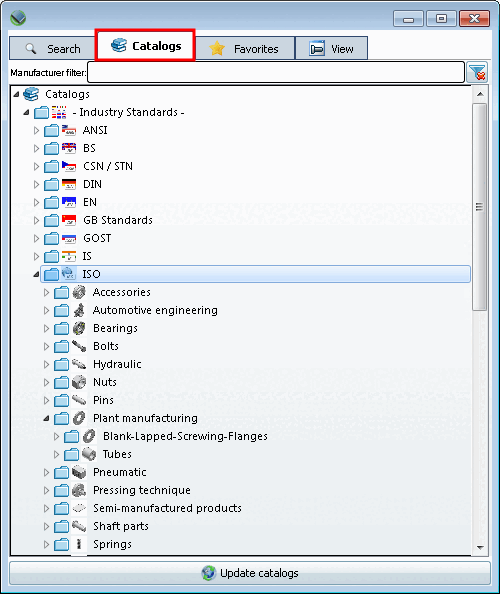
On the tab page, you will find the desired component via the catalog structure with subdirectories up to the project file. Open the subdirectories one by one. The branching symbol in the directory tree indicates those folders that contain further folders or projects.
Use the manufacturer filter [Manufacturer filter] if required. (Useful if many catalogs are installed)
Advantage: Keep an overview, find things faster
You can also enter several manufacturers separated by commas.
ahp,afag,fibro
The catalog view is adjusted as you type.
You will find the following main directories on the Catalogs tab page:
Catalogs (see illustration above )
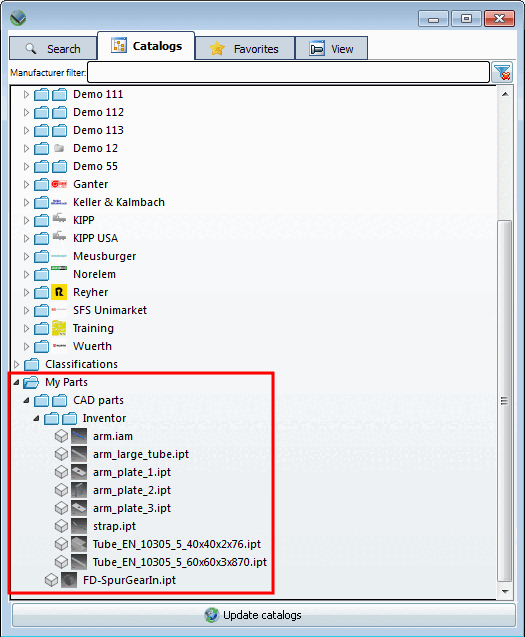
Under Own parts [My parts], you will find the parts that you have created via PARTsolutions -Menu -> Own library [User library] -> Record [Insert]
 have stored.
You can find detailed information on this under Section 1.6.15, “ User library ”.
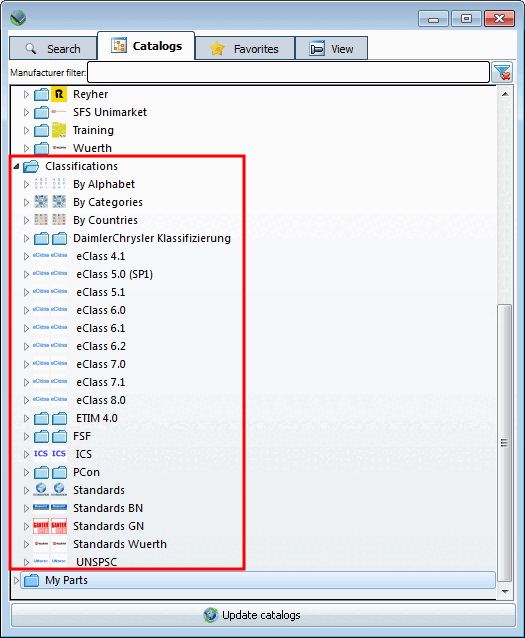
You can also use the directory structures of the classifications to find the required part.
Detailed information on classifications can be found on Section 2.1.6.4.12.4, “Selection "Classifications " ”.
Per
Double-click on the desired component to switch the view to the
Tab page  view [View]. See Section 1.6.6.4, “
View " tab page - Variables in list view or table view | View | Technical specifications | 2D derivation | References | Topology
”.
view [View]. See Section 1.6.6.4, “
View " tab page - Variables in list view or table view | View | Technical specifications | 2D derivation | References | Topology
”.