5.12.3.6.10. Classification
according to CNSORDERNO / CNSTYPECODE
5.12.3.6.10.6.
TestMeta: ReverseConfigs / Reverse Search (automatic)
|  |
| Prev | Next |
5.12.3.6.10. Classification
according to CNSORDERNO / CNSTYPECODE
5.12.3.6.10.6.
TestMeta: ReverseConfigs / Reverse Search (automatic)
| |
| Prev | Next |
TestMeta also tests the functionality of ReverseConfig and Reverse Search (automatic) [the term "GraphSearch" may also be used in TestMeta messages]
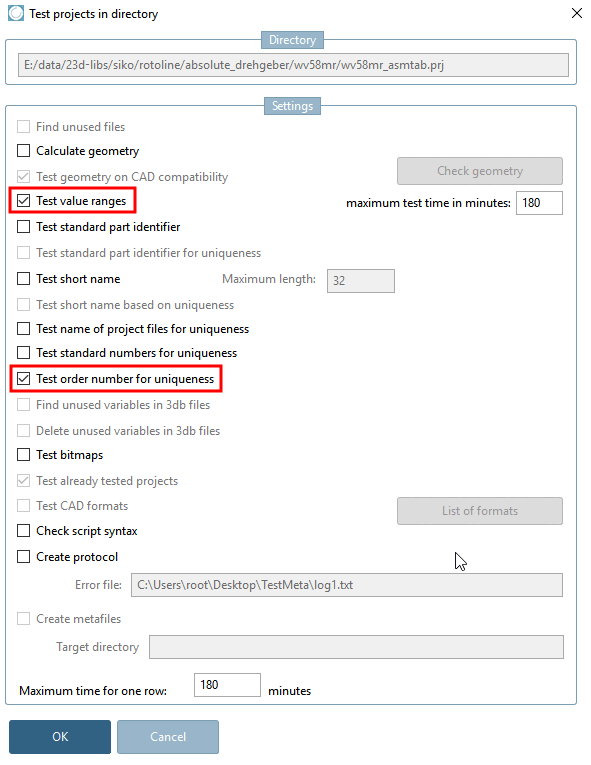
To do this, set the options Test value ranges and Test order number for uniqueness.
The test can also be performed for single projects.
The value specified under Maximum test time in minutes [maximum test time in minutes] applies to ReverseConfigs / Reverse Search and all other tested processes together.
Projects, where the order number can be found via full-text search index (Lucene) are excluded from the test. This concerns following:
Projects, which do not have value ranges, because they are always found via Lucene.
Projects marked as to be resolved (key VARSEARCHRESOLVEORDERNO[44]) and whose value ranges are resolvable (meaning do not have continuous value ranges without step width like 1-100, for example).
If a ReverseConfig is found, the system searches for the order number [Order number] or type key [Type code] for all project lines (including value range variants) during the test.
The system checks whether the flag VARSEARCHRESOLVEORDERNO[45] is set accordingly. (If necessary, run the resolution check [Resolve check], see Section 5.8.2.1.20.26, “ Reverse Search - Resolve check (automatic) ”)
If a search fails, the following warnings are displayed:
In addition the following warning is displayed:
The following messages are displayed for Reverse Search (automatic):
Only warnings are issued for ReverseConfigs and Reverse Search (automatic) so that the test does not fail.
[44] At project level this is in the project file, at catalog level in the catalog file $CADENAS_DATA/23d-libs/<katalogname>/dir.prjno GUI equivalent. Manual intervention is not necessary. Is set automatically during the resolution check [Resolve check].
[45] At project level this is in the project file, at catalog level in the catalog file $CADENAS_DATA/23d-libs/<katalogname>/dir.prjno GUI equivalent. Manual intervention is not necessary.