1.4.  Create Import pipeline (Quick & Simple)

1.4.1. Import with wizard pipeline with import type "QA simplified"
1.4.1.1. Provision of the source data (by the customer)
1.4.1.2. Structure of the CSV file
1.4.1.3. Data input via wizard
1.4.1.4. Post-processing in the node editor
1.4.1.4.1. "CSV source" Node
1.4.1.4.2. "3D-Preview from Attributes" Node
1.4.1.4.3. Preview from Attributes
1.4.1.4.4. Tech-Preview from Attributes
1.4.1.4.5. "Quick & Simple" Node
1.4.1.4.6. "Structure Node"
1.4.1.4.7. "Attribute Mapper" Node
1.4.1.4.8. "PARTsolutions Exporter" Node
1.4.1.5. Check result
1.4.2. Tolerance import settings via pipeline (or via configuration file)
1.4.2.1. Alternative setting option via configuration file partsol.cfg
1.4.2.2. Template "multisolid"
1.4.2.3. Components with 2D surfaces
1.4.3. Licensing issues

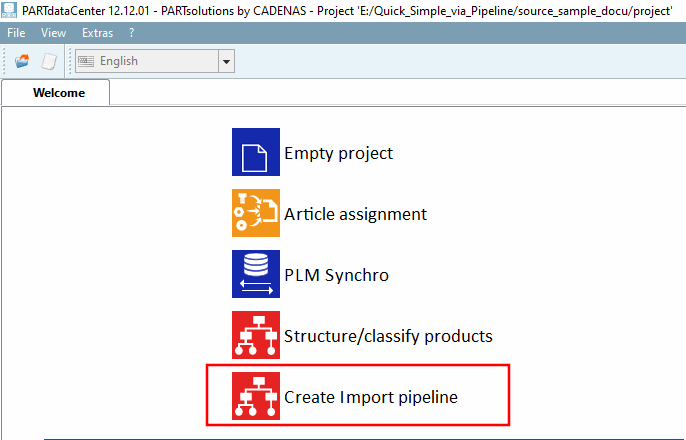
Click on the Create Import pipeline button to open a wizard. Various selection options are available under Import type. One of the most common use cases, Q&S simplified, is described below:
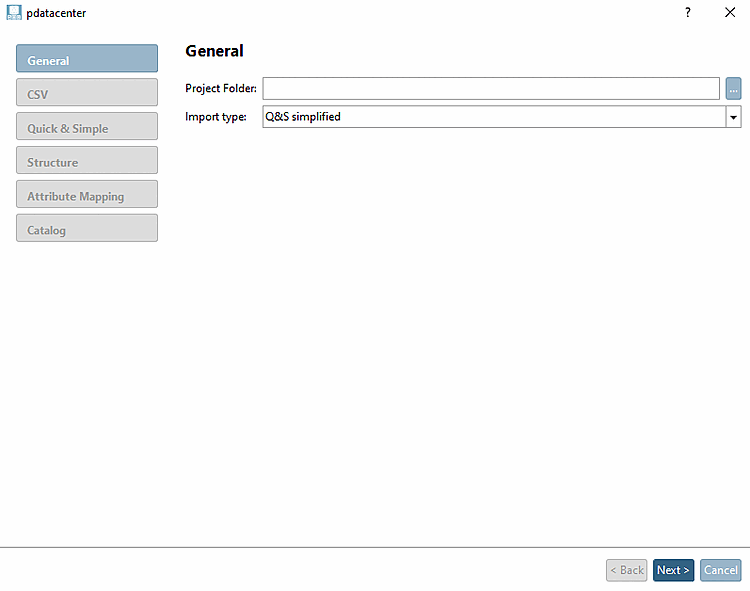
Pipeline Wizard

Pipeline Wizard