1.3.13.2. ERROR at data
transfer
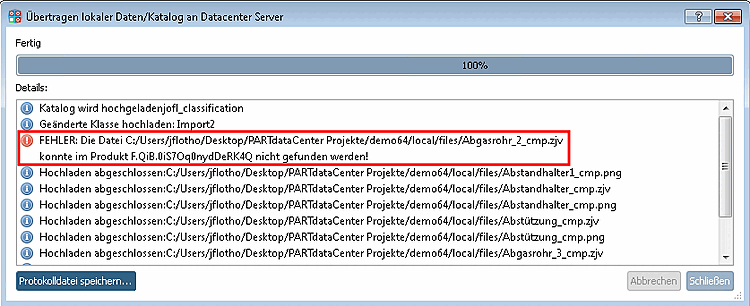
When committing
errors are displayed in the log window.
If there are
errors (for example due to faulty import parts) no commit is
possible.
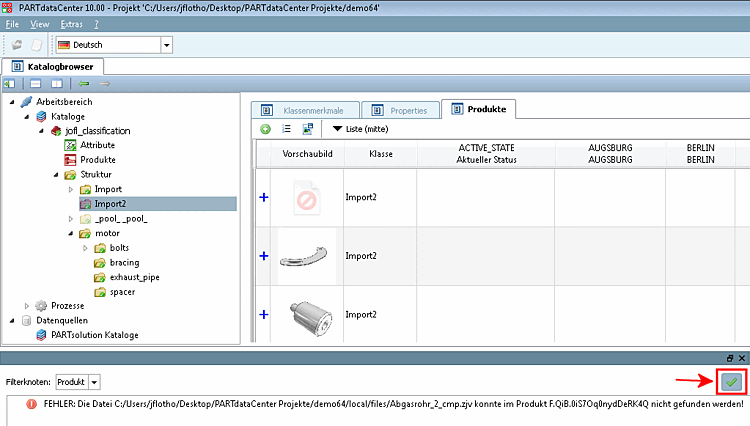
Furthermore errors are displayed in an own area at page
end.
Solution:
Click on the
green checkmark.
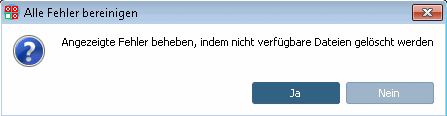
-> A
message window is displayed:
"Fix displayed errors by deleting unavailable files [Solve shown errors by deleting not available resources]?"
Confirm with Yes.
-> All
problems are solved by deleting faulty paths.
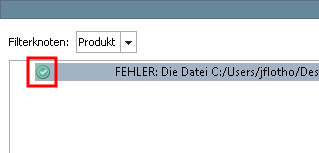
-> The
faulty parts are marked with a green checkmark now.
Perform a
commit.
-> The
commit is properly performed now.