Chapter 5. Strategic Parts Management
5.10. Table display in 3Dfindit/PARTdataManager and (PARTlinkManager)
|  |
| Prev | Next |
Chapter 5. Strategic Parts Management
5.10. Table display in 3Dfindit/PARTdataManager and (PARTlinkManager)
| |
| Prev | Next |
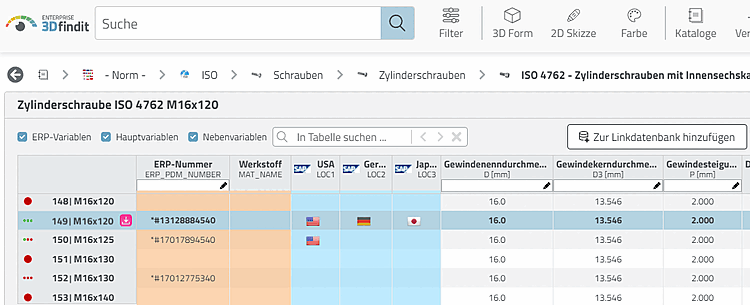
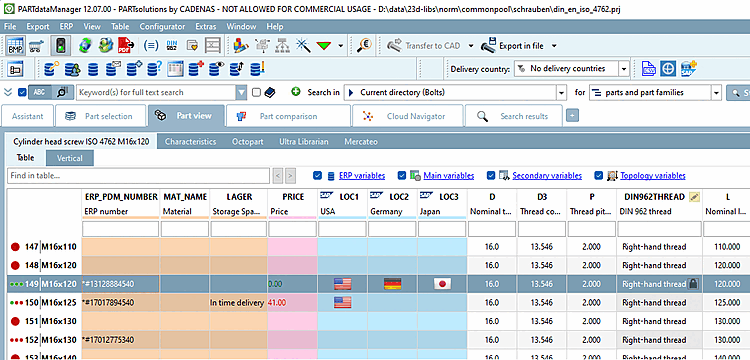
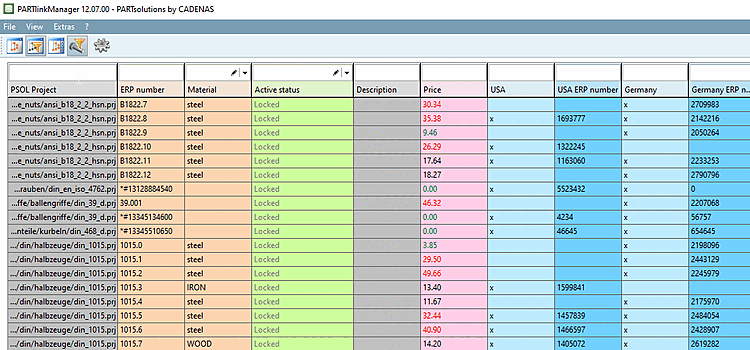
In this section you will find explanations on the table display in 3Dfindit / PARTdataManager and PARTlinkManager.[77]
The following listing gives an overview.
To simplify the selection of individual characteristics in the table (3Dfindit/PARTdataManager or PARTlinkManager ), it makes sense to use colors, images and conditions.
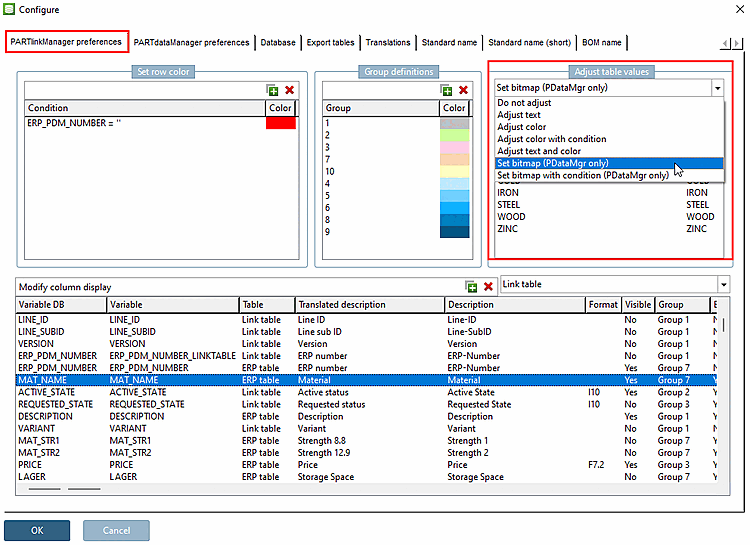
Settings for this are set under PARTlinkManager -> Extras menu -> Configure ERP environment -> PARTlinkManager settings [PARTlinkManager preferences] tab -> Customize table values [Adjust table values] area.
The corresponding keys are not part of a default configuration. If the setting option under Customize table values [Adjust table values] is used, this action creates extra blocks and keys in the configuration file.
In the PLDBDEMO database an example on this is found in the block "MAPPING_ACTIVE_STATE".
In the PLDBDEMO database an example on this is found in the block "MAPPING_ACTIVE_STATE".
In the PLDBDEMO database an example on this is found in the block "MAPPING_ACTIVE_STATE".
In the PLDBDEMO database an example on this is found in the block "COLMAPPING_PRICE".
In the PLDBDEMO database examples are found in the block "BMPMAPPING_LOC1" or "BMPMAPPING_MAT_NAME".
Set bitmap with condition (PDataMgr only)
In the PLDBDEMO database an example on this is found in the block "BMPMAPPING_PRICE1".
Background colors of columns (PARTdataManager and PARTlinkManager)
In order to group different kinds of ERP/PDM columns it makes sense to choose different background colors. See above.
[77] A detailed description of the 3Dfindit module from the user's point of view can be found at ENTERPRISE 3Dfindit - User in ENTERPRISE 3Dfindit - User.
A detailed description of the PARTdataManager module from the user's point of view can be found under Section 2.1, “ PARTdataManager ” in PARTsolutions - User.
![[Note]](images/note.png)