5.10. Table display in 3Dfindit/PARTdataManager and (PARTlinkManager)
5.10.5.
Adjust table values > Set bitmap (PDataMgr only) / plinkcommon.cfg -> Block [BMPMAPPING_<column_name>] - Key "BMPCODE<number>"
|  |
| Prev | Next |
5.10. Table display in 3Dfindit/PARTdataManager and (PARTlinkManager)
5.10.5.
Adjust table values > Set bitmap (PDataMgr only) / plinkcommon.cfg -> Block [BMPMAPPING_<column_name>] - Key "BMPCODE<number>"
| |
| Prev | Next |
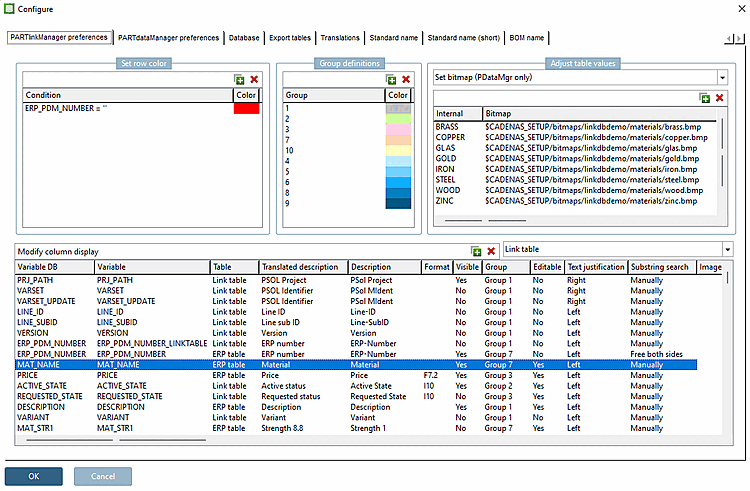
Use the Set bitmap [Set bitmap (PDataMgr only)] option (PDataMgr only) [Set bitmap (PDataMgr only)] to set internal values and map any image to them.
The setting applies equally to 3Dfindit and PARTdataManager.
Setting in the configuration file
$CADENAS_SETUP/plinkcommon.cfg:
Block [BMPMAPPING_<variable name>], key BMPCODE<NUMBER>, first value with displayed term, second value with image path
![[Note]](images/note.png) | Note |
|---|---|
The mapping to the linked image only works if the spelling (lower and upper case) exactly corresponds to a default value from the listing or a free input.
Match the display terms in the list (see Section 3.2.9.2, “Material mapping with ERP integration ”) with the terms entered under Adjust table values. | |
[BMPMAPPING_MAT_NAME]
BMPCODE0="BRASS","$CADENAS_SETUP/bitmaps/linkdbdemo/materials/brass.bmp"
BMPCODE1="COPPER","$CADENAS_SETUP/bitmaps/linkdbdemo/materials/copper.bmp"
BMPCODE2="GLAS","$CADENAS_SETUP/bitmaps/linkdbdemo/materials/glas.bmp"
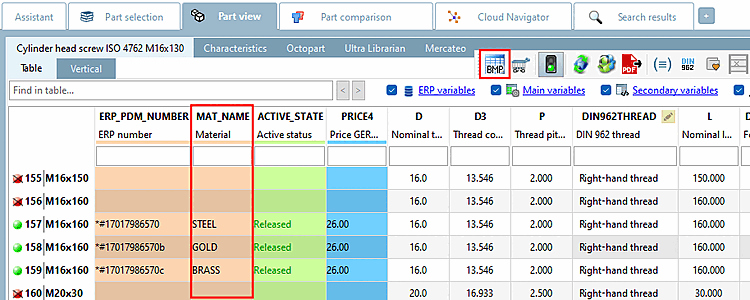
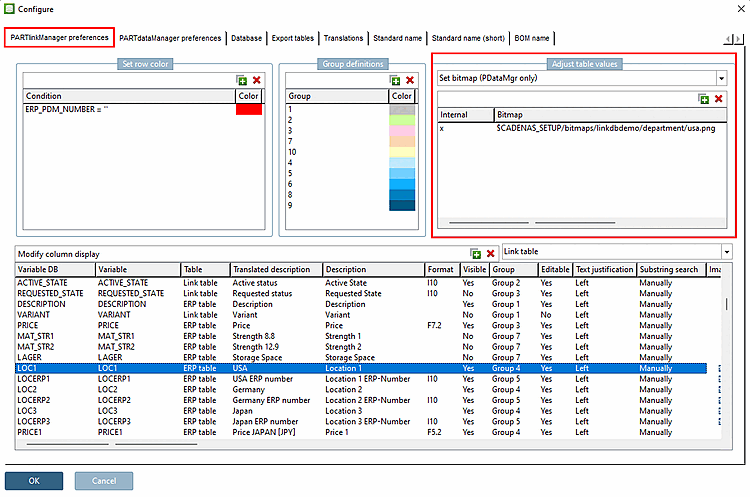
Setting in user interface under PARTlinkManager -> Extras menu -> Configure dialog -> PARTlinkManager settings [PARTlinkManager preferences] tab page -> Adjust table values -> Set bitmap (only PDataMgr) [Set bitmap (PDataMgr only)]
Pictures
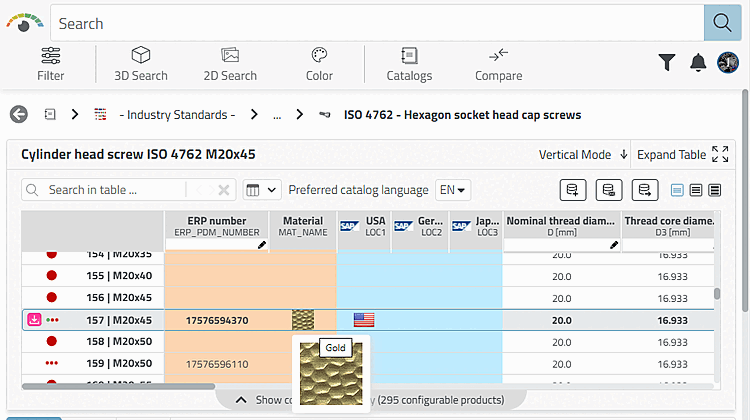
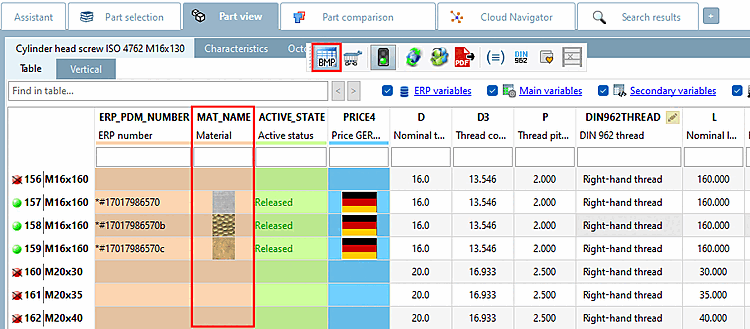
are displayed when the Show Graphs in Table [Show graphics in table] feature has been enabled. Only in PARTdataManager is the toggle
between image and text.
been enabled. Only in PARTdataManager is the toggle
between image and text.
| Note |
|---|---|
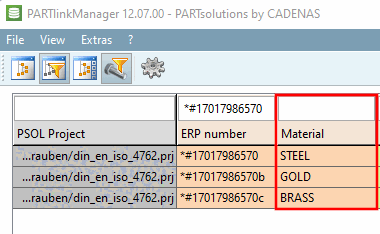
Make sure that for all used materials there is a definition available.
BMPCODE0= "BRASS ", "C:\ProgramData\cadenas\partsolutions\setup/bitmaps/linkdbdemo/materials/brass.bmp" | |
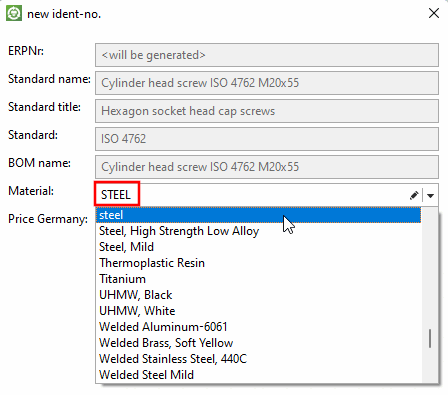
The values are defined in erpcustom.cfg -> block "USERDIALOG" -> key "Material". You can find details on this at Section 5.12, “
Design "New ident number " dialog box - erpcustom.cfg -> Block [USERDIALOG]
”.
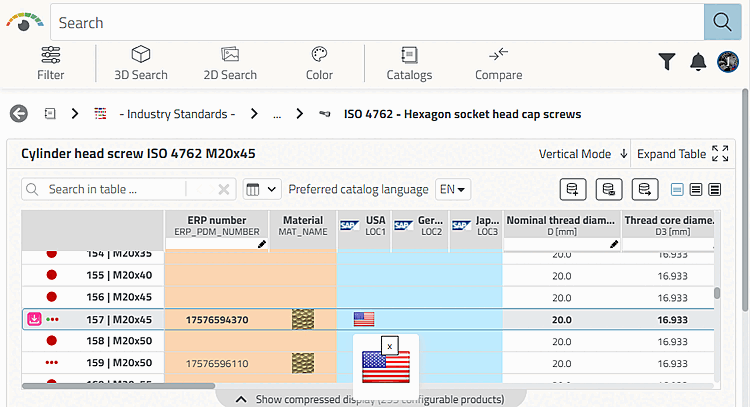
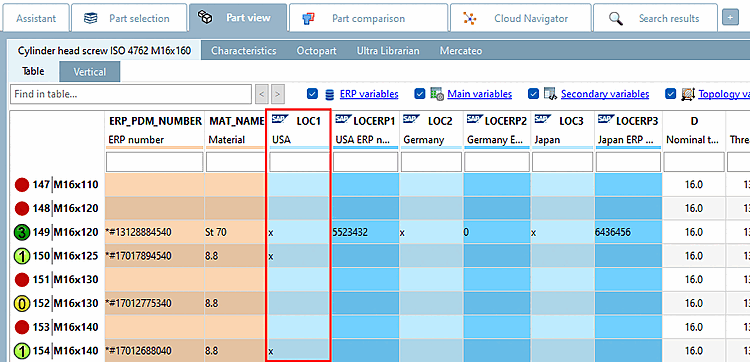
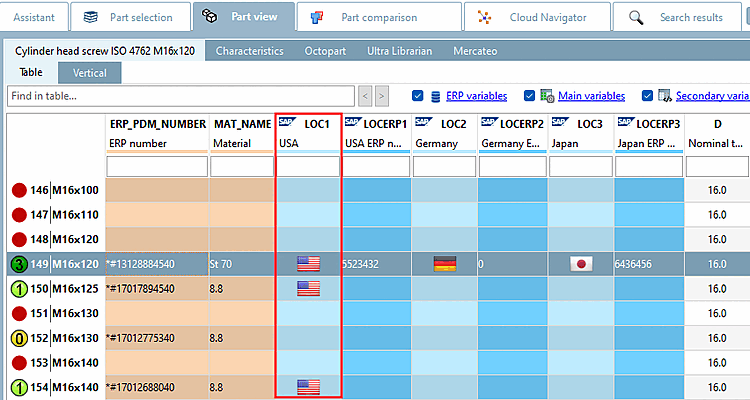
Another example (See PLDBDEMO database -> Role "LOC1")
[BMPMAPPING_LOC1]
BMPCODE0="x","$CADENAS_SETUP/bitmaps/linkdbdemo/department/usa.png"
User interface: PARTlinkManager -> Extras menu -> Configure dialog window -> PARTlinkManager settings [PARTlinkManager preferences] tab page -> Adjust table values -> Set bitmap (PDataMgr only)
If
The Graphics in Table function
[Show graphics in table] is disabled, the internal value (in this case "x") is displayed in
of the corresponding row. Only in PARTdataManager is the toggle
between image and text.
If the function Show graphics in table
function is activated, the image is displayed in the corresponding row.