5.10. Table display in 3Dfindit/PARTdataManager and (PARTlinkManager)
5.10.6.
Adjust table values -> Set bitmap with condition (PDataMgr only) / plinkcommon.cfg -> Block [BMPMAPPING_<column_name>] -> Key "BMPCOND<number>"
|  |
| Prev | Next |
5.10. Table display in 3Dfindit/PARTdataManager and (PARTlinkManager)
5.10.6.
Adjust table values -> Set bitmap with condition (PDataMgr only) / plinkcommon.cfg -> Block [BMPMAPPING_<column_name>] -> Key "BMPCOND<number>"
| |
| Prev | Next |
Use the Set bitmap with condition [Set bitmap with condition (PDataMgr only)] option (PDataMgr only) [Set bitmap with condition (PDataMgr only)] to set a condition for a display value and map an image to it.
The setting applies to PARTdataManager and 3Dfindit in equal measure.
Setting in configuration file
$CADENAS_SETUP/plinkcommon.cfg:
Block [BMPMAPPING_<variable name>], key BMPCOND<NUMBER>, first value with condition for the display value, second value with image path.
[BMPMAPPING_PRICE3]
BMPCOND0="PRICE4.GT.999.0","$CADENAS_SETUP/bitmaps/linkdbdemo/ecat/caution.bmp"
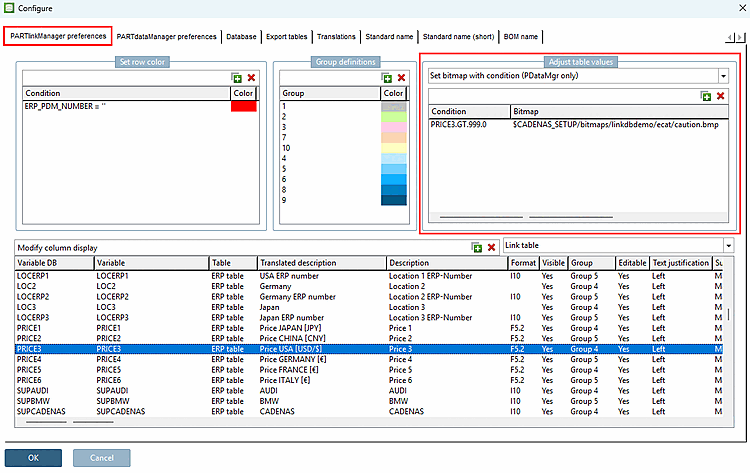
Setting in user interface under PARTlinkManager -> Extras menu -> Configure dialog window -> PARTlinkManager settings [PARTlinkManager preferences] tab page -> Adjust table values -> Set bitmap with condition (only PDataMgr) [Set bitmap with condition (PDataMgr only)]
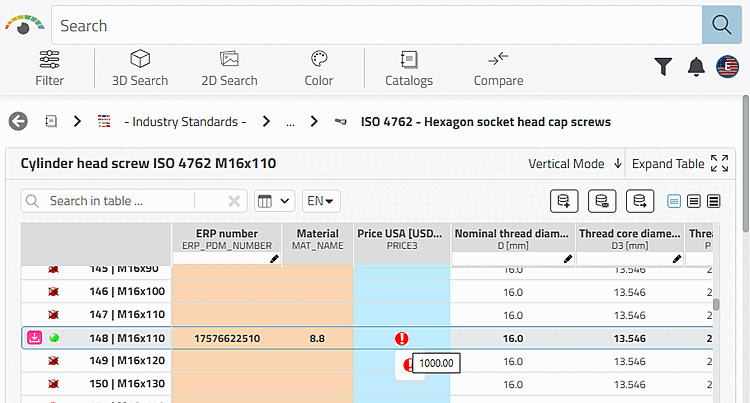
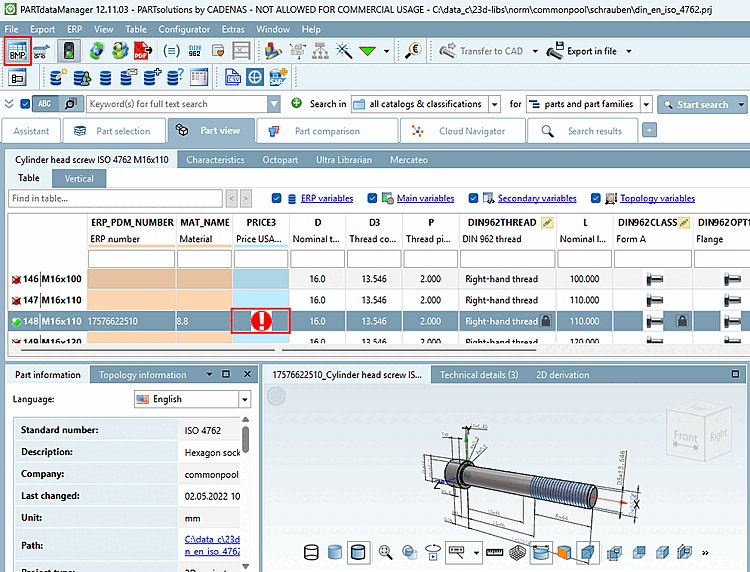
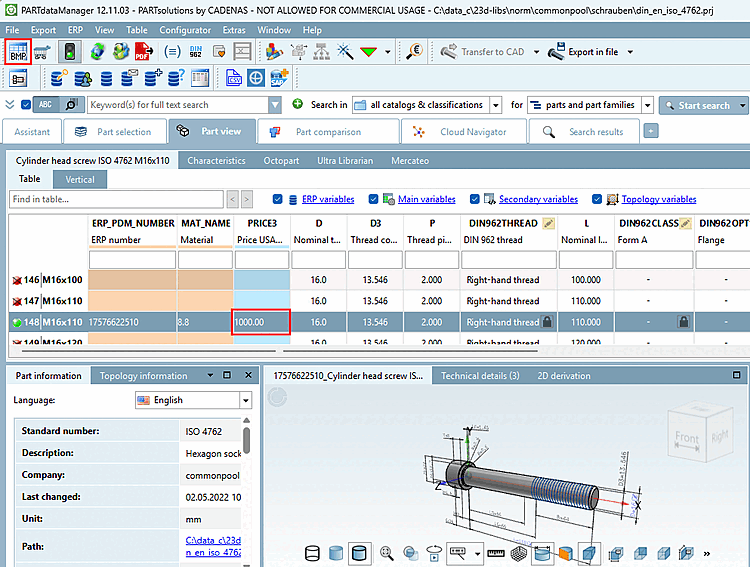
Example "PRICE3" column of the PLDBDEMO database: (slightly adapted with value and image)
Pictures
are displayed when the Graphs in Table function
Show [Show graphics in table]
 has been activated. Only in PARTdataManager is the toggle
between image and text.
has been activated. Only in PARTdataManager is the toggle
between image and text.