7.8.
Docking window " Variable manager"
7.8.13.
Value ranges
|  |
| Prev | Next |
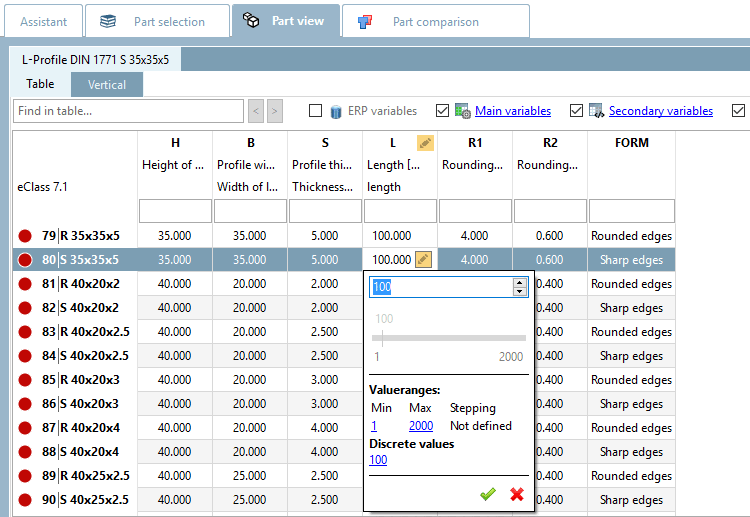
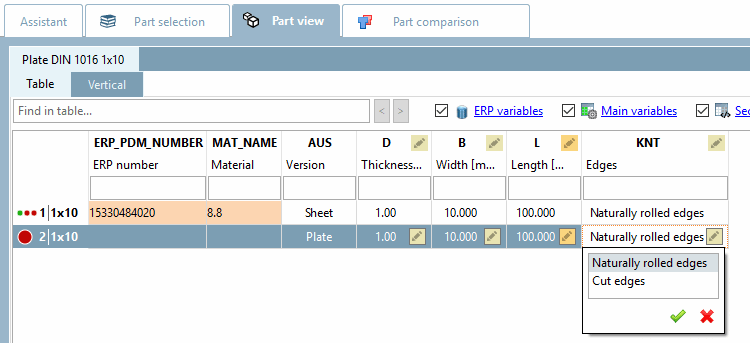
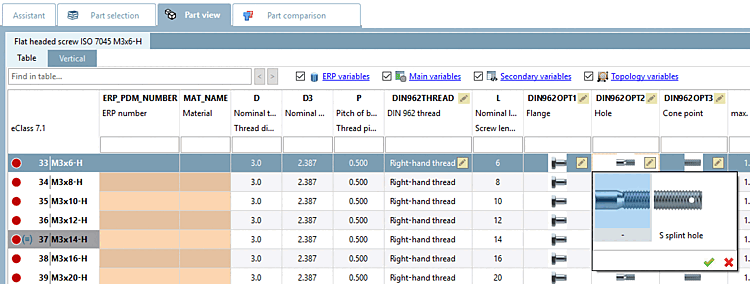
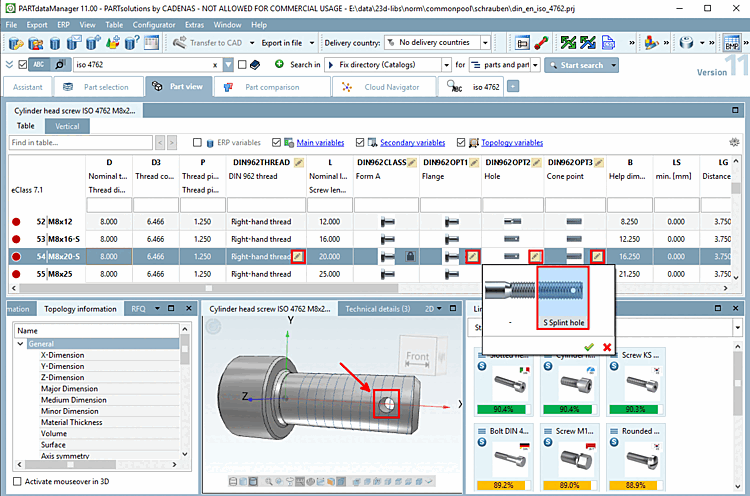
The characteristic attribute table in the PARTdataManager can show fixed values or also offer the option of selecting values within a range. Value range fields are marked with an icon  . The icon is only displayed in the active row. Clicking on the icon opens the corresponding selection dialog.
The exact mode of the value range field is determined in PARTdesigner -> Variable manager [Variable Manager] under Status.
There are three types of value ranges:
Value range variable type: Value range with display of numerical or textual values
There are various subtypes of the value range variable [Value range variable] type:
"from - to" without limitation or with limited min.- or max. value (numerical)
"from - to" without enclosed start and end value (numerical)
"from - to" in combination with an IF condition. (Default values can optionally be set [default or forced].) Details on this can be found under Section 7.8.13.4, “Type "Value range variable " combined with IF condition (characteristic algorithm ) ”.
PARTdataManager example: Value range "from - to" with insertion with input of discrete values or selection via slider
Type Value range variable with naming: Value range with display of textual values (with numerical values in the background)
Type Value range variable with graphics: Value range with display of textual values (with numerical values in the background) + graphics
The following describes how the different value range types are created in PARTdesigner are created.
![PARTdesigner - Variable manager [Variable Manager]: Selection options under " Status "](resources/img/img_e5a1fb9a63ad4b21a3233d64573f332c.png)
![[Note]](images/note.png)