7.6.2. Listing of all possible features in the "3D history " docking window 7.6.2.5.
2D
drawing
|  |
| Prev | Next |
7.6.2. Listing of all possible features in the "3D history " docking window 7.6.2.5.
2D
drawing
| |
| Prev | Next |
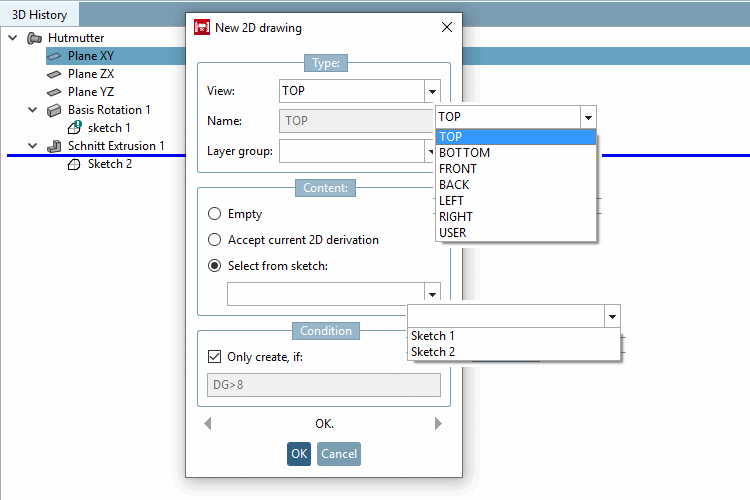
The command New 2D drawing. [New 2D drawing...].. command opens the dialog box of the same name.
2D drawings contain additional information and are later displayed in the PARTdataManager in the Technical data [Technical details] docking window.
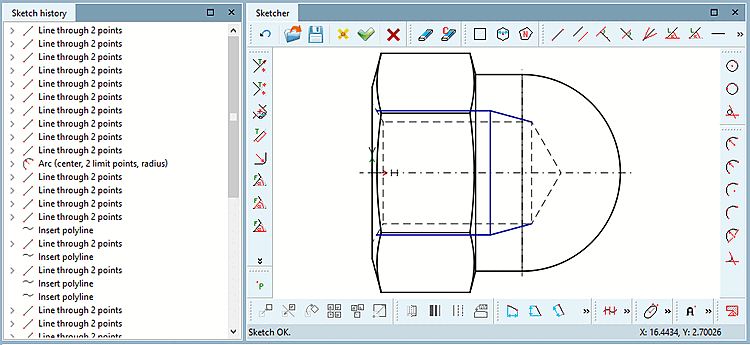
The corresponding docking windows for creating and editing are Sketch History [Sketch history] and Sketcher.
Click on New 2D drawing [New 2D drawing...]... to open these docking windows (see Section 7.9, “ Docking window "Sketcher " ”). The command can be found on all base planes, reference planes and absolute planes.
The following setting options are available here:
Empty option: The Sketcher is opened. A new sketch may be created.
Accept current 2D derivation option: The current setting from the opened 2D derivation is transferred into the Sketcher (new 2-D sketch...). A perspective must already be selected in the 2-D view!
Select from sketch option: Opens the different sketches which are already created in connection with the current part. In the example (see above figure), three sketches have been applied so far.
In the Condition dialog area you can make the creation of 2-D sketches dependant on a condition.
In the figure you can see, for example, that the value of the variables must be larger than 8.
Arrow keys: During a PARTdesigner session, you can make entries in the New 2D drawing window. With the arrow keys at the bottom left and right, you "jump" chronologically between these input steps.
After confirming with , the sketch history [Sketch history] and Sketcher will open.
Depending on which setting you made in the dialog area Content, you will find the Sketcher empty or with current derivation or a sketch.
![[Note]](images/note.png) | Note |
|---|---|
In connection with New 2D Drawing [New 2D drawing], there are some tools that are not available in "normal" sketches. You can find this under the "Sketcher" docking window -> Tools -> Section 7.9.3.15, “ Tools in drawing mode ”. | |