5.9.
Settings
5.9.10. Tabbed page: Accessories
|  |
| Prev | Next |
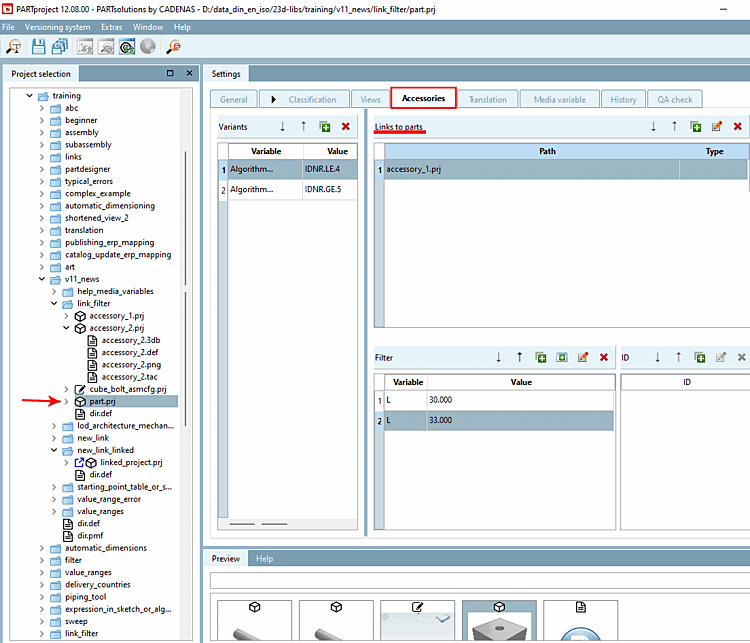
The Accessories tab page appears for project type [Project type] "3D project [3D project] ","Classification search [Classification Search] ","3D rolling bearing [3D bearing] ","2D/3D project [2D/3D project] ","Assembly table [Assembly table] ","Without geometry [Without geometry] ","Native part [Native Part] ","Simple assembly [Simple assembly] ".
Parts that have been entered in the Links to parts dialog area are displayed in the PARTdataManager in the docking window Links when accessories [Accessories] are selected.
In the Variants dialog area, you can optionally specify whether the accessory should be displayed for the entire project or only for certain rows.
In the Filter dialog area, you can optionally determine whether all rows are displayed in the accessory part or only certain ones if it is opened. If no filter is set, all rows are simply displayed.
In cases where more than ONE ID is to be assigned for a project reference, you need the ID dialog area. This is the case, for example, with the electrical parts classification. (See below.)
Value range variables can also be used when selecting variables (both in the Variants and Filters [Filter] dialog areas). A default value [Standard value] can be determined or the value range definition [value range definition] can be adjusted.
When determining values (of accessory part), also variable values of the source part can be used.
Furthermore complex expressions (conditions) can be composed with the help of Fortran syntax.
See also New Section 5.8.2.1.4, “ New link ”. The New link function is primarily intended for parts that occur repeatedly in different directories. (These can be accessories, but do not have to be)
In PARTdataManager -> Docking window References [Links], "related", alternative or in any way related parts, assemblies etc. to the currently selected component are automatically listed when the directory [Directory] is selected.