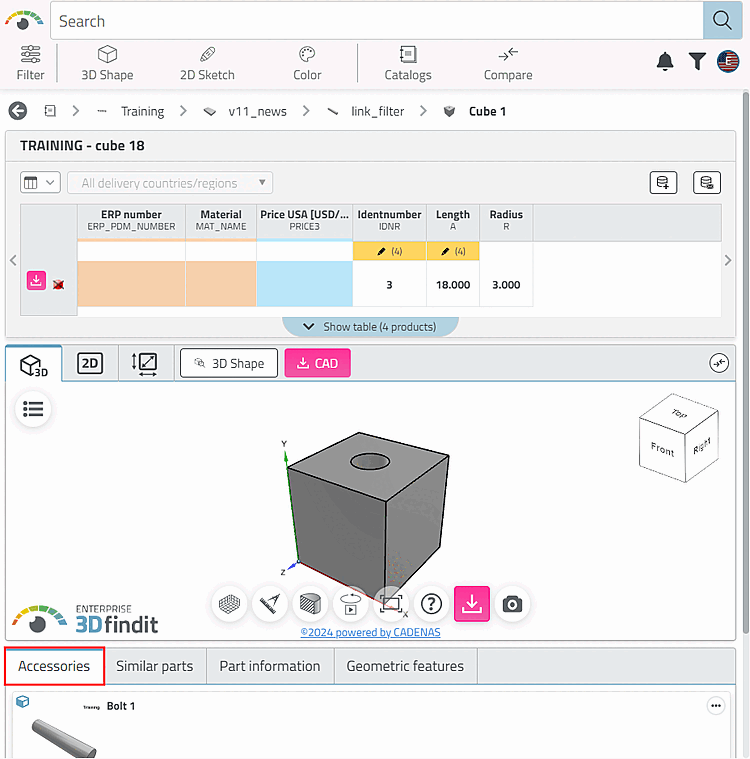
5.9.10. Tabbed page: Accessories
5.9.10.1. Simple example without using the Variants and Filters dialog areas |  |
| Prev | Next |
5.9.10. Tabbed page: Accessories
5.9.10.1. Simple example without using the Variants and Filters dialog areas | |
| Prev | Next |
Select a project on the left under Project selection and then select the Links tab on the right under Settings.
In the Links [Links to parts] dialog area, click on Parts on [Links to parts] the New button .
.
Update the index  and open the part in PARTdataManager or 3Dfindit.
In the Links docking window, select the Accessories list box option.
-> The part declared in PARTproject the part declared as an accessory is displayed.
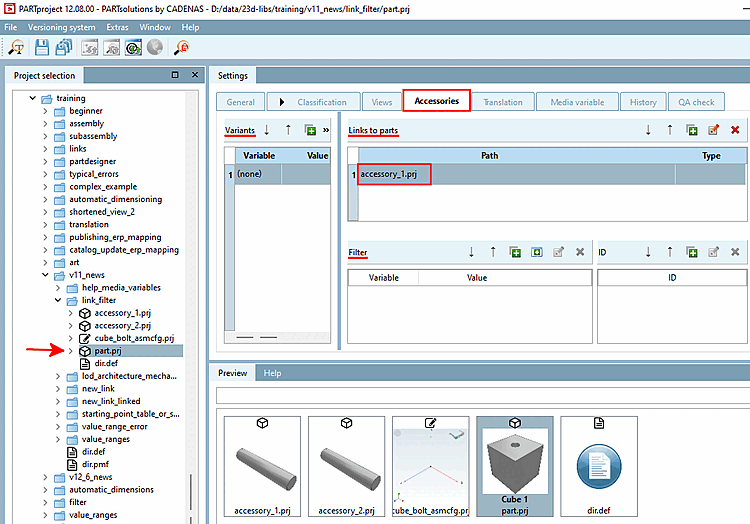
![PARTdataManager > References [Links] > Accessories](resources/img/img_f257229e4e184878bc7a90482ea7a2d6.png)