5.9.10.4.
Filter " dialog area (optional) 5.9.10.4.1. Simple example |  |
| Prev | Next |
Set a simple condition using a variable-value [Value] combination [Variable].
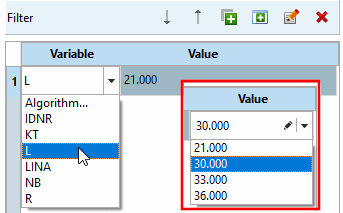
Open the list field in the Variable column.
There are now several options:
Select a variable [Variable] whose value [Value] you want to use to make the restriction.
| ||||
Then open the list field in the Value column and select the desired value.
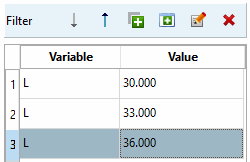
If required, create any number of rows/values (filters) in this way using  to create any number of lines/values (filters).
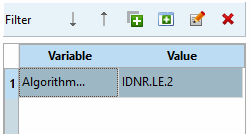
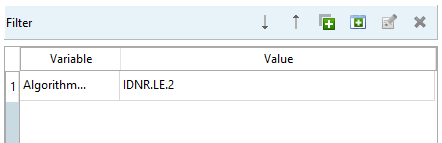
Select Formula... [Algorithm...] from the list box and then enter the formula using Fortran syntax[35] to enter an expression that you use to define several values.
IDNR.LE.2
Bedeutung: IDNR kleiner gleich 2
If several values are to be created, you can alternatively specify the desired rows directly in the table. A suitable formula expression is then generated automatically.
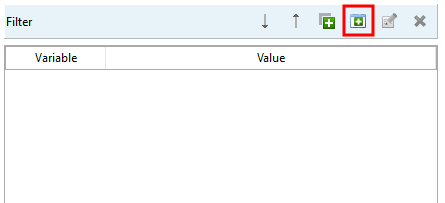
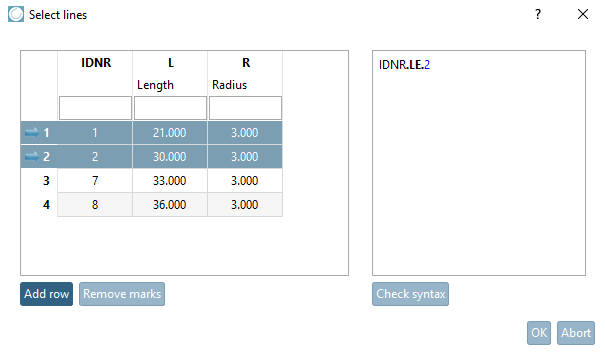
In the Filter dialog area, click on the New from table button .
.
Select the desired rows (Ctrl = several individually, Shift = as a block) and click on .
-> The generated formula is displayed on the right.[36]
IDNR.LE.2
This means that the variable IDNR should be less than or equal to 2.
-> The generated expression is now displayed in the Filter dialog area.

![[Note]](images/note.png)