|
|
In order to be able to manage modern production concepts, appropriate pre-processes are needed.
Costs can also be reduced by replacing parts of different suppliers by parts of one supplier.
Certain suppliers provide detailed additional information on their catalog, so that their parts become comparable with those of other suppliers.
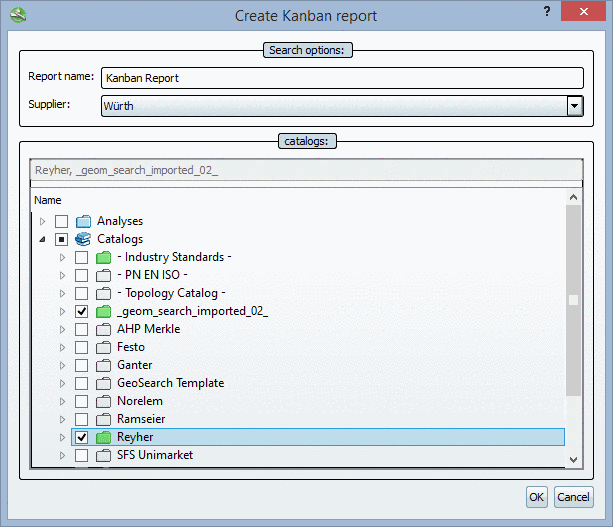
By clicking on Extras menu -> Purchineering -> Kanban Report -> Create report... the respective dialog box opens.
After confirmation with it is analyzed for all projects (actually lines = characteristics), which contain ERP information, whether the selected supplier has a counterpart for it.
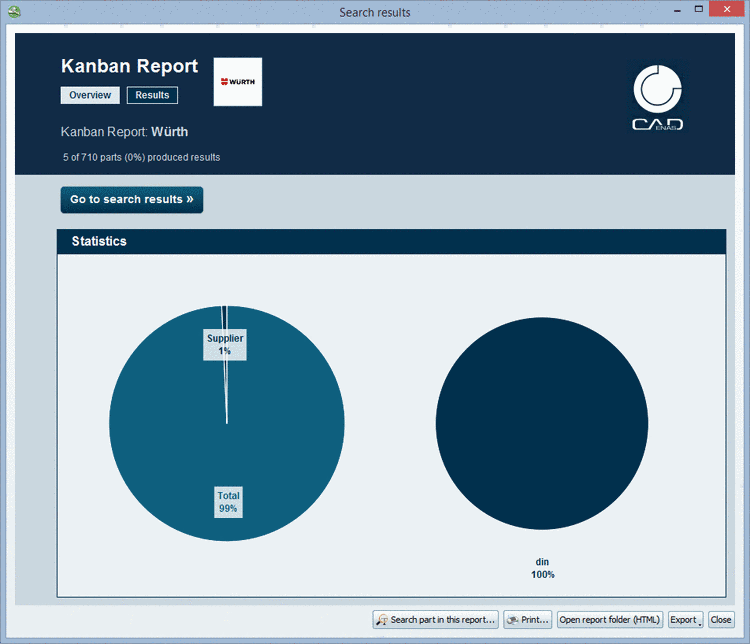
The Kanban Report shows two pages:
The left diagram shows how many parts can be replaced.
The right diagram shows, how many of the parts, which can be replaced, are from which catalog.
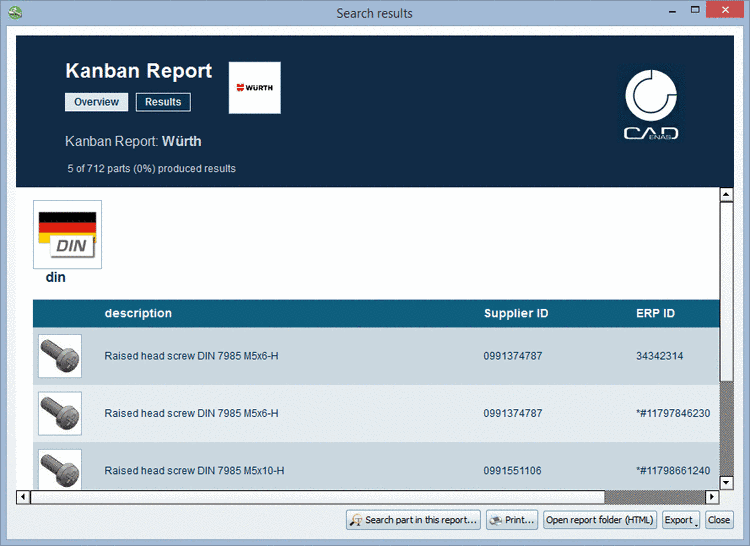
Under Results all found parts are listed in a table with the following information:
On the basis of ERP ID and Supplier ID used part and potential alternative part can be easy detected.
Information on the buttons , , is found under Section 3.1.13.1.11, “Buttons ”.
![[Note]](images/note.png)