1.5.4.
Administering the license server
1.5.4.4. Tabbed page "Security"
|  |
| Prev | Next |
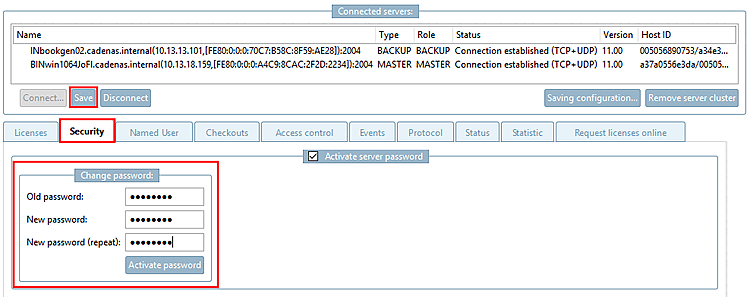
On the Security tab page, you must initially assign a password for the license server or you can change the password.
Without entering the password no changes can be carried out to the server configuration.
The password is stored in encrypted form at $CADENAS/lic/license.cfg.
License server and password protection
Initially, newly installed servers have no password protection, thus cannot distribute licenses to clients, because this is linked to the password assignment.
Only when the first license is installed (where the Master/Backup configuration is specified), the password assignment is required when saving. (Without password assignment, actually the server cannot be used for productive operation.)
Before that time the server is „PASSIVE“ and actually cannot be properly used by any client.
The desired workflow for the creation of a server cluster looks like this:
Install all 2/3 license servers without licenses. See Chapter 7, License server in Installation.
Extract the hostid of the servers via *.json file and send it to CADENAS to apply for a license or use the Apply for licenses online [Request licenses online] tab page, where the Mac addresses of the servers are automatically read out.
As soon as you have received the license, reconnect to the created cluster and import the license. You must assign a password here. (The password may have already been assigned when reading out the hostids). See Section 1.5.4.2, “ Configure freshly installed license server ”.
![[Note]](images/note.png)