4.16.  Further settings in plinkcommon.cfg

4.16.1. Keep original row / plinkcommon.cfg -> Block [PARTdataManager] -> Key "KeepOrgRow"
4.16.2. Pin dimension feature on/off / plinkcommon.cfg -> Block [PARTdataManager] -> Key "LockDimRange"
4.16.2.1. Background information
4.16.3. Function characteristic pin on/off / plinkcommon.cfg -> Block [PARTdataManager] -> Key "LockFunctionRange"
4.16.4. Login options / plinkcommon.cfg -> Block [PARTdataManager] -> Key "LoginMode"
4.16.5. PARTlinkManager: Line color at missing ERP_PDM_NUMBER / plinkcommon.cfg -> Block [COLORS]
4.16.6. E-mail settings / plinkcommon.cfg -> Block [MAIL]
4.16.7. Custom template for requesting an ERP number by e-mail / plinkcommon.cfg -> Block [MAIL] -> Key "TEMPLATE"
4.16.8. Update full-text search index after LinkDB changes / plinkcommon.cfg -> Block [Common] -> Key "UPDATESEARCHINDEX"
4.16.9. Standard designation - Standard designation (short) - Adapt parts list designation / plinkcommon.cfg -> Block [PARTdataManager] -> Key "NB" "ShortNB" "LINA"

The configuration file plinkcommon.cfg contains user-independent settings for the ERP integration (e.g. general settings for the table layout of PARTdataManager/3Dfindit and PARTlinkManager, the creation of required database columns).

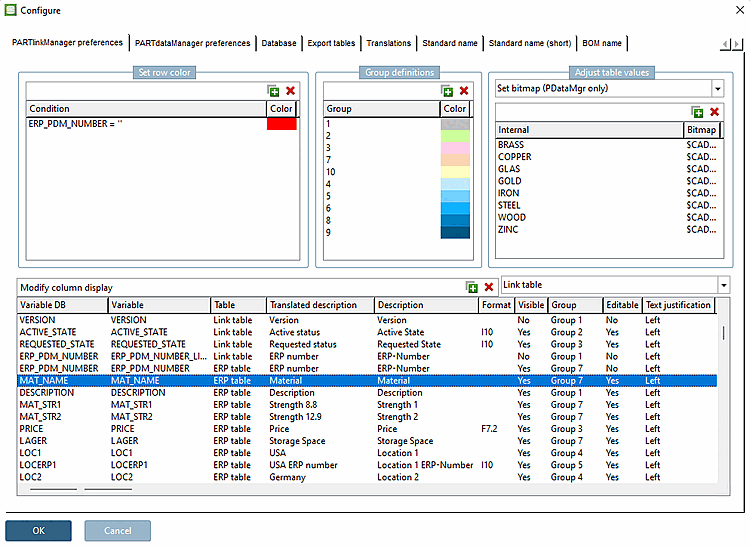
Many settings can be made in the user interface. The call is made via PARTlinkManagerExtrasConfigure ERP environment.

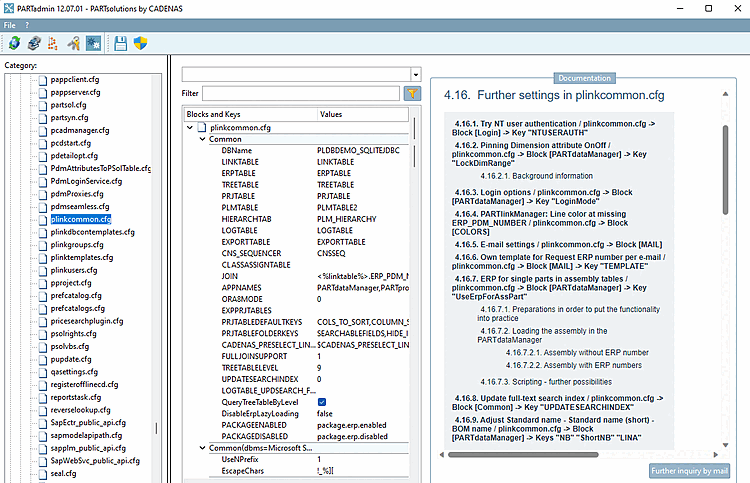
Some settings must be made specifically in the configuration file plinkcommon.cfg (see figure below).