5.12.
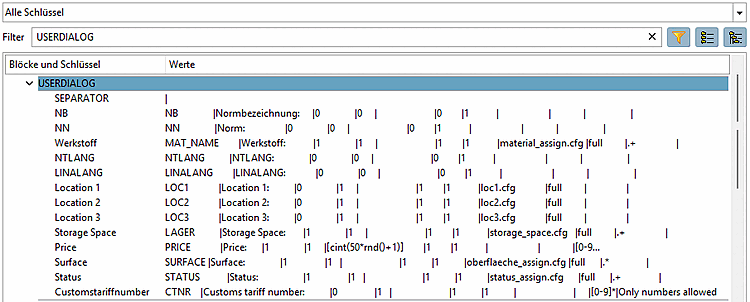
Design "New ident number " dialog box - erpcustom.cfg -> Block [USERDIALOG]
5.12.1. Structure of the input dialog |  |
| Prev | Next |
5.12.
Design "New ident number " dialog box - erpcustom.cfg -> Block [USERDIALOG]
5.12.1. Structure of the input dialog | |
| Prev | Next |
Some entries, such as standard designation [Standard name] or standard title [Standard title] Order, ensure correct identification of a part.
Additional lines can optionally be added to create the dialog window. In the dialog, values can either be selected from lists or entered freely. Finally, the values are exported to the LinkDB.
When assigning the key name, use the general variable names such as NTLANG, NN, LINALANG, NB or LinkDB variable names as a guide.
For each key a list of values has to be specified.
The following table provides an overview of the 11 parameters. The links lead to the individual explanations.
| 1 | 2 | 3 | 4 | 5 | 6 | 7 | 8 | 9 | 10 | 11 |
| VarPLinkInternal | StaticText | required | Add2DB | default | free input | ShowInDialog | selectionfile | combotype | regular expression | Regexp message |
| Variable name | displayed text | 0/1 | 0/1 | Name / Script | 0/1 | 0/1 | Filename | Specification for '8' | e.g. [0-9]* | e.g.: Only numbers |
Customstariffnumber = CTNR|Customs tariff number:|0|1| |1|1| | |[0-9]*|Only numbers allowed
In the following the field values (separated be the character defined under "SEPARATOR") are listed.