1.4.3.6.6.
Index management: Context menus
1.4.3.6.6.6.
Geometrical search index
|  |
| Prev | Next |
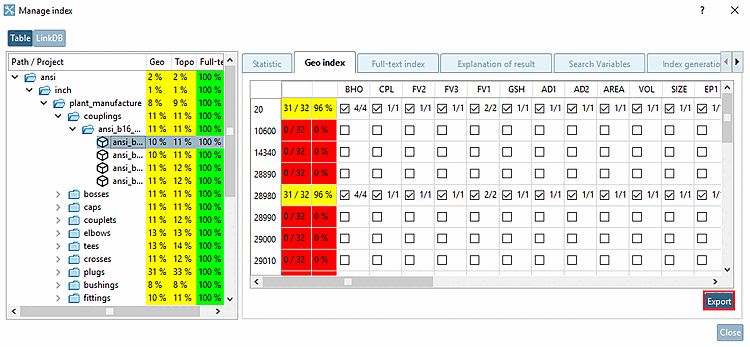
Geosearch index [Geometrical search index] ( Geosearch indices [Geometrical indexes] )
The geo search index [Geometrical search index] is required for all search methods except full text search and variable search.
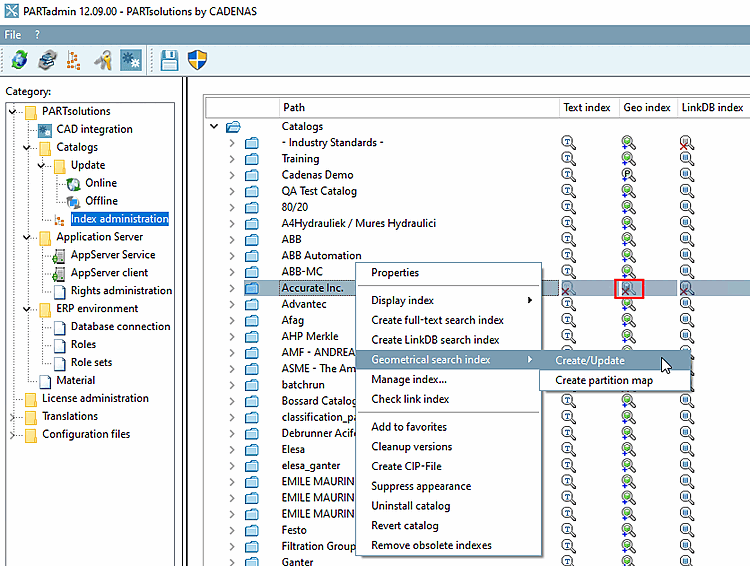
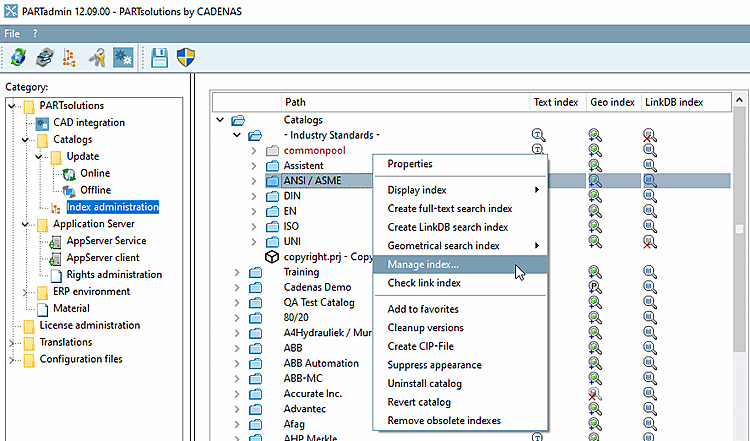
Geosearch index [Geometrical search index] -> Create/Update
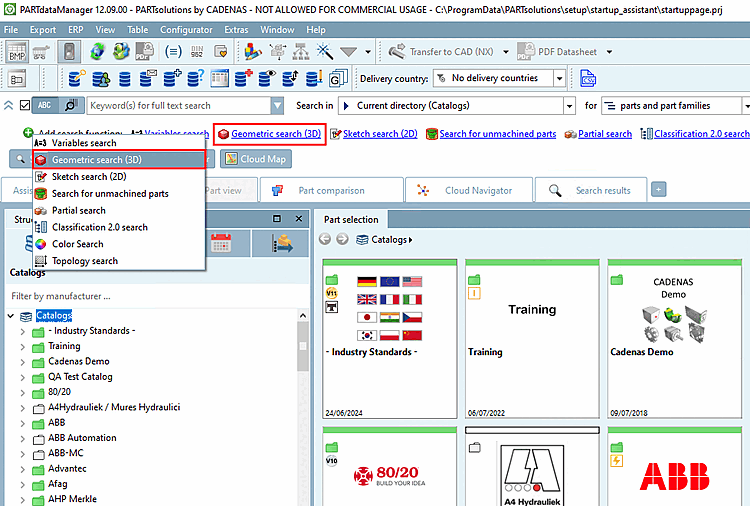
If needed open the index tree at the desired position in order to see the icons:

|
Index [Geometric search index is outdated] for geometric search obsolete: Disadvantages at an deprecated index are a) less search speed and b) less result quality. Use the context menu command Geo search index [Geometrical search index] -> Create/Update. |

|
Index for geometric search [Geometric search index available] available: |

|
Index for geometric search available [Geometric search index available]: GeoDb including Geometric Search You have the best possible search speed and quality of results. |

|
Index for geometric search available [Geometric search index available] GeoDb including Geometric Search User information on Partial search can be found at:
You have the best possible search speed and quality of results. |

|
Index for geometric search [Geometric search index is missing] is missing: Use the context menu command Geo search index [Geometrical search index] -> Create/Update. |
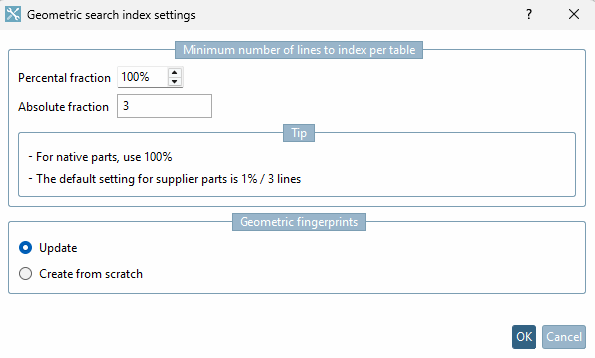
Click on the context menu command Geosearch index [Geometrical search index] -> Create/Update to open the settings dialog for the geometric search index.
Minimum number of lines to index per table
A high percentage value lengthens calculation time for large tables.
So that for small tables there are enough rows indexed, enter the absolute number.
Calculation example 1: 10 lines, percentage share [Percental fraction]: 10, absolute share [Absolute fraction]: 3 -> 3 lines are generated
Calculation example 2: 10 lines, percentage share [Percental fraction]: 20, absolute share [Absolute fraction]: 1 -> 2 lines are generated
The larger of the two values is therefore always used. The time for generating and the storage space for the fingerprints on the hard disk is roughly proportional to the number of lines.
If only new components have been added and no components have been changed, Update is sufficient.
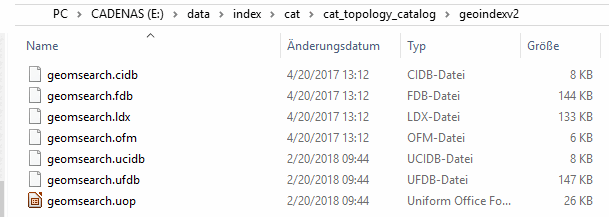
In fingerprints the date of change is saved so that a fingerprint can be overwritten when the project has been changed. In other words it is not necessary to recreate the fingerprints.
For a CIP installation it is not necessary to create the geometric fingerprints again. These are always available with catalogs delivered by CADENAS.
Always recreate fingerprints for outdated algorithms
If there are changes concerning an algorithm and this option is activated, then the fingerprints for this algorithm are created anew. If this option is deactivated, then the search works, however possible enhancements are missing.
| ||||
| ||||
| ||||
| ||||
When updating to V12 the Geo index should be created from the scratch in any case, not only be updated in order to benefit from the many improvements.
!["3D Form [3D Shape]" in 3Dfindit](resources/img/img_cd3bfa05b9e34e37955f614b609b24e3.png)
![[Note]](images/note.png)
![Export options [Export Options] -> Fingerprints not available](resources/img/img_8da88b9cab6d4d34b5d14c6ca85275d0.png)