2.3.9.4.  Attribute mapping in Solid Edge

2.3.9.4.1. Block [AttributeMapping(is3d)]
2.3.9.4.2. Block [CadDocumentAttributes] - Transfer custom attributes
2.3.9.4.3. Block [CadDocumentAttributes] - Transfer further extra attributes
2.3.9.4.4. Block [ProjectInformation]
2.3.9.4.5. Blocks [SummaryInformation] and [DocumentSummaryInformation]
2.3.9.4.6. Fill more fields in Solid Edge with PARTsolutions attributes
2.3.9.4.6.1. Field names in Solid Edge
2.3.9.4.7. Set different languages for attributes

PARTsolutions Variables (geometric, NT, NN, LINA, etc.) and all fields of the link database (if an ERP link exists) can be transferred to Solid Edge using attribute mapping.

These are then available on the Properties dialog page and in the parts list.

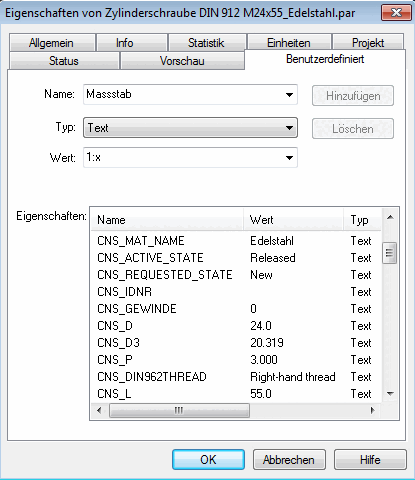
Solid Edge: tabbed page "User-defined"

Solid Edge: tabbed page "User-defined"

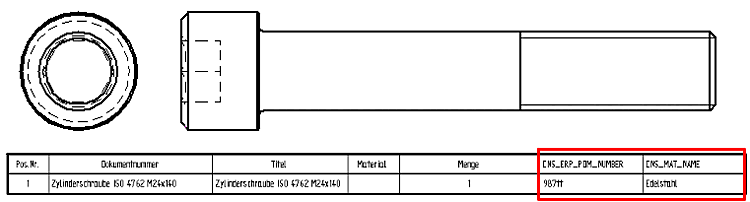
Solid Edge: BOM list enhanced with "CNS_ERP_PDM_NUMBER" and "CNS_MAT_NAME"

Solid Edge: BOM list enhanced with "CNS_ERP_PDM_NUMBER" and "CNS_MAT_NAME"

Call up the category CAD integration -> Solid Edge in PARTadmin.

Attribute mapping is controlled via the following blocks:

The following describes the individual blocks:
[Note]Note

Administrator rights are required to edit the settings!