7.10.1.2.
2D view" dialog box
7.10.1.2.5. Add
dimensioning in PARTdataManager before the export
|  |
| Prev | Next |
7.10.1.2.
2D view" dialog box
7.10.1.2.5. Add
dimensioning in PARTdataManager before the export
| |
| Prev | Next |
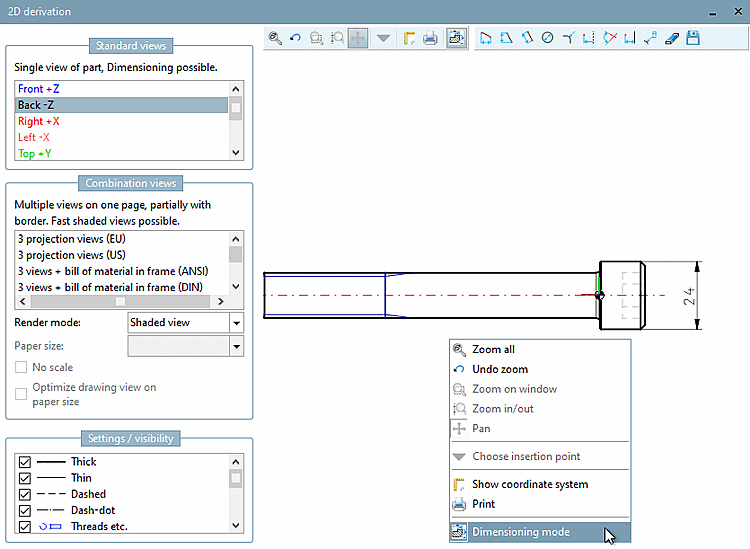
Before you export a 2D derivation into the CAD system, you can add a dimensioning.
Execute the Dimensioning mode command in the context menu of the view.
| ||||
The part is transferred to CAD with dimensioning.
![[Note]](images/note.png)

