5.8.2.1.18.
Translation
5.8.2.1.18.6.
Create XLIFF files with translations / Evaluate XLIFF files with translations
|  |
| Prev | Next |
5.8.2.1.18.
Translation
5.8.2.1.18.6.
Create XLIFF files with translations / Evaluate XLIFF files with translations
| |
| Prev | Next |
XLIFF(XML Localization Interchange File Format) is an XML-based exchange data format that is used to standardize localization processes.
XLIFF exports one file per translated language. Each file has as source language and a target language.
Each translation has a translation state. Currently this is either "needs-translation" or "translated" (In version 2.1 "initial" or "translated".).
When importing to PARTproject only translations in the "translated" state are read.
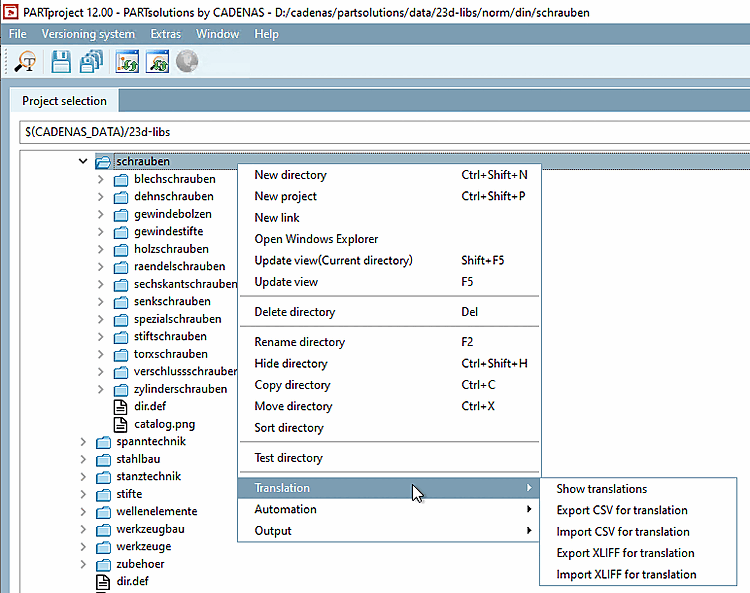
Launching the respective dialog can be performed in a project's/directory's context menu.
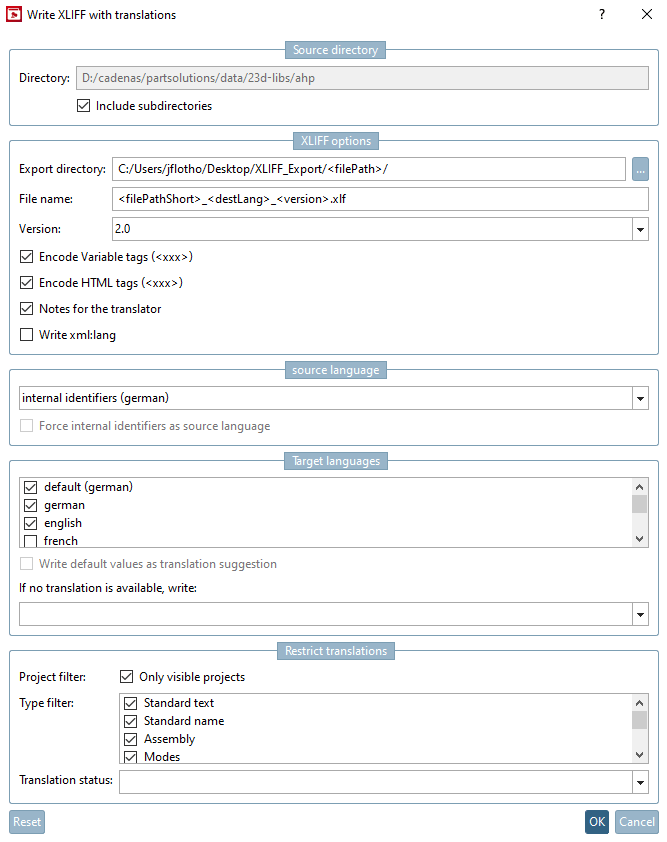
Export the translation files from PARTproject via the context menu command under Translation -> Create XLIFF files with translations [Export XLIFF for translation].
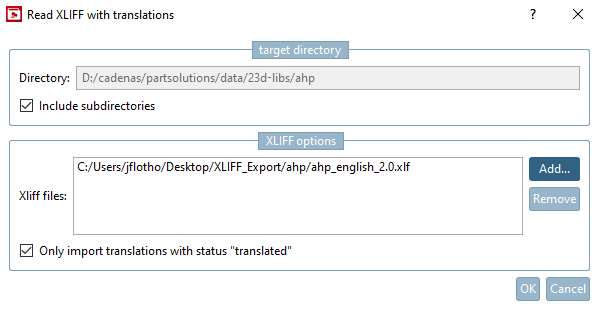
Import the translated xlf files from PARTproject using the context menu command under Translation -> Evaluate XLIFF files with translations [Import XLIFF for translation].
Only use this function if the files had been exported with the corresponding XLIFF function. The XLIFF version is automatically detected.
Only import translations with the status "translated" [Only import translations with status "translated"]: See below in the description of the export options.
The individual setting options in the Write XLIFF with translations dialog box are explained below.
Export creates multiple .xlf files (one for each target language).
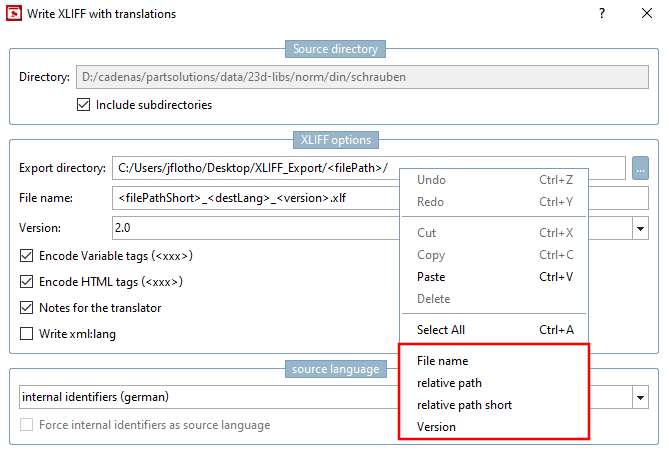
Via context menu of the input field, you have the following place holders available, which can optionally modify the set path:
Example: <filePathShort> of the AHP block cylinder is resolved in ahp-blockzylinder-blockzylinder.prj.
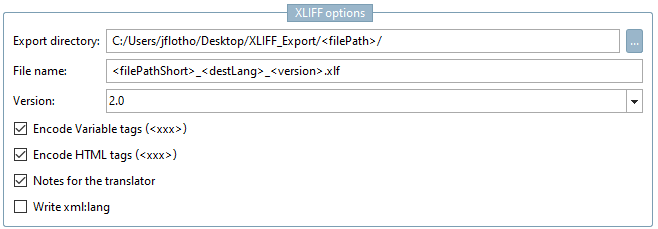
File name: Structure of the file name. Placeholders are also available here in the context menu of the input field.
XLIFF files usually end with .xlf.
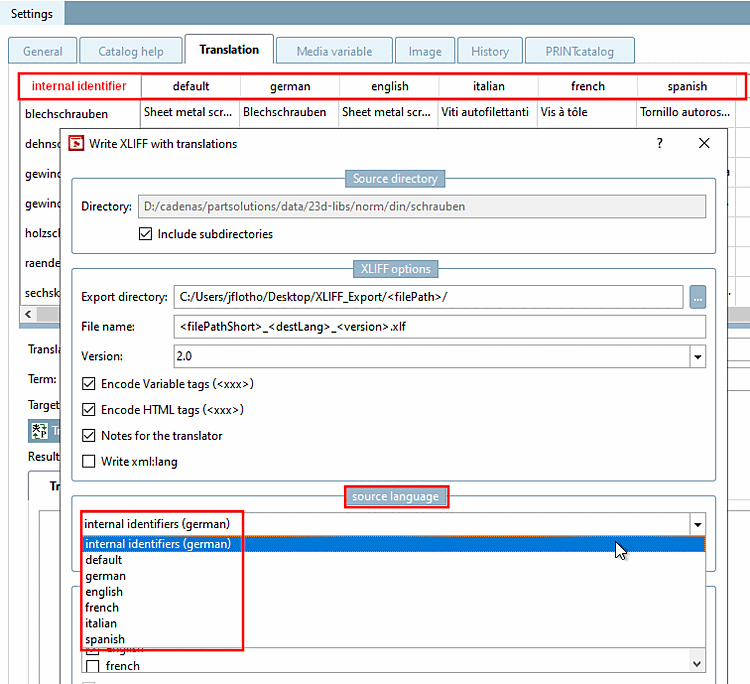
In the following example, the placeholder "<filePath>" has been added to the export directory [Export directory]. -> The corresponding subfolders are then automatically created in the export directory.
The names of the xlf files are put together from file path, target language and the XLIFF version.
2.0 and 2.1 https://docs.oasis-open.org/xliff/xliff-core/v2.1/csprd01/xliff-core-v2.1-csprd01.html
1.2 - most frequently used(https://docs.oasis-open.org/xliff/xliff-core/xliff-core.html)
Encode variable tags ($xxx.) [Encode Variable tags (<xxx>)]: From version 2.0.
Variables such as $NB. are replaced by placeholders. This is very useful as it prevents errors from occurring with references to other columns in the table.
Encode HTML tags (<xxx>): From version 2.1.
Similar to Encode variable tags ($xxx.) [Encode Variable tags (<xxx>)].
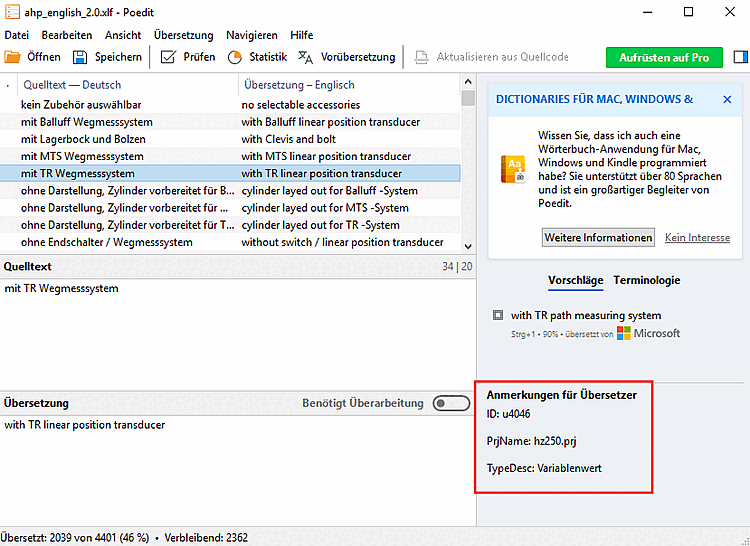
Notes for the translator: From version 2.0.
Additional information such as the source of the translation is written.
Write xml:lang: attribute in the source code. Default value is deactivated.
Any language displayed on the Translation tab page can be selected as the source language. Select this from the list field.
Force internal identifiers as source language: XLIFF makes it possible to export from any source language to any target language.
This function is only compatible with the current translation system via a workaround. As the existing CSV functions were used for the import, the source language must first be replaced by the base language. This is very time-consuming, but possible if this option is deactivated. If it is activated, the base text is written as metadata for each translation. This means that the base text is used during import instead of the actual translation and the time-consuming conversion from the source language to the base language is no longer necessary.
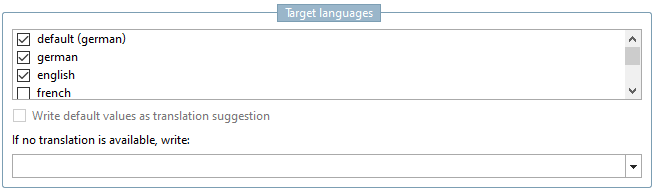
Write default values as translation suggestion:
Useful if "Internal identifiers" is selected as the source language. However, the functionality can only be used with some XLIFF editors. Not compatible with option Notes for the translator.
If no translation is available, please write [If no translation is available, write]...
If during the export there is no translation available for a certain text, the target tag can be configured here.
In XLIFF, a translation is valid if the translation state is "translated". The content of the target tag is of secondary importance. There are XLIFF editors, which disregard the translation state.
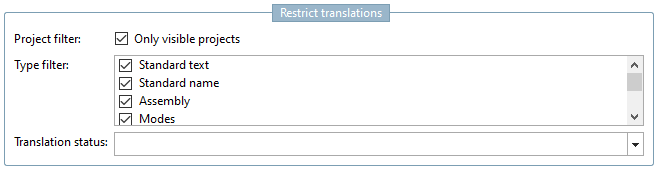
Restrict translations: Activate the desired options.

![Example with placeholders for "Export directory [Export directory] " and "File name [File name] ".](resources/img/img_39927cba7a1746cfb45a7330ab9ed421.png)

![[Important]](images/important.png)