5.8.2.1.18.
Translation
5.8.2.1.18.7.
Create XLSX files with translations / Evaluate XLSX files with translations
|  |
| Prev | Next |
5.8.2.1.18.
Translation
5.8.2.1.18.7.
Create XLSX files with translations / Evaluate XLSX files with translations
| |
| Prev | Next |
Exports
and import of translations with *.xlsx files is possible. That
File format is used to display spreadsheets in Microsoft
Excel. Such files are usually used for organization and analysis
of large amounts of data.
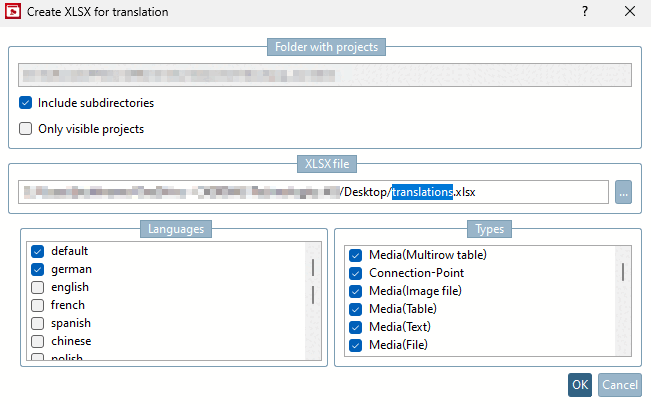
As soon as you click on Create XLSX files with translations, a dialog box opens. There you will see the directory with projects once again and can select Include subdirectories or Only visible projects. The languages and types can also be filtered and transferred to the Excel file using the checkbox.
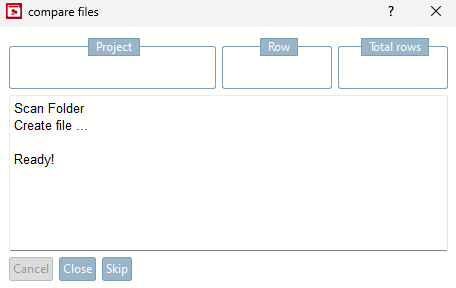
A dialog box then appears in which the file creation process can be followed or canceled.
![[Note]](images/note.png) | Note |
|---|---|
It is advisable to save the Excel file downloaded first as a backup on the data carrier before making any changes. This way you have a data set as a backup. | |
Once the file has been downloaded, you can enter or edit all translations there. The following notes are available:
Control characters and unknown symbols outside of the ASCII code are replaced by a question mark symbol so that they are clearly visible when re-importing, making it easier to correct them.
Special characters, such as the underscore or quotation marks, are possible and are adopted correctly during import.
Replacing the text of a cell in Excel overwrites the previous content during import.
An empty cell in Excel does not lead to the deletion of the entry, but to the cell being ignored during import.
After editing the translations, the Excel file can be imported again using the same context menu.