5.8.2.2. Context menu of the project level
5.8.2.2.7.
Move project
|  |
| Prev | Next |
Project files can be moved to any location within the directory tree.
Various methods are available for moving:
If you want to move several projects at once, select them beforehand by holding down the Ctrl key.
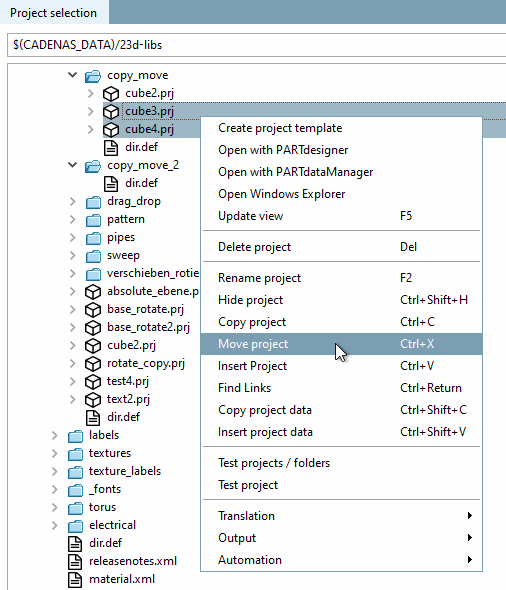
Select the desired project(s) and click on Move project.
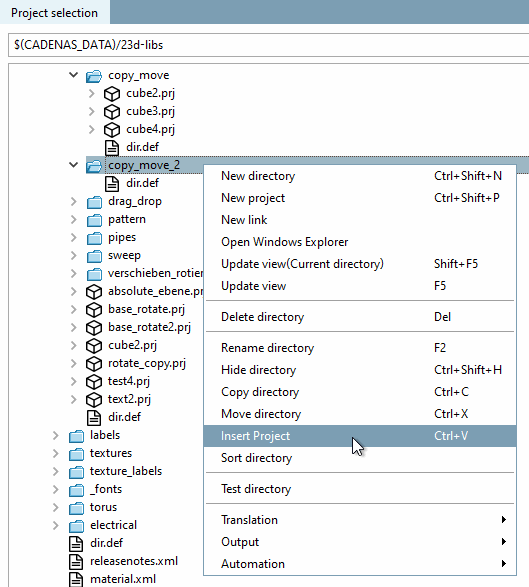
Select the desired directory in which you want to insert the project(s) and click on Insert project.
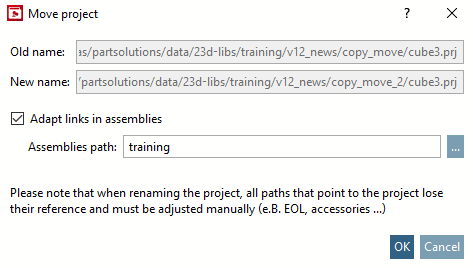
If the projects are not part of an assembly, deactivate the option Adjust references in assemblies [Adapt links in assemblies] (if set).
| ||||
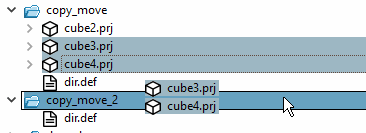
Press the Shift key and hold it down during the drag & drop process.
Now drag the entire selection into the
desired directory. You can recognize the move by the missing  icon next to the mouse cursor.
The Move project dialog appears. See above.
![[Caution]](images/caution.png)