1.5.3.
PARTapplicationServer Dashboard - Tasks
1.5.3.1. Dashboard
display: Preconditions and call |  |
| Prev | Next |
1.5.3.
PARTapplicationServer Dashboard - Tasks
1.5.3.1. Dashboard
display: Preconditions and call | |
| Prev | Next |
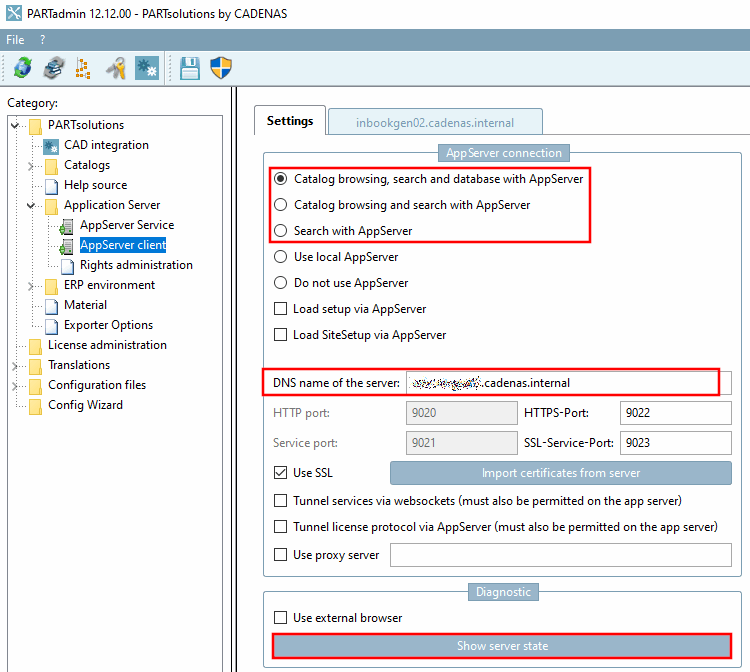
In PARTadmin -> AppServer Client [AppServer client] -> Settings tab page, one of the following options must be selected under Connection to AppServer [AppServer connection]:
Server address: Enter the name or IP address of the server (which is running as a service).
The PARTapplicationServer must run as a service, which is the case with a client-server installation.
-> The <"Address of the server"> tab appears next to the Settings tab.
You have the option of activating the Use external browser option.
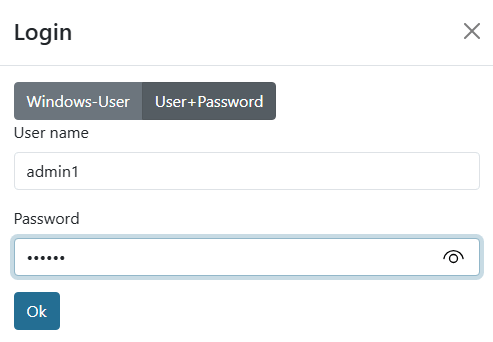
Log in under User, if not done automatically. The easiest way to do this is to select the option Use Windows authentication.
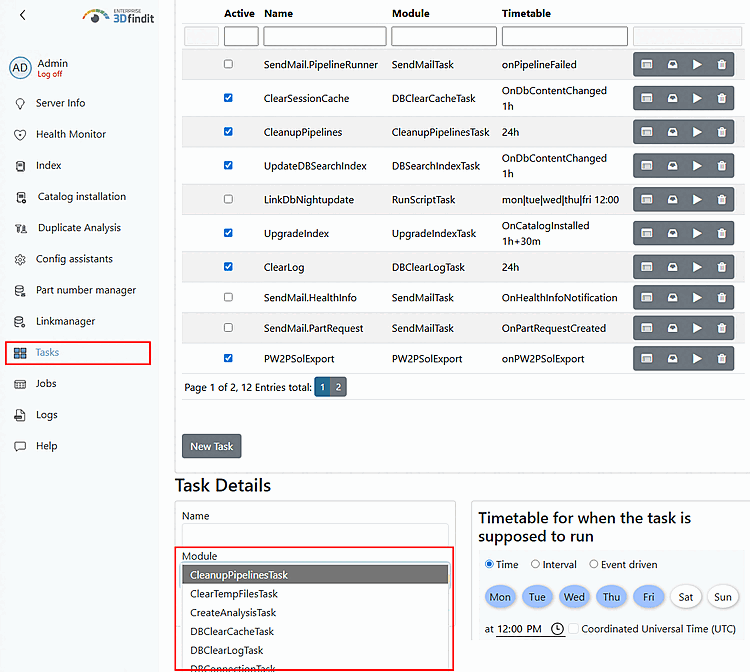
Select the Tasks tab page and click on .