Select the node PARTsolutions Exporter.
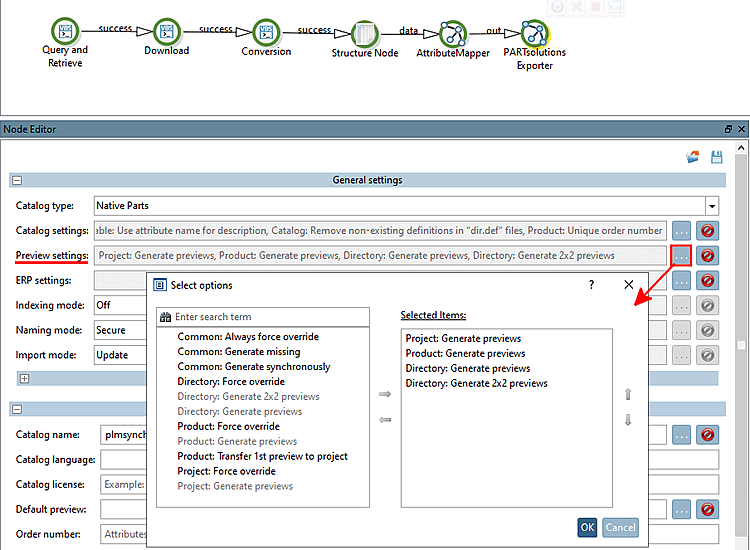
Under Preview settings, click on ....
-> The Select options dialog is opened.
Move the desired generation options to the right under Selected Items.
Here, you can select the preview images for directories, projects and products (rows).
Some examples:
Project: Generate previews
Product: Generate previews
Directory: Generate previews
Directory: Generate 2x2 previews
Always the first four subordinated directories or project views will be grouped.
2x2 previews
Preview images can also be generated with PARTproject subsequently.


![[Note]](images/note.png)