3.2.7.  Print preview

3.2.7.1. Single fields
3.2.7.2. Area fields
3.2.7.2.1. Context menu of the address header or the area fields
3.2.7.2.2. Context menu command for " Order from " area field
3.2.7.2.3. Context menu commands for all area fields
3.2.7.2.4. Option fields "Inquiry" and "Order"
3.2.7.2.5. The copy button between "Delivery address" and "Billing address"

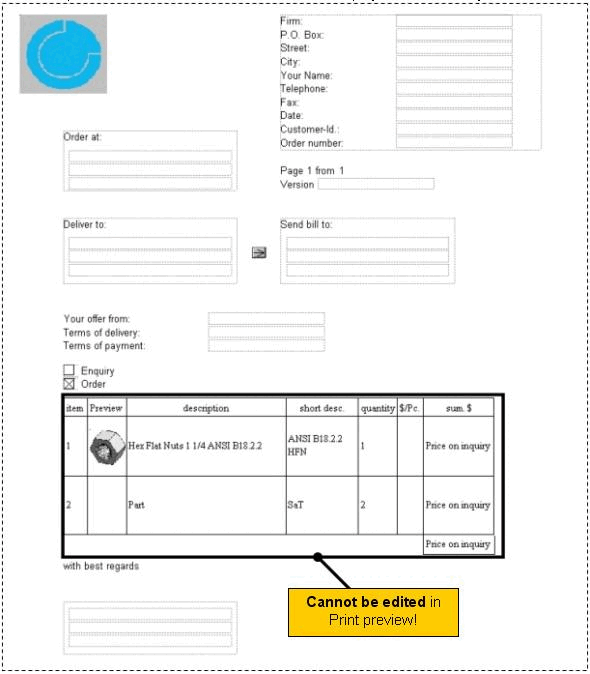
The form preview of the respective parts list is displayed in the Print preview field.

The print preview [Print preview] table adopts changes within the Hierarchical view and Table view dialog areas, i.e. if you insert/delete a part or change field entries in the latter menu areas, for example, the print preview [Print preview] table adapts accordingly.
[Note]Note

The table cannot be changed in the print preview [Print preview] itself.

There are two field types in the print preview, individual fields and area fields (see section on the right). These differ in terms of their context menu and the options for influencing them.