2.1.7.
Part view
2.1.7.4.
Docking window "References "
|  |
| Prev | Next |
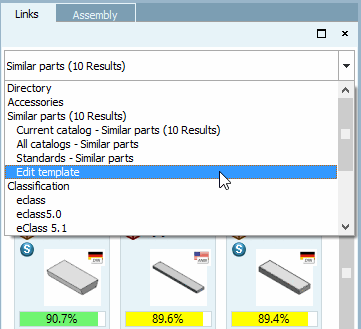
The Links docking window contains links to related components.
Depending on the selection in the list field, certain categories are used for the comparison.
The parts linked in the project are displayed.
Also see Section 2.1.7.1.11.3, “Table filtered by accessory part ”.
The geometrically similar parts are displayed.
Results are displayed on line level and not on project level as with the other options.
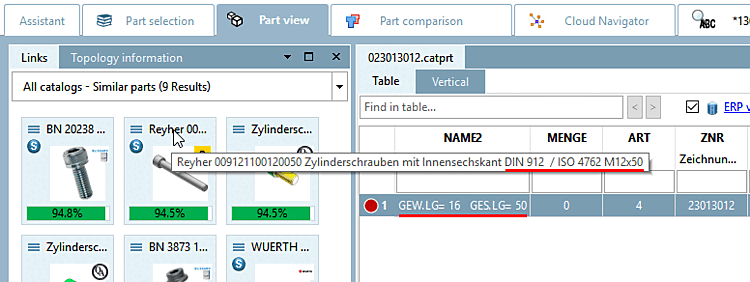
Standard name (NB) is displayed as description. In the tooltip you can see the complete text.
Parts of the same classification are displayed.
If you select the top item, all parts classified according to ECLASS, standards and UNSPSC are displayed.
Standard parts can be recognized by the
respective icon  .
.
To display only the standard parts, select the Standards sub-item.
You can change the default value under PARTdataManager -> Extras -> Settings [Settings...]... -> Part selection -> Display in the References window [Content of the link window].
Double-click on a component to load it into the 3D view.
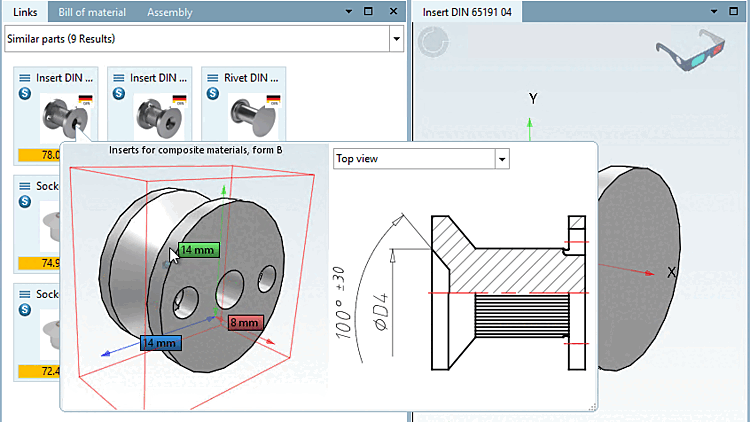
When moving the mouse over a part a tooltip with 3D view and technical views is displayed.
When selecting Similar parts, the so-called bounding box (three-dimensional envelope) is displayed around the part so that you can see at a glance the size ratio between the part currently displayed in the 3D view and the reference part. For larger or smaller reference parts, the bounding box is either outside or inside.