2.1.6.4.11.3.
Topology search - Settings in detail
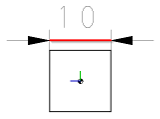
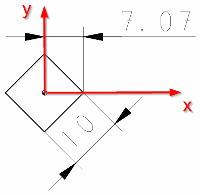
Search for the largest, medium and smallest dimensions of a component.
Or search for the dimension in the direction of the X, Y and Z axes.
2.1.6.4.11.3.2.
Area/Volume
With this
function you can search for a part's surface and volume.
With this
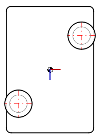
function you can search for symmetries: Once for the type and in the list
field with the possibility of differentiation according to "symmetric",
"nearly symmetric" and "not symmetric".
Axis Symmetry
Example:
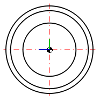
Rotation symmetry
Example:
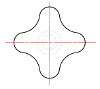
Plane Symmetry
Example:
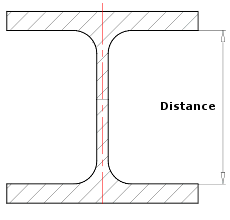
Material Thickness
With this
function you can search for material thickness. This function makes sense
when searching for semi-finished products, for example.
With this
function you can search for inner or outer cylinders or half cylinder,
quarter cylinders or broadly speaking sections of cylinders.
Number: Number of cylinders in the searched part
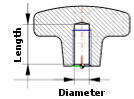
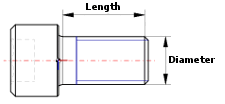
Diameter / length [Length]:
Orientation:
Rotation angle defines the rotation around the main axis of the cylinder (in the direction of the length) in order to expand the cylinder surface. This can be used to search for partial cylinders, e.g. full cylinders (angle = 360°), half cylinders (angle = 180°), quarter cylinders (angle = 90°).
With this
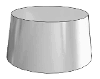
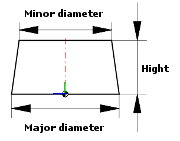
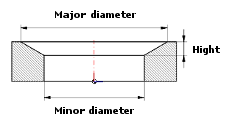
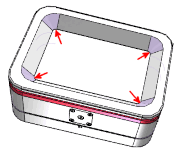
function you can search for inner and outer cones. In the following you
see the single parameters with the help of two little examples:
Outer
cone
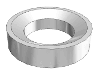
Inner
cone
Angle of rotation defines the rotation around the main axis of the cone (in the direction of the length) in order to expand the cone surface. This can be used to search for partial cones, full cones (angle = 360°), half cones (angle = 180°), quarter cones (angle = 90°).
With this
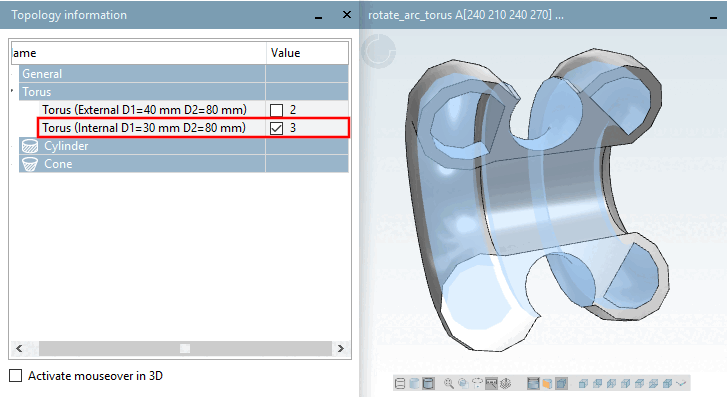
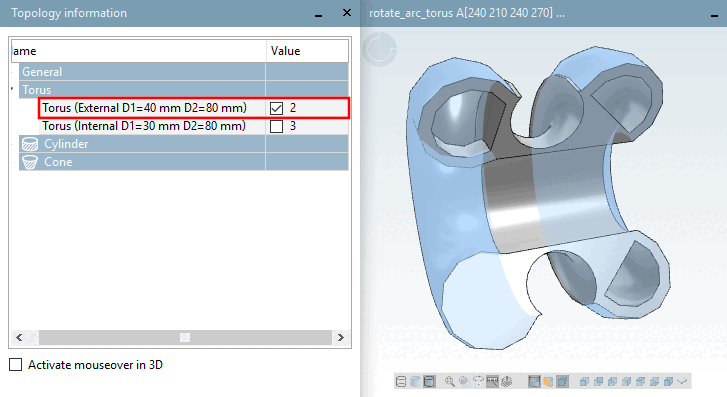
function you can search for internal and external tori.
Number [Amount]: You can search for a specific number of tori (without differentiating between inner tori and outer tori or with; see next point)
Orientation: Inside
Orientation: Outside
Small diameter [Minor Diameter]: Displayed under topology information [Topology information] as parameter D1 (for both torus outside and torus inside [see figures above])
Large diameter [Major Diameter]: Displayed under topology information [Topology information] as parameter D2 (for both torus outside and torus inside [see figures above])
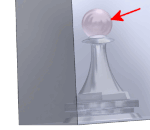
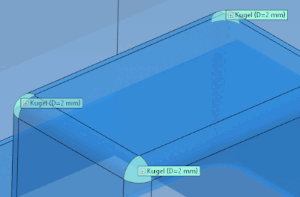
With this you can
search for spheres or sections of spheres such as semi-spheres or rounded
edges, for example.
With this
function you can search for holes. Amount, dimension and type can be
specified.
2.1.6.4.11.3.10.
Rectangular Slot
With this
function you can search for rectangular slots.
Number: Number of rectangular holes in the searched part
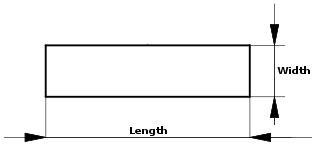
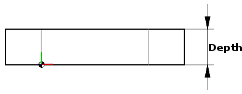
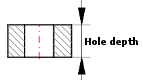
Length / depth [Depth] / width [Width]:
Rounding diameter [Rounding Diameter]:
2.1.6.4.11.3.11.
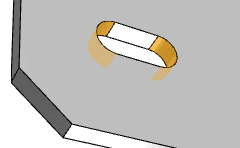
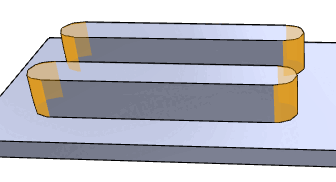
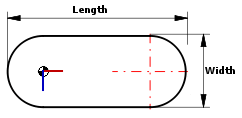
Slotted Hole
With this
function you can search for slotted holes.
2.1.6.4.11.3.12.
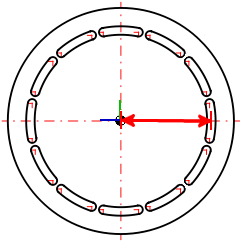
Curved Slot
With this function
you can search for curved slots.
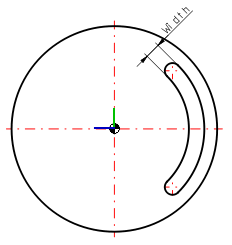
Number [Amount]: The curved slotted holes can appear at any position and do not have to form a pattern. If the curved slotted holes are arranged as a pattern, you can also search using the Curved slotted hole pattern [Curved Slot Pattern] function.
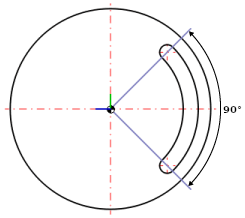
Angle: The angle is determined from the slotted hole arc segment without the final curves.
Width: Width of a curved slotted hole
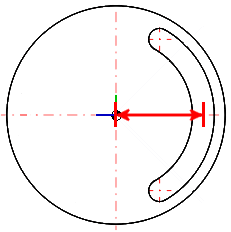
Diameter: Center of the width of a curved slot to the center of the circle times 2
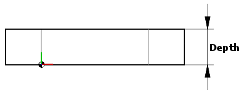
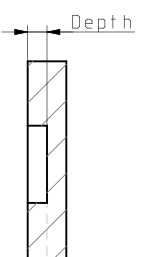
Depth: Depth of a curved slotted hole
2.1.6.4.11.3.13.
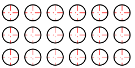
Linear Hole Pattern
With this
function you can search for linear hole patterns.
Number: Number of patterns in the searched part
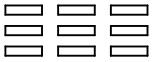
Number of width [Amount Width] / number of height [Amount Height]: Number of individual pattern elements in width and height
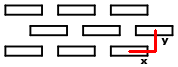
X-distance [Distance X] / Y-distance [Distance Y]:
Distance between two pattern elements in the direction of the X and Y axes
Arrangement
Hole
Attributes
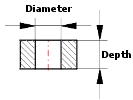
Diameter / depth [Depth]
Lowering type Start:
Lowering type End:
2.1.6.4.11.3.14.
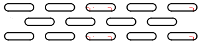
Linear Slot Pattern
With this
function you can search for linear slot patterns.
Number: Number of patterns in the searched part
Number of width [Amount Width] / number of height [Amount Height]: Number of individual pattern elements in width and height
X-distance [Distance X] / Y-distance [Distance Y]:
Distance between two pattern elements in the direction of the X and Y axes
Arrangement
Slotted
Hole Attributes
2.1.6.4.11.3.15.
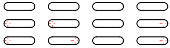
Linear Rectangular Slot Pattern
With this
function you can search for linear rectangular slot patterns.
Number: Number of patterns in the searched part
Number of width [Amount Width] / number of height [Amount Height]: Number of individual pattern elements in width and height
X-distance [Distance X] / Y-distance [Distance Y]:
Distance between two pattern elements in the direction of the X and Y axes
Arrangement
Rectangular Slot Attributes
Number: Number of patterns in the searched part
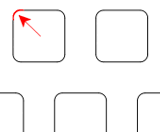
Length / width [Width]: Length and width of a single slot (see above)
Depth:
Rounding diameter [Rounding Diameter]:
2.1.6.4.11.3.16.
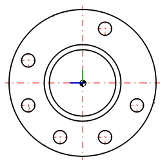
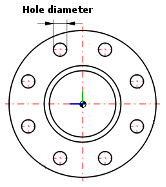
Circular Hole
Pattern
With this
function you can search for circular hole patterns.
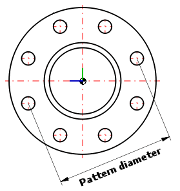
Number: Number of patterns in the searched part
Diameter
Angle:
Angle
between two adjacent pattern elements (in the above example 45°, which
results in 8 positions in a complete pattern)
Hole
Attributes
Diameter:
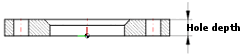
Depth:
Lowering type Start:
Lowering type End:
2.1.6.4.11.3.17.
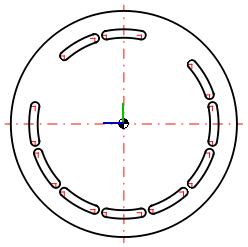
Curved Slot Pattern
With this function
you can search for curved slot patterns.
Number: Number of patterns in the searched part
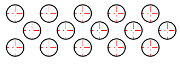
Angle: Angle between two neighboring pattern elements (30° in the following illustration), which results in 12 positions in a complete pattern)
Curved
Slot Attributes
Diameter: Center of the width of a curved slot to center point times 2
Depth: Depth of a curved slotted hole
Width:
Rotation angle: The angle is determined from the slotted arch segment without the final roundings.
2.1.6.4.11.3.18.
Distance between Planes
With this
function you can search for distances between planes within a part.
2.1.6.4.11.3.19.
Angles between Planes
With this
function you can search for angles between two planes. Decisive is always
the inner angle.






![Example - D2: Large diameter [Major Diameter] | D1: Small diameter [Minor Diameter] for torus outside and torus inside](resources/img/img_23531aba61c34871bde5d4a00157950e.png)



![[Note]](images/note.png)
![a) Number of widths [Amount Width] (here 10 elements as an example), b) Number of heights [Amount Height] (here 3 elements as an example), c) Hole diameter](resources/img/img_cfd68dbecde9437ca3eb995ee08b90fb.png)

![a) Number of widths [Amount Width] (here 6 elements as an example), b) Number of heights [Amount Height] (here 4 elements as an example), c) Hole length [Hole Length], d) Hole width [Hole Width]](resources/img/img_28ccadd89c664ee38e051c59d3cd155c.png)

![a) Number of widths [Amount Width] (here 4 elements as an example), b) Number of heights [Amount Height] (here 4 elements as an example), c) Hole length [Hole Length], d) Hole width [Hole Width]](resources/img/img_4fbe2d68f2b04a18b019923ce4c01842.png)