2.1.10.
Create 2D derivation
2.1.10.4. Context menu and buttons "" window
|  |
| Prev | Next |
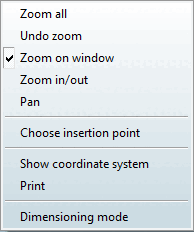
All commands in the dialog window can be called up both via the context menu and via buttons. A click with the secondary mouse button in the component display window calls up the attached context menu .
The commands Snap all [Zoom all], Undo zoom ( =Snap [Zoom all] all), Zoom to section [Zoom on window] (enlarge view to a rectangular section [Zoom view on rectangular clipping] ), Zoom in/out and Move [Pan] are explained under Section 2.1.16.6.2.1, “Overview”.
|
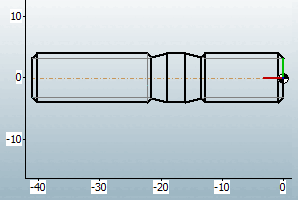
About Show ruler [Show coordinate system] a ruler is inserted horizontally and vertically in the 2D view. |
Clicking on the corresponding button or the context menu command also displays the dimensioning toolbar.
Detailed information on the dimensioning mode can be found under Section 2.1.16.6.2.3.4, “ Attributes -> Dimensioning mode ”.


![[Note]](images/note.png)