1.5.4.
Administering the license server
1.5.4.7. Tabbed page "Access restrictions"
|  |
| Prev | Next |
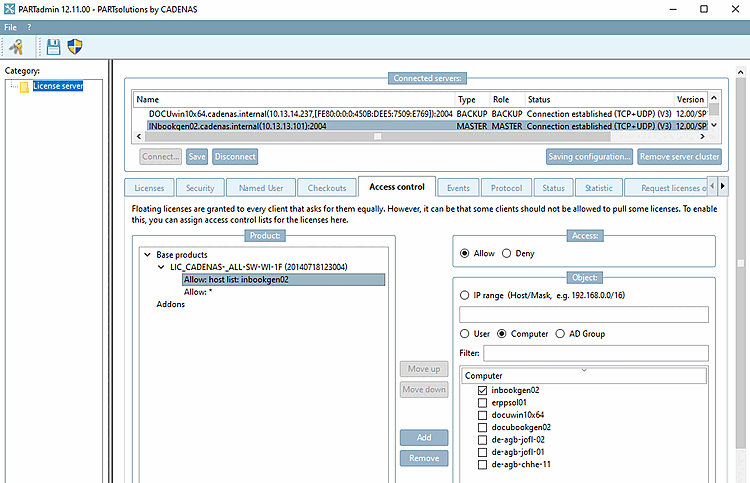
Floating licenses are granted to every client that asks for them equally. However, it can be that some clients should not be allowed to pull some licenses. To enable this, you can assign access control lists for the licenses here.
The following example shows how to set up an access restriction for an IP range and/or users [User] and/or computers [Computer] and/or AD groups for a specific floating product [Floating product]:
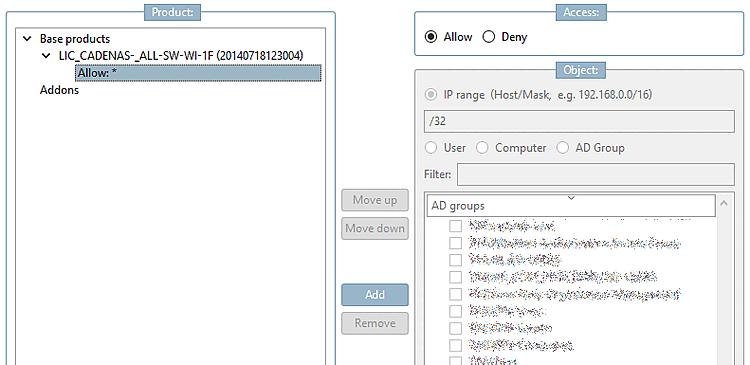
Initial situation: Allow: *: There are no restrictions
To set access restrictions, proceed as follows:
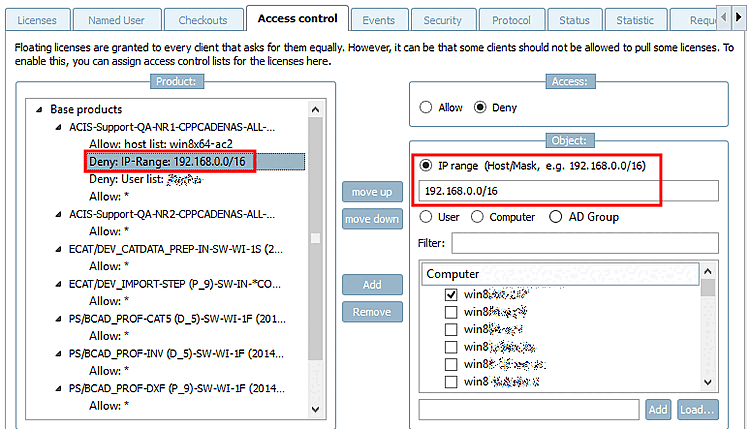
Expand a base product or add-on and select a line beginning with "Allow " or "Deny ".
-> A new line is added below the selected product. You can create as many lines as you like with Prohibit [Deny] or Allow.
Select an option in the Object dialog area: Select either Ip-Range [IP Range] or make a selection between User | Computer | AD Group ).
Determine a range of IP addresses.
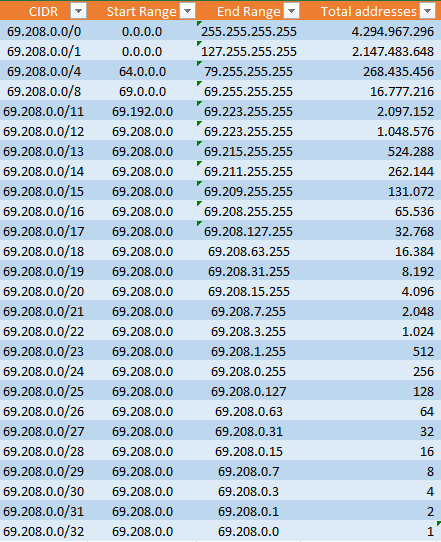
The syntax in the input field is based on Classless Inter-Domain-Routing (CIDR).
CIDR enables network masks of any length.
Behind the IP address, enter a prefix block separated by a slash '/' (see following figure). The block prefix shows the number of bits at the beginning of an IP address which identify the network. Then all other bits indicate the host.
AD group [AD Group]: Activate the checkbox for one or more AD groups.
![[Caution]](images/caution.png)