1.4.3.6.6.
Index management: Context menus
1.4.3.6.6.12.
Sort catalogs
|  |
| Prev | Next |
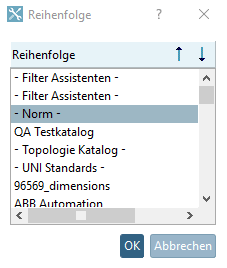
Select the main directory Catalogs and click on the context menu command Sort catalogs.
-> The Sequence dialog box opens. You will see a list of all installed catalogs.
Select that catalog whose position you want to move up or down.
Via arrow keys, change the position up or down.
Alternatively you can also change the position via drag & drop.
-> The new sequence is taken into the index tree.
| ||||
![[Note]](images/note.png)