5.24.2.3.
MSI Installation: Silent Install 5.24.2.3.4. Process |  |
| Prev | Next |
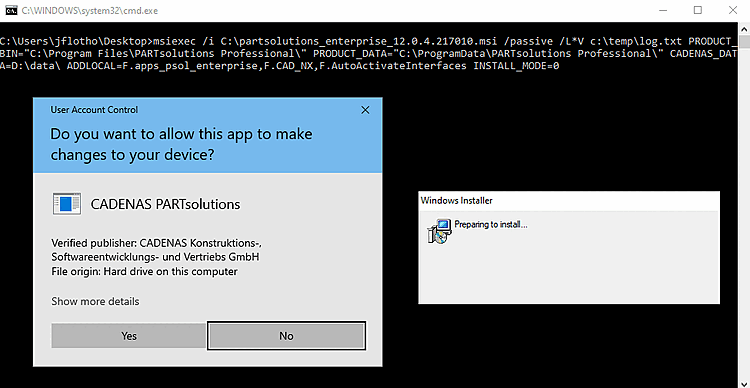
Once having executed the batch file, the installation is started and following windows are opened:
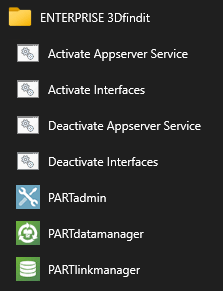
Once the installation is complete, the corresponding start menu entries are displayed. The Activate Interfaces / Deactivate Interfaces links start the batch scripts mentioned above.
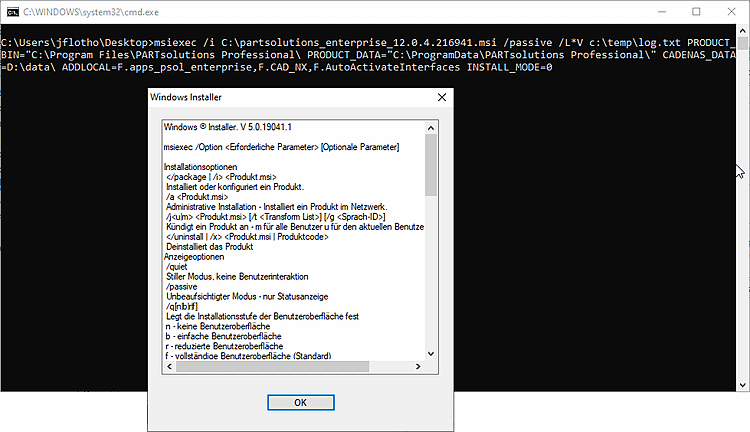
If the installation fails, the msiexec options are displayed. Please check the individual parameters. Paths with spaces, for example, must be enclosed in quotation marks.
![[Tip]](images/tip.png) | Tip |
|---|---|
Use the parameter L*V as specified above. You can see possible errors in the log file. msiexec /L*V c:\temp\log.txt
| |
![[Note]](images/note.png)