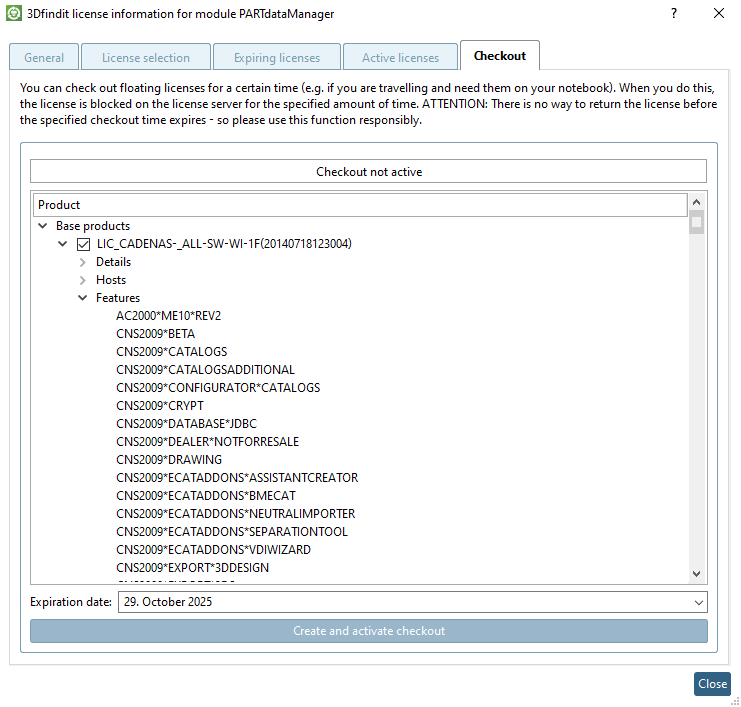
6.5.1.5.
Checkout " tab page
You can take along
a license (for example on a journey), administrated at a FLM server, for a
limited period.
To do this, the license is exported to the local computer on the Checkout tab page.
![[Note]](images/note.png) | Note |
|---|
If the
respective user is not allowed to that the dialog is inactive
(dimmed).[94]
|
In order to check
out a license proceed as follows:
Select the Checkout tab page.
Activate the
desired license (or a number of) via checkbox.
Set the expiration date [Expiration date] for the checkout [Checkout]. The license is then available again as a "normal" floating license.
Click Create checkout and activate [Create and activate checkout].
Optional:
If you want to modify the previous loan (add another license), click Deactivate checkout, make the change and then click Create and activate checkout again.