|
|
There are different types of tags for keys such as short description, value type definitions, activation/deactivation and control elements for the user interface. Short description and control elements can also be used for blocks.
All tags start with “#:”, followed by the keyword and end with a semicolon.
HELP - Short description on keys or blocks
#:HELP;
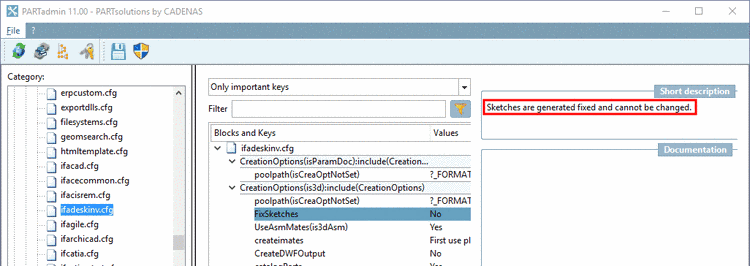
In the dialog area Short description, information on keys or blocks is displayed (if provided).
#:HELP;Sketches are generated fixed and cannot be changed.
At this place, the Short description is only created for the default language.
| ||||
In order to insert a multiline short description, at the beginning of each extra line, set the hash mark (#).
#:HELP;This is the text of the first line.
# This is the next line,
# another line
# etc.
CFGHELP - Short description on configuration file
#:CFGHELP;
#:CFGHELP;Hello
In order for multiline help texts to be added, at the beginning of each following line, set the hash mark (#).
#:CFGHELP;This is the text of the first line.
#This is the next line,
#another line,
#etc.
![[Note]](images/note.png) | Note |
|---|---|
If value ranges are not specified (so do not have a set "VALS_" tag), internally, "VALS_S" is supposed. | |
VALS_SE - Alphanumerical key value with preset values + free input
#:VALS_SE;
Use this tag, if you want to preset certain values under PARTadmin -> category Configuration files and allow free input of values in addition.
VALS_SE;„one“,“two“,“three“
Now the user is allowed to enter „four“ for example. With the tag "VALS_S" this is not possible.
#:VALS_N;<numeric value>
If no values are specified, under PARTadmin -> category Configuration files, free input is possible.
#:VALS_N;<String>
#:VALS_N;<list of numeric values>
When listing several values use commas as separator.
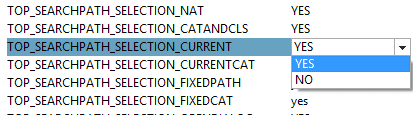
#:VALS_N;0,1,2
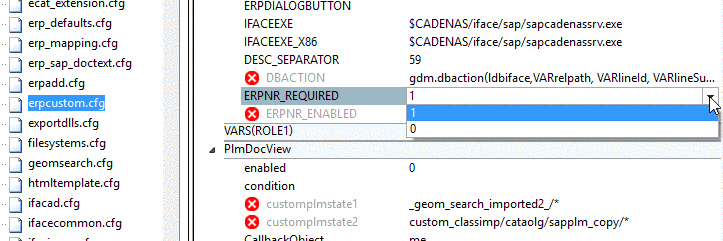
If predefined values are given, in PARTadmin -> category Configuration files a list field is displayed.
VALS_NE - Numerical key value with preset values + free input
#:VALS_NE;
Use this tag, if you want to preset certain values under PARTadmin -> category Configuration files and allow free input of values in addition.
VALS_NE;1,2,3
The user is allowed to enter „4“ for example. With the tag "VALS_N" this is not possible.
VALS_L - List field selection with checkboxes
#:VALS_L;
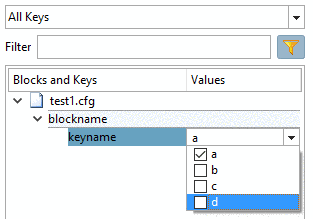
Use this tag if you want to display a list field with checkboxes under PARTadmin -> category Configuration files.
#:VALS_L;1,2,3,4
#:VALS_L;a,b,c,d
VALS_LE - List field selection with checkboxes + free input
#:VALS_LE;
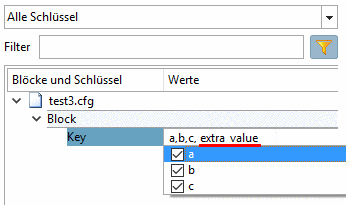
Use this tag if you want to display a list field with checkboxes under PARTadmin -> category Configuration files and enable free input in addition.
#:VALS_LE;a,b,c
Key=a,b,c, extra_value
With this tag you can map a value or a range of values onto another value or another value range.
Under PARTadmin -> category Configuration files, the mapped value is displayed. So the user sees a descriptive name, internally numerical values are used.
The mapping partners are separated by semicolon, single values by comma.
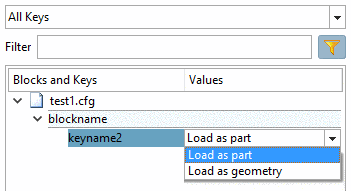
#:VALS_M;"0","1";"Load as part","Load as geometry"
keyname2=0
Under PARTadmin -> category Configuration files a list field is displayed.
VALS_R - Value range declaration
#:VALS_R;<from value> - <up to value>
The limits of a value range are separated by a hyphen “-“.
With this type, a listing of single values is not possible.
#:VALS_R;0-10
DEBUGMODE=
When entering values under PARTadmin -> category Configuration files these are checked. Values out of the defined range are not permitted.
VALS_C - Correct display of code phrases
#:VALS_C;<code phrase>
With the help of this tag you can use code phrases in a list field in PARTadmin.
When using several lines as of the second line prefix a hash mark "#".
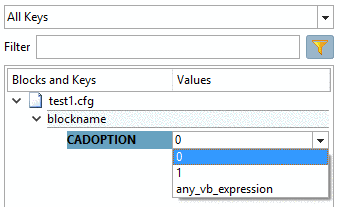
Then the different options are displayed in a list field.
#:VALS_C;0
#1
#any_vb_expression
CADOPTION=
The following listing describes TAGs for general control
INACTIVE - Deactivation of keys
#:INACTIVE;<name of key>
If a key currently shall not be evaluated by applications, use this tag.
Prefix the string #:INACTIVE; to the key.
#:INACTIVE;ShowInTable =no
If a key is
tagged in this way, then it is displayed in PARTadmin -> category
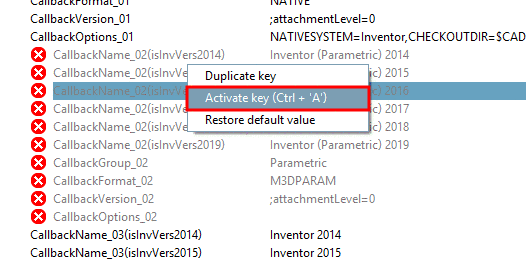
Configuration files as "inactive"
 . Furthermore the command Activate
key or Deactivate key is displayed in the
context menu, so that you can change the status anytime.
. Furthermore the command Activate
key or Deactivate key is displayed in the
context menu, so that you can change the status anytime.
VISFGUI - Control visibility of keys and blocks
#:VISFGUI;<bool>
Use this tag to control the visibility of keys or blocks in the user interface of PARTadmin:
VISFGUICFG - Control visibility of configuration files
#:VISFGUICFG;<bool>
Use this tag to control the visibility of a configuration file in PARTadmin:
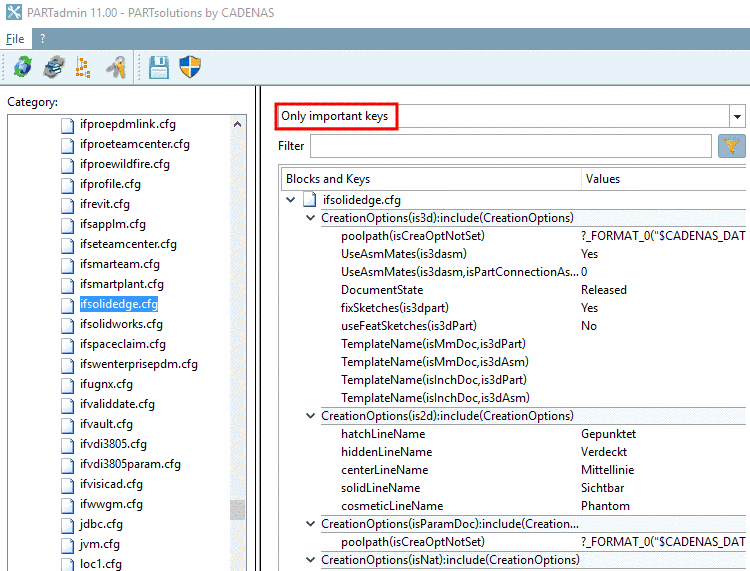
SIMPLE - Mark important keys for filtering
#:SIMPLE;<bool>
Use this tag in order to mark keys which have to be adjusted in any case to ensure an orderly functioning in PARTsolutions.
In PARTadmin, keys tagged in this way can be filtered.
#:SIMPLE;1
poolpath(isCreaOptNotSet)=?_FORMAT_0("$CADENAS_DATA/pool/solidedge/<PREFIXLIST(/)>")....
#:VALS_S
#:HELP;CheckOut Folder for Native Parts
#:SIMPLE;1
NativeCheckoutTargetFolder=?Application.ResolveEnv("%CADENAS_DATA%\\pool\\catia")
#:VALS_S #:HELP;Submenu - Tools - Activate the command that should be loaded at startupand set the value on "Yes". If a key is disabled the code and command will not be available in CATIA. See manual. #:INACTIVE;COMMAND_SHOW_PSOLNCScan=no
#:VALS_S
#:VISFGUI;0
#:INACTIVE;MetaObjectVersion=""
There are still older tags in the config files. For reasons of version management these comments stay in the config. However, please do not use them for new tagging anymore.
Special tags under $CADENAS_DEFAULTUSER
![[Important]](images/important.png)