5.24.3. AppServer V12 -
Client Server 5.24.3.2. ENTERPRISE 3Dfindit Server |  |
| Prev | Next |
If SSL is to be used, a certificate signed by the certification authority is required.
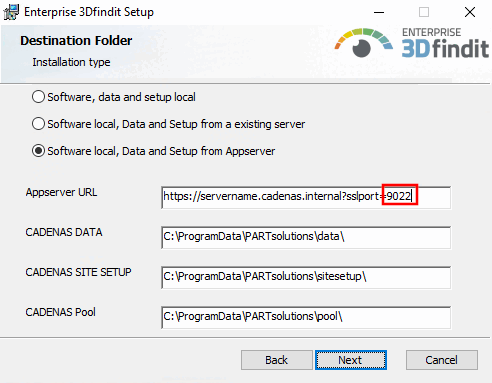
Enter the port numbers to be used and activate the checkboxes.
Later, when running the client installation, this port number must be specified under Appserver URL.
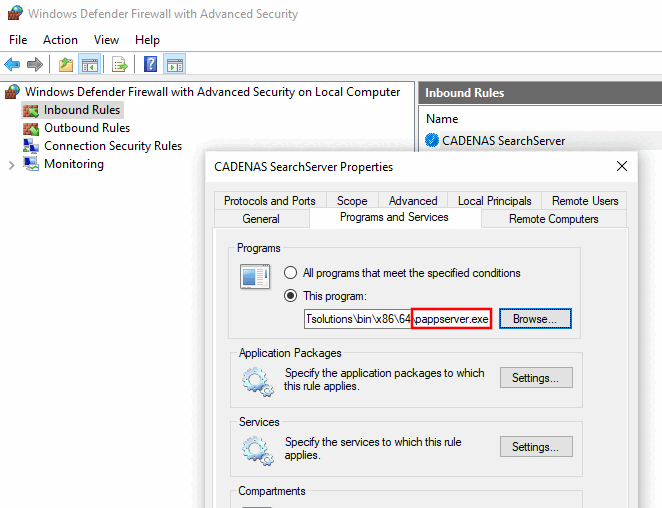
Share pappserver.exe in the firewall .
Make sure that the desired access to the AppServer is not blocked by a firewall.
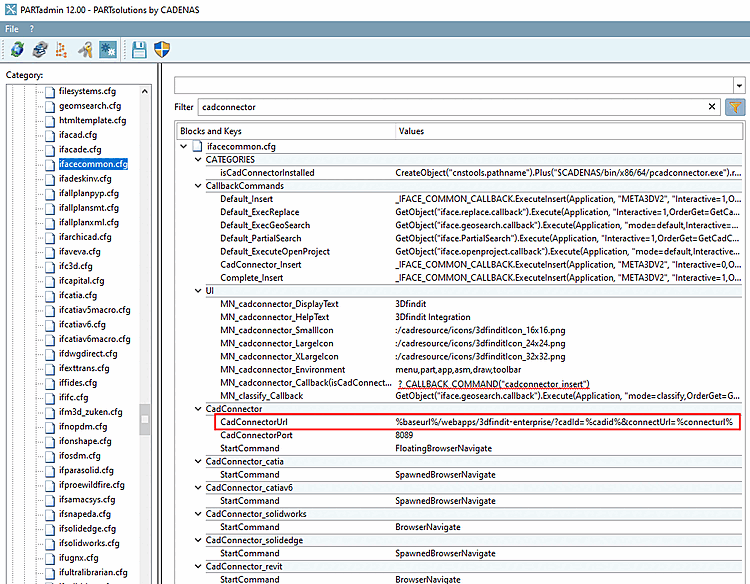
Make sure that the AppServer client settings [AppServer client] on the server are correct:
If the Use local AppServer option is set under AppServer Client [AppServer client], the CadConnector will access the wrong URL, which may result in a connection error.
![[Note]](images/note.png)
![AppServer Service -> Port configuration -> HTTPS port [HTTPS-Port]](resources/img/img_3e03cbe60e704289acf317b9223ac75c.png)
![AppServer Client [AppServer client] -> Connection to the AppServer [AppServer connection]](resources/img/img_61144b48fab248c6a2476d3fe01c6ece.png)