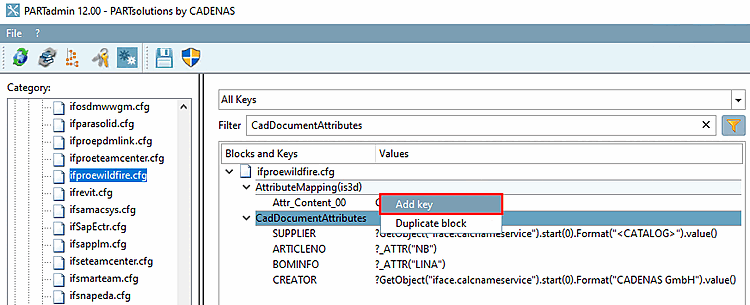
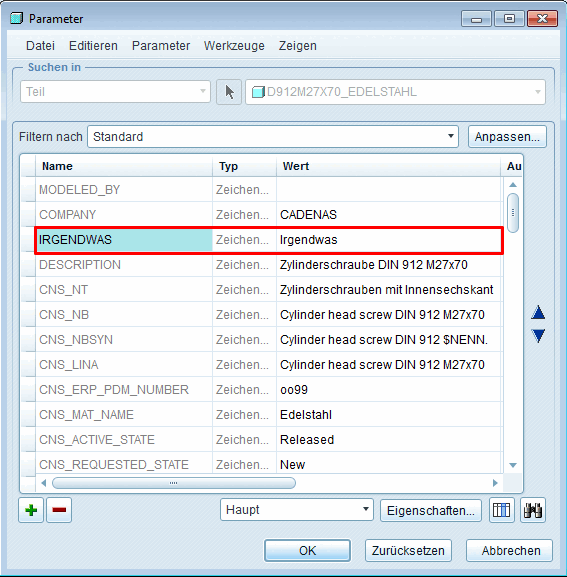
In the following example, a key is to be added that appears as an additional attribute under Parameter.
Open the CadDocumentAttributes block under PARTadmin > Configuration files category [Category] > $CADENAS_SETUP > ifproewildfire.cfg.
Creo: Parameter
Insert a key.
Save the settings in PARTadmin.
Export the part to Creo.
-> The added key now appears as an additional attribute on the Parameters dialog page.
Creo: Parameter - Extra attribute