5.9.2.3. Menu item: Variables
5.9.2.3.5.
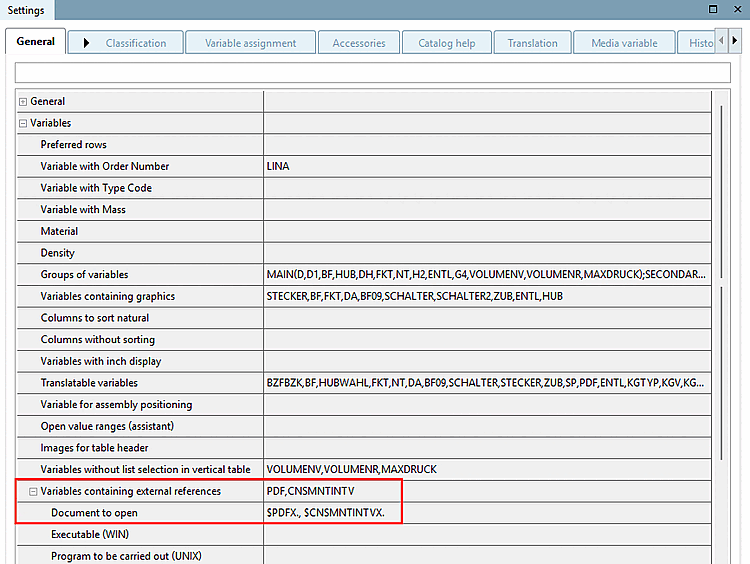
Variables containing external references
|  |
| Prev | Next |
Variables with executable program [Variables containing external references]
Tabbed page General → Menu item Variables → Variables with executable program [Variables containing external references]
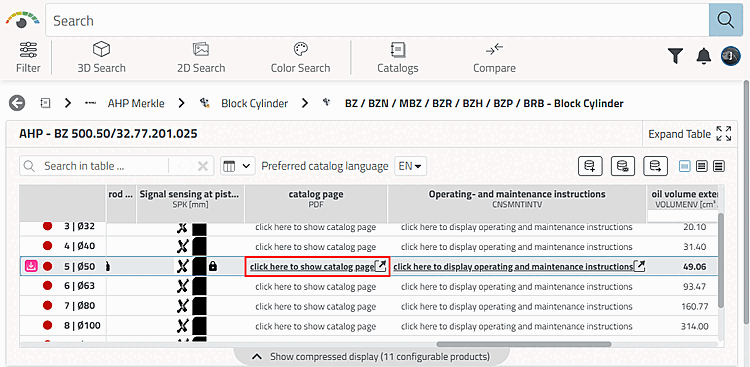
Columns can be marked with the property to open a program or document once a cell is being clicked. The document can be stored in the catalog, just as well be referenced per URL.
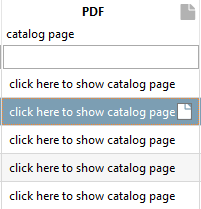
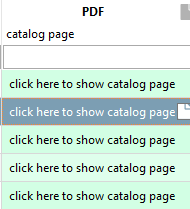
These columns are marked with a document icon  icon. If in the settings options under Extras menu [Extras] -> Settings [Settings...]... -> Table -> Color executable columns [Color document columns], they are also colored green.
Variables with executable program [Variables containing external references]: Define the relevant column (variable).
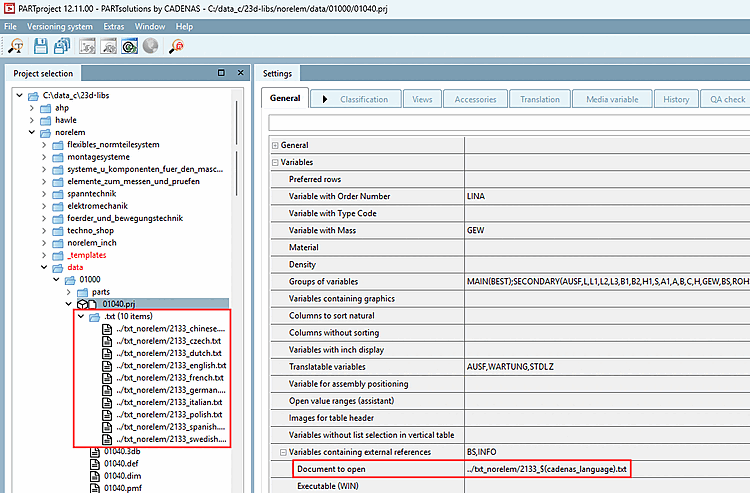
Variables with executable program [Variables containing external references] → Document to be opened [Document to open]: Specify the document that should be opened when you click on the column (table cell) defined above.
Direct path statement to internal document with consideration of language dependency.
The document (possibly even more with multiple languages) may be stored at any location within the catalog.
If documents are available in several languages attach a language ID to the file name separated by an underscore. In the example below "_english" and "_german".
Set the following entry under Document to open:
../txt_norelem/2133_$(cadenas_language).txt
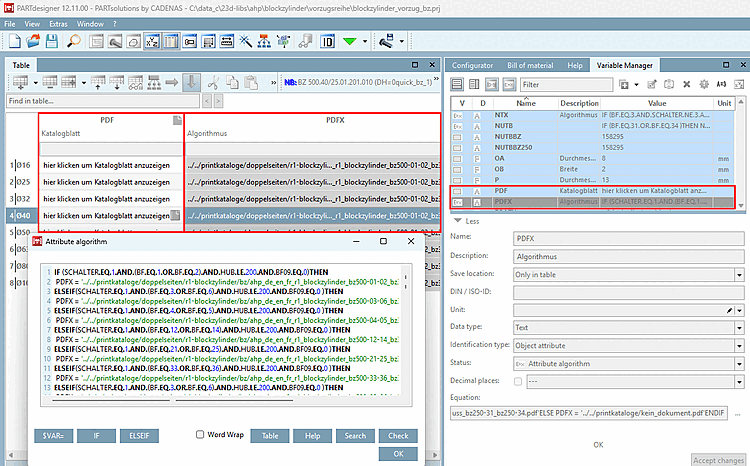
Variable statement for path to internally stored document.
Define the relevant column (variable) under Variables with executable program [Variables containing external references].
Under Document to open, specify the variable with the document path (here PDFX).
The variable PDFX with attribute algorithm contains the path to a PDF which is stored in the catalog.
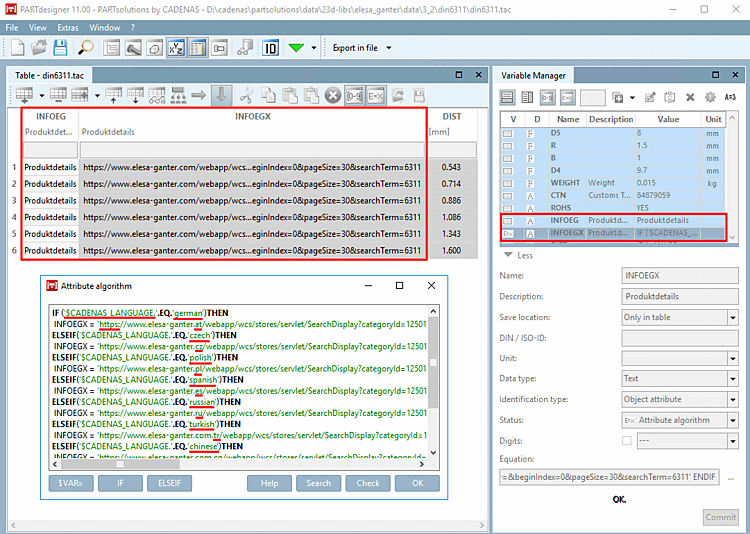
Document to be opened [Document to open]: Variable specification that references a URL with consideration of language dependency. A corresponding condition is formulated depending on $CADENAS_LANGUAGE.
| ||||
Instead of an internal document to be opened, just as well you may state a program to be executed:
![[Note]](images/note.png)
![[Tip]](images/tip.png)